고객 서비스

판매자들은 가입하면 더 많은 혜택을 누릴 수 있습니다.

모든 주문 무료 배송.

인쇄기

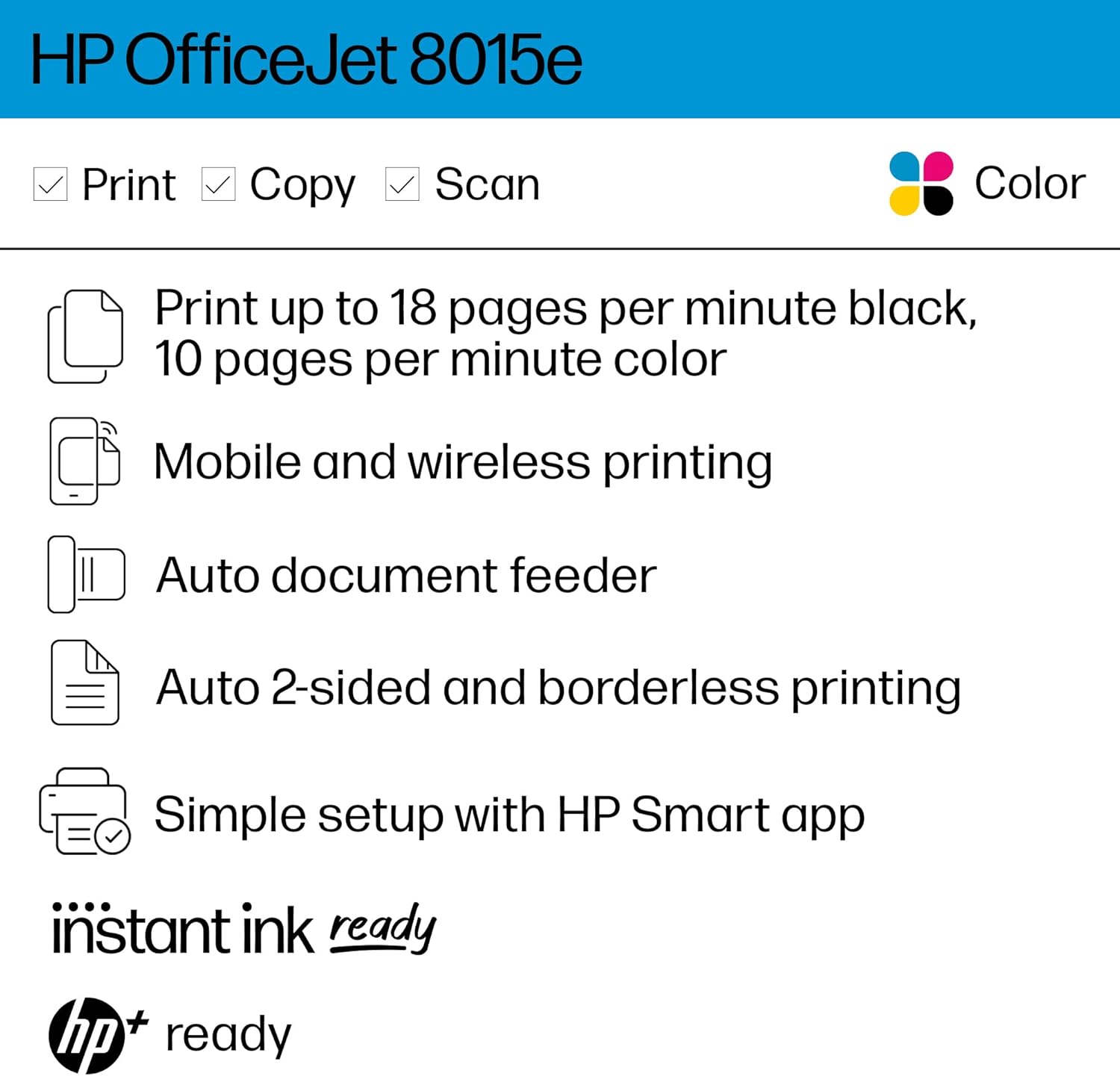
HP OfficeJet 8015e Wireless Color All-in-One Printer, 6 month Instant Ink trial included

4.00

지난 32시간 동안 판매됨 30

$ 169.99
$ 179.00
-5.30%

I'm a regular household user (ok, also a teacher, but not the kind who prints All The Things) but had an old Officejet because of a crazy black Friday deal back when black Friday deals were crazy. It died of old age and I thought I'd downgrade because budget. But I just couldn't go back to regular printers. I returned two out of frustration before deciding to just pay a little more and go back to Officejet, it's only been a couple of weeks but so far I don't think I'll have any regrets.Pros:+ Seems to be on sale often so it's not terribly more expensive than lower end printers.+ The print quality is very good. I'm getting a drop of those light horizontal lines, but just a bit, and I bet they could be ironed out if I had time to sit around with settings or something. But overall I'm much happier than I was with the other printers I tried, text is sharper and colors are more true.+ Paper tray is closed. I hate that all the new expensive printers these days have the paper sticking up from the back open to the elements. I can only assume their paper feeders get gummed up with dust pretty fast, and the papers themselves can't be too happy. The paper tray on this printer is great.+ It's not noisy, relative to others.+ HP Smart app is great, easy to use, has a nice set of functions.+ Had no issues with setup.+ So far seems to be picking up jobs just fine from my phone and laptop.Cons:- I really don't like the boxy design. I'm putting function over form but I really don't like it. And the front panel seems a bit flimsy, it's not the most important piece but my old Officejet didn't have a front panel that opened and I don't really see the point of this one as you need to lift the top to get inside anyway.- would love to have a paper bypass tray. Like if you want to print one envelope, it would be great to have a place to just feed that in rather than remove your whole paper stack, change the size in the tray, print your envelope, and then put all the paper back.- like I said before, I'm getting a drop of banding (is that what it's called? Tiny horizontal gaps?) When printing chunks of color. I'm not sure if this is fixable and the print quality is still the best I've seen in this price range, but it's a flaw.- the touch screen could be a little more responsive- That's... Really it so far. I had a lot more complaints with every other printer I tried.Neutral:~ Let's talk about instant ink. Many reviews had issues with this. They seem to not understand how the program works. It's not that complicated. No, you don't get six months worth of ink in the box with the printer. They will send the ink to your home as needed over six months if you sign up and give them your address. I haven't gotten to the end of the trial yet so I don't know if they actually brick your printer if you try to use generic ink, but they were very explicit about you agreeing not to do that when signing up. I have no issue with this because I did some math and I believe the instant ink actually is a better deal than even generic ink is. My old printer accepted generics (after an initial period of reluctance) and it wasn't all that exciting. And with subscription ink I won't need to worry about waste when the printer decides to clean the printheads (my old one did that a lot)I do think it feels scammy for them to make you commit at the outset to never use other ink for the life of the printer (what?!) But at the same time I'm comfortable with what they're offering. I'll be annoyed if they raise the prices though, and I think if they're making you commit upon purchase then they in turn should commit to grandfathering you into the ink prices as of the time of the commitment.~ Several times I've sent a print job from my phone, got an error message on my phone, while the job printed just fine. So it's good that the job printed fine, but it's weird and annoying that my phone thinks it didn't, and now I have an error notification sitting there, and if I'm not near the printer I don't know whether or not it actually printed or if I need to retry. I'll have to figure out how to make that stop. Maybe I'll need to uninstall and reinstall the phone app or something. Overall a very minor hiccup compared to the issues I had with other printers.

14 현재 누군가가 웹사이트를 탐색 중입니다.

Style
HP OfficeJet Pro 8015e
수량:
- +

예상 배송 시간: 12~26일(국제), 3~6일(미국)

구매일로부터 45일 이내에 반품이 가능합니다. 관세 및 세금은 환불되지 않습니다.

  • ADDITIONAL_PRINTER_FUNCTIONS:

    Copy, Fax, Scan

  • ASIN:

    B08XW7LT9P

  • BEST_SELLERS_RANK:

    #13,611 in Office Products (See Top 100 in Office Products) #50 in Inkjet Computer Printers

  • COLOR_DEPTH:

    36 bpp

  • COMPATIBLE_CARTRIDGE:

    HP 910 Black Original Ink Cartridge, HP 910 Cyan Original Ink Cartridge 3YL58N, HP 910 Magenta Original Ink Cartridge 3YL59A, HP 910 Yellow Original Ink Cartridge 3YL60A, HP 910XL Black Original Ink Cartridge, HP 910XL Cyan Original Ink Cartridge 3YL62A, HP 910XL Magenta Original Ink Cartridge 3YL63A; HP 910XL Yellow Original Ink Cartridge 3YL64A

  • COMPATIBLE_DEVICES:

    PC

  • CONTROL_METHOD:

    Touch

  • CONTROLLER_TYPE:

    iOS

  • CUSTOMER_REVIEWS:

    4.0 4.0 out of 5 stars (11,943) 4.0 out of 5 stars

  • DATE_FIRST_AVAILABLE:

    November 8, 2022

  • DUAL_SIDED_PRINTING:

    Yes

  • DUPLEX:

    Automatic

  • HARDWARE_INTERFACE:

    USB

  • INCLUDED_COMPONENTS:

    HP 910 Setup Cyan Ink Cartridge, HP 910 Setup Magenta Ink Cartridge, HP 910 Setup Yellow Ink Cartridge, HP OfficeJet 8015e All-in-One Printer, Inkjet Cartridges

  • INITIAL_PAGE_PRINT_TIME:

    13 Seconds

  • INK_COLOR:

    black, cyan, magenta, yellow

  • ITEM_MODEL_NUMBER:

    8015e

  • ITEM_WEIGHT:

    18.04 pounds

  • MANUFACTURER:

    HP

  • MAX_COPY_RESOLUTION_BLACK_WHITE:

    600 dpi

  • MAX_COPY_RESOLUTION_COLOR:

    1200 dpi

  • MAX_INPUT_SHEET_CAPACITY:

    225

  • MAXIMUM_BLACK_AND_WHITE_PRINT_RESOLUTION:

    1200 x 1200 Dots Per Inch

  • MAXIMUM_COLOR_PRINT_RESOLUTION:

    4800 x 1200 Dots Per Inch

  • MAXIMUM_COPIES_PER_RUN:

    99

  • MAXIMUM_MEDIA_SIZE:

    8.5 x 14 inch

  • MEMORY_STORAGE_CAPACITY:

    256 MB

  • MODEL_SERIES:

    8010

  • NUMBER_OF_TRAYS:

    2

  • OUTPUT_SHEET_CAPACITY:

    225

  • POWER_CONSUMPTION:

    21 Watts

  • PRINT_MEDIA:

    Card stock, Envelopes, Glossy photo paper, Paper (plain)

  • PRINTER_INK_TYPE:

    Pigment-Based Ink

  • PRODUCT_DIMENSIONS:

    13.29"D x 18.11"W x 9.17"H

  • SCANNER_TYPE:

    Flatbed

  • SHEET_SIZE:

    3 x 5, 8.5 x 14

  • SPECIFIC_USES_FOR_PRODUCT:

    Home, Office

  • SUPPORTED_MEDIA_SIZES:

    A4

  • TOTAL_USB_PORTS:

    1

  • UPC:

    195161213618

  • WARRANTY_TYPE:

    limited warranty

  • WATTAGE:

    21 watts

안전한 결제를 보장하세요
제품 상세 정보
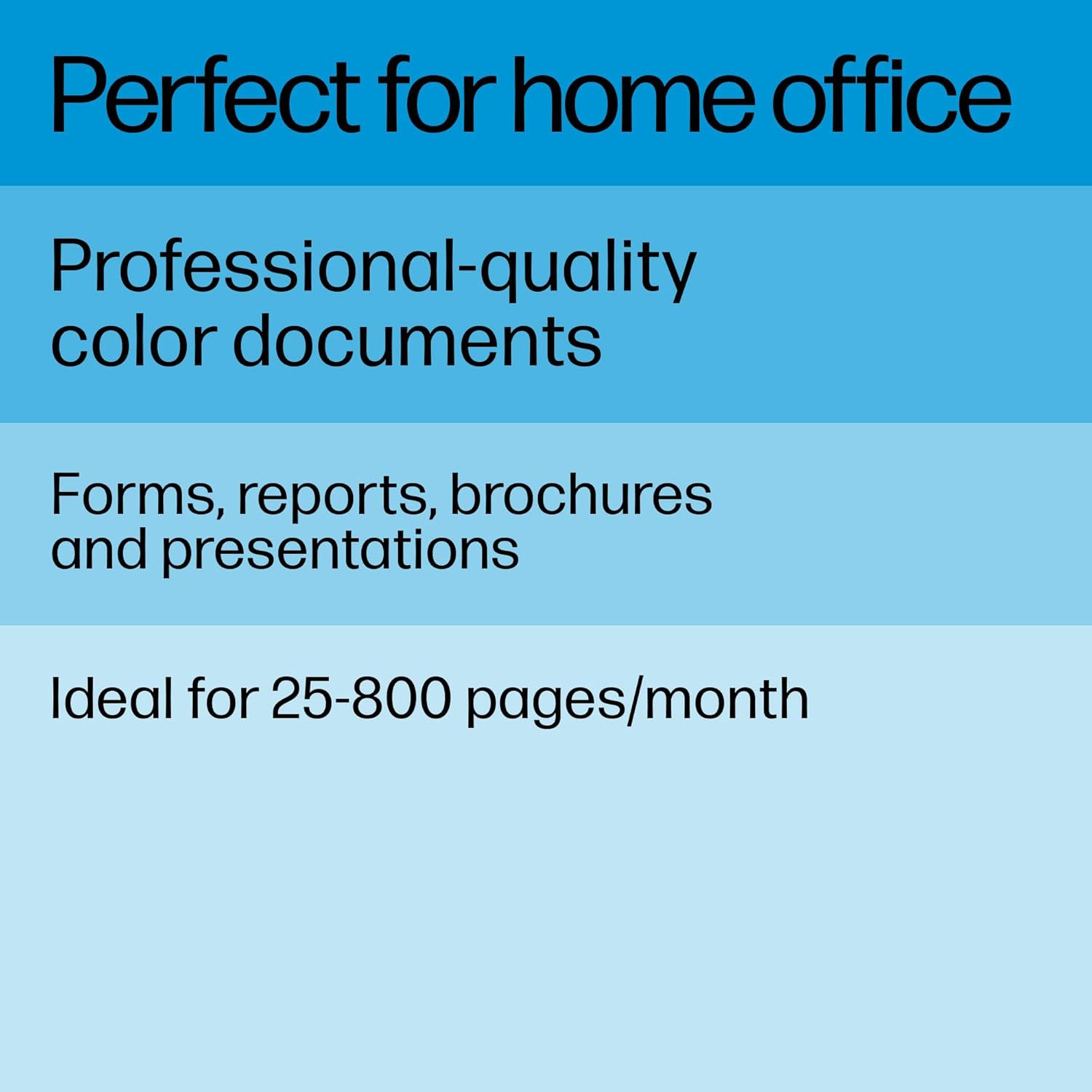
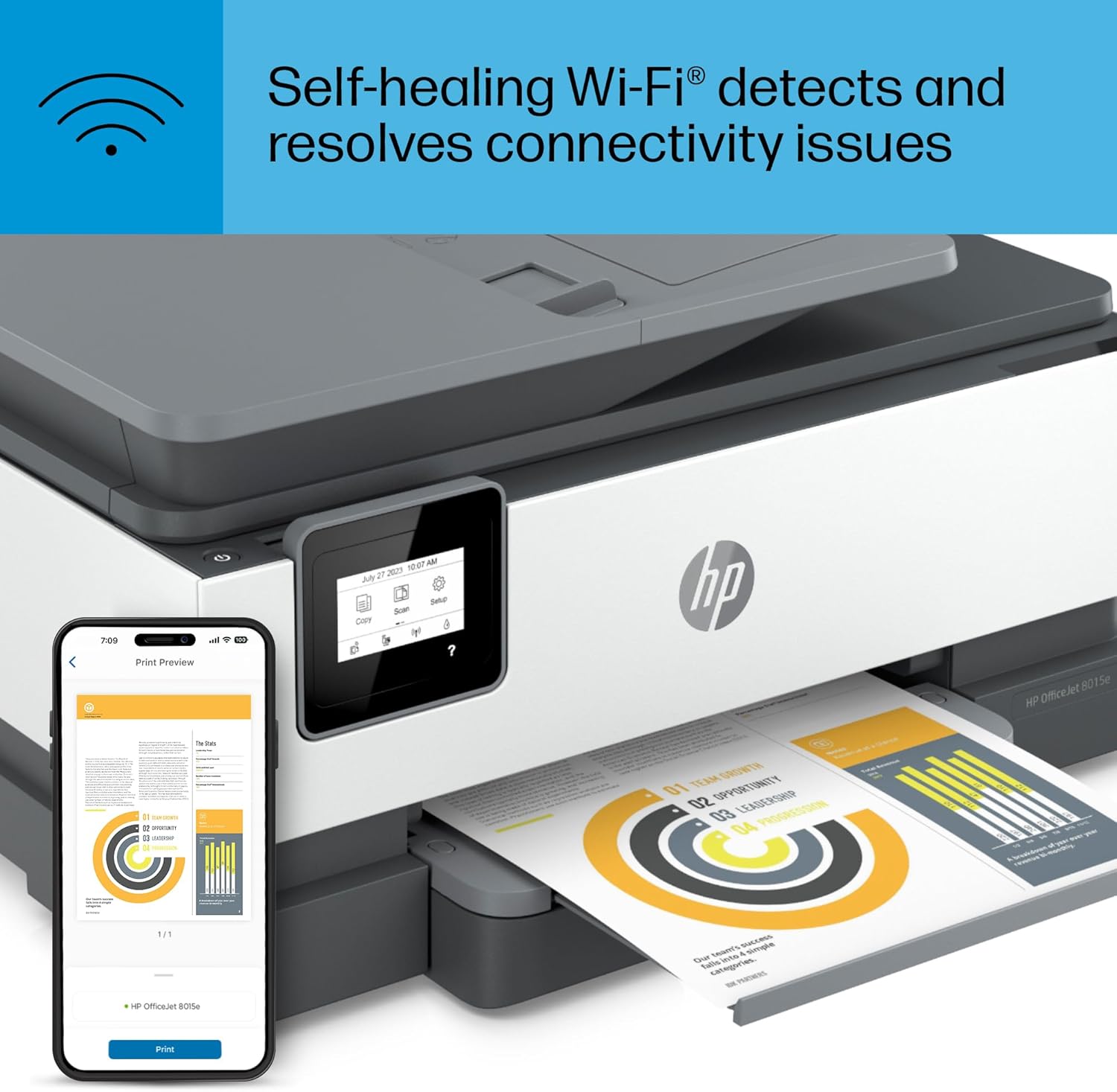
The HP OfficeJet 8015e delivers increased productivity with fast speeds and custom mobile shortcuts. It includes the optional HP+ Smart Printing System that keeps itself up to date, secure, and ready to print from virtually anywhere at any time—at no additional cost.
고객 리뷰
4.00

(100 점수)

5
17
4
3
3
6
2
12
1
62
댓글 취소
댓글을 남겨주세요

18 논평

Excelente 👌
2026-02-22    -Luis Domínguez V.

Cumple con su función, buen equipo.

I’m a teacher, and I’ve been using this HP printer for about 6 months for lesson plans, worksheets, and student materials. It has been very reliable and easy to use. The print quality is clear, which is important for handouts and classroom documents.Printing, scanning, and copying are all convenient, and it handles daily school work without problems. Setup was simple, and I haven’t experienced frequent paper jams or errors. Ink usage has been reasonable for regular classroom needs.Overall, this printer has been a great help for my teaching tasks and is a solid choice for teachers or home classrooms.

I'm a regular household user (ok, also a teacher, but not the kind who prints All The Things) but had an old Officejet because of a crazy black Friday deal back when black Friday deals were crazy. It died of old age and I thought I'd downgrade because budget. But I just couldn't go back to regular printers. I returned two out of frustration before deciding to just pay a little more and go back to Officejet, it's only been a couple of weeks but so far I don't think I'll have any regrets.Pros:+ Seems to be on sale often so it's not terribly more expensive than lower end printers.+ The print quality is very good. I'm getting a drop of those light horizontal lines, but just a bit, and I bet they could be ironed out if I had time to sit around with settings or something. But overall I'm much happier than I was with the other printers I tried, text is sharper and colors are more true.+ Paper tray is closed. I hate that all the new expensive printers these days have the paper sticking up from the back open to the elements. I can only assume their paper feeders get gummed up with dust pretty fast, and the papers themselves can't be too happy. The paper tray on this printer is great.+ It's not noisy, relative to others.+ HP Smart app is great, easy to use, has a nice set of functions.+ Had no issues with setup.+ So far seems to be picking up jobs just fine from my phone and laptop.Cons:- I really don't like the boxy design. I'm putting function over form but I really don't like it. And the front panel seems a bit flimsy, it's not the most important piece but my old Officejet didn't have a front panel that opened and I don't really see the point of this one as you need to lift the top to get inside anyway.- would love to have a paper bypass tray. Like if you want to print one envelope, it would be great to have a place to just feed that in rather than remove your whole paper stack, change the size in the tray, print your envelope, and then put all the paper back.- like I said before, I'm getting a drop of banding (is that what it's called? Tiny horizontal gaps?) When printing chunks of color. I'm not sure if this is fixable and the print quality is still the best I've seen in this price range, but it's a flaw.- the touch screen could be a little more responsive- That's... Really it so far. I had a lot more complaints with every other printer I tried.Neutral:~ Let's talk about instant ink. Many reviews had issues with this. They seem to not understand how the program works. It's not that complicated. No, you don't get six months worth of ink in the box with the printer. They will send the ink to your home as needed over six months if you sign up and give them your address. I haven't gotten to the end of the trial yet so I don't know if they actually brick your printer if you try to use generic ink, but they were very explicit about you agreeing not to do that when signing up. I have no issue with this because I did some math and I believe the instant ink actually is a better deal than even generic ink is. My old printer accepted generics (after an initial period of reluctance) and it wasn't all that exciting. And with subscription ink I won't need to worry about waste when the printer decides to clean the printheads (my old one did that a lot)I do think it feels scammy for them to make you commit at the outset to never use other ink for the life of the printer (what?!) But at the same time I'm comfortable with what they're offering. I'll be annoyed if they raise the prices though, and I think if they're making you commit upon purchase then they in turn should commit to grandfathering you into the ink prices as of the time of the commitment.~ Several times I've sent a print job from my phone, got an error message on my phone, while the job printed just fine. So it's good that the job printed fine, but it's weird and annoying that my phone thinks it didn't, and now I have an error notification sitting there, and if I'm not near the printer I don't know whether or not it actually printed or if I need to retry. I'll have to figure out how to make that stop. Maybe I'll need to uninstall and reinstall the phone app or something. Overall a very minor hiccup compared to the issues I had with other printers.

buenaza
2026-02-20    -Aron perez romero

muy buenas impresiones, buena calidad y el envió desde estados unidos a Mexico muy rapido, llego antes de lo estimado. la impresora es de buen tamaño y escanea de ambos lados de la oja, pantalla tactil monocromatica y el wifi conecta muy rapido

Another solid HP printer!
2026-01-20    -Kelly

Here's my long story as short as possible. I had a 4200-ish series HP Envy. Printed faithfully for 10 years, moderate use, mostly b&w documents. When I decided to replace my Envy, I wanted something that would print sharp, colorful images on heavier paper & card stock (I now do a lot of art, collage, scrapbooking & paper craft). I'm very happy with the quality of the images printed, the color is accurate, copies are produced quickly- printed from Google Drive & Drop Box on my iPhone, iPad, Chromebook- super sharp & bright! Just loooove it!! Set up was a breeze, less than 5 mins flat, didn't have any of the issues other reviewers complained of. I can Air Print, directly from Drop Box, Google Drive, Google Photos, iPhoto etc or I use the HP Plus app which is really handy. It allows you to search files & images, alter the image size, freestyle crop, add 20+ filters & generally make changes similar to most photography apps. You can keep track of the # of pages printed, check ink levels, order ink (but Instant Ink basically does that for you), track ink deliveries, use the remote printing option, the quiet print setting & various shortcuts. I've been an Instant Ink member for 10 years. For me, it's always been a super convenient service that is well priced. I was never harassed or bugged or pressured into signing up or upgrading to more expensive options as other reviewers have stated. I haven't had a single memorable issue in TEN years. That says alot right? When I set up the new printer, HP instantly applied the 6 free months of ink & extra 700 monthly pages. I'll be honest, I thought there would be small print somewhere saying 'you have to be a new customer' to receive this promotion but they were generous, so I further respect HP.I pay 5$ a month & get 200 pages plus rollovers and all the ink I can use. The only downside is that when the ink levels are low & the printer orders me new ink cartridges, they are shipped from Arizona. I'm in Alberta Canada. HP said shipping takes approx 15-20 business days. So you could potentially be without ink for a period of time. I casually called HP to bring this up, just to see what they said. They agreed with my point of view, immediately sent out a second set of cartridges so that I'll have a carry over set of ink between the next refill. Just in case :)I feel good about the quality for the price, good customer service, the HP OfficeJet printer itself is fantastic.. I probably looked at every HP printer listed & found this to be the best rated, best priced, best promotion/ free product offer, best extended warranty and has the best partner app. I was really hesitant to initially purchase due to the multitude of poor reviews. But the list of issues others mentioned? I didn't experience any of them. None. As I said, I can't think of any negative occurrence in 10 yrs. I waited until Prime Day 2023 to purchase & got a FANTASTIC deal. It's been an issue free purchase. 10/10!(All photos are of clip art I printed on this printer, on various weights of paper & cardstock. Zero issues :)

We have owned and liked HP printers in the past, so we were expecting equal quality and ease of use with this device. We were happy to find very good quality of print, but the functionality is terrible.The challenge for us has been in functionality. First, the setting menu uses a scroll bar to maneuver between options and settings. It is not always visible and sometimes you have to tap the screen multiple times to get it to appear; thus, often re-setting the configurations unintentionally. It is very difficult to access the scroll bar to move up and down the screen. It is difficult to ascertain if you have actually selected and "set" the configuration you want to use. As shown in the image, this printer has a double sided option available, but it has never worked for us. I feel like we're pretty techie, so the only reason we think it doesn't work has to do with the settings screen.Scanning from our computers worked well - we initiate it from our computer most of the time and that is very effective. I don't scan from the printer directly since it doesn't always function correctly.It is slow in the uptake for printing items. When you send a request for something to print from your computer, it can take up to a minute to start producing the item. Copying works better, but it can also take a little bit of time to initiate. For copying multiple pages, the speed is acceptable once it starts reproduction.While we use the printer at home for personal use with some regularity, we've had to replace the ink three times in one year. We have always had and used printers at home and this is the first time we've had to replace the inkjets this often. We can usually get mostly though a year with one set of COLOR inkjets and we MAY have to replace the black inkjet a second time. There is the 6 months of free inkjet replacement option with this purchase, but you have to subscribe. We did not subscribe since we don't usually need replacements frequently.At this point the printer HAS cost us more than we paid with the replacement of the inkjets and it is now cheaper to replace this device than purchase new inkjets, which we will be doing.

We have owned and liked HP printers in the past, so we were expecting equal quality and ease of use with this device. We were happy to find very good quality of print, but the functionality is terrible.The challenge for us has been in functionality. First, the setting menu uses a scroll bar to maneuver between options and settings. It is not always visible and sometimes you have to tap the screen multiple times to get it to appear; thus, often re-setting the configurations unintentionally. It is very difficult to access the scroll bar to move up and down the screen. It is difficult to ascertain if you have actually selected and "set" the configuration you want to use. As shown in the image, this printer has a double sided option available, but it has never worked for us. I feel like we're pretty techie, so the only reason we think it doesn't work has to do with the settings screen.Scanning from our computers worked well - we initiate it from our computer most of the time and that is very effective. I don't scan from the printer directly since it doesn't always function correctly.It is slow in the uptake for printing items. When you send a request for something to print from your computer, it can take up to a minute to start producing the item. Copying works better, but it can also take a little bit of time to initiate. For copying multiple pages, the speed is acceptable once it starts reproduction.While we use the printer at home for personal use with some regularity, we've had to replace the ink three times in one year. We have always had and used printers at home and this is the first time we've had to replace the inkjets this often. We can usually get mostly though a year with one set of COLOR inkjets and we MAY have to replace the black inkjet a second time. There is the 6 months of free inkjet replacement option with this purchase, but you have to subscribe. We did not subscribe since we don't usually need replacements frequently.At this point the printer HAS cost us more than we paid with the replacement of the inkjets and it is now cheaper to replace this device than purchase new inkjets, which we will be doing.

buenaza
2026-02-25    -Aron perez romero

muy buenas impresiones, buena calidad y el envió desde estados unidos a Mexico muy rapido, llego antes de lo estimado. la impresora es de buen tamaño y escanea de ambos lados de la oja, pantalla tactil monocromatica y el wifi conecta muy rapido

I really liked this printer and made the mistake of subscribing to the mfg promotional inkjet cartridge program. The printer has to be on the HP Smart App to work properly. I was getting crap cartridges from HP that leaked and were the smallest size they could sell me. I cancelled my subscription because of the poor quality of their product. I purchased brand new cartridges from the HP store and they cost more than the printer which was very reasonable price. The printer worked great for my needs. After installing the new HP inkjet cartridges my printer quit working. I received a notification from my HP account that my printer would not work anymore unless I resubscribe to their ink cartridge program. It is a scam. I am a senior citizen who is a disabled veteran and my attempts to get HP to remove my printer from their account was not successful. I did not have any options with Amazon customer service. They had no idea that HP was so aggressive with their product to be disabled because of the cancellation of their inkjet cartridge subscription. I have always had a great experience with HP. I learned a hard lesson. SVS

Good printer
2026-02-17    -Jen

Bought this for work - works great! I don't do lots of printing as I can do a fair amount of work through Adobe, but when I do need to print and scan things in this is very convenient and easy to do with the computer and mobile apps.The ink provided when purchased was definitely a very small amount, and I went through it quickly before needing to be replaced. I didn't bother with the subscriptions as I felt that would've been a waste of money.I don't hear a lot of great things from HP (mainly due to trying to lock people in?), but I've been pretty happy with this one so far.

댓글을 남겨주세요:

댓글 제목
댓글 내용
배송 및 반품
우리가 당신을 보호하겠습니다

대부분 지역에서는 배송비를 한 번만 지불하시면 됩니다 (주문 및 배송 페이지를 확인해 주세요).

구매 후 14일 이내 무료 반품 가능 (단, 수명이 다한 제품, 맞춤 제작 상품, 마스크, 향수 및 에어로졸과 같이 위험하거나 인화성 물질이 포함된 일부 제품은 제외).

수입 관세 정보

복잡한 절차는 저희가 처리해 드리겠습니다. 카나리아 제도를 제외한 모든 EU 국가, 영국, 미국, 캐나다, 호주, 뉴질랜드, 푸에르토리코, 스위스, 싱가포르, 한국, 쿠웨이트, 멕시코, 카타르, 인도, 노르웨이, 사우디아라비아, 대만, 태국, UAE, 일본, 브라질, 맨섬, 산마리노, 콜롬비아, 칠레, 아르헨티나, 이집트, 레바논, 홍콩 특별행정구, 바레인, 터키로 배송되는 상품 가격에는 모든 수입 관세가 포함되어 있습니다. 표시된 가격이 최종 결제 금액입니다.

예상 배송 시간

특급 배송: 7-10일

해당 창고에서 배송되었습니다.

더 자세한 정보가 필요하신가요?
반품 정책
반품 정책

저희는 제품 품질에 자신 있습니다. 만약 구매하신 제품에 완전히 만족하지 못하신다면, 수령일로부터 30일 이내에 간편하게 반품하실 수 있도록 정책을 마련해 두었습니다.

간편한 교환 또는 환불
  • 다른 사이즈, 색상 또는 스타일의 상품으로 교환하거나 전액 환불받을 수 있습니다.
  • 반품되는 모든 상품은 착용하지 않은 상태여야 하며, 원래 포장 상태 그대로 모든 태그가 손상되지 않은 상태여야 합니다.
간단한 절차
  • 온라인으로 반품을 신청하거나 고객 서비스 팀에 문의하여 도움을 받으실 수 있습니다.
  • 물품을 제대로 포장해 주시고, 원래의 포장 목록도 함께 넣어주세요.
  • 반품하실 상품을 보내주실 때에는 저희가 제공해 드린 선불 배송 라벨을 사용해 주시기 바랍니다.
  • 환불 요청 접수 즉시 처리해 드리겠습니다.

반품과 관련하여 궁금한 점이나 우려 사항이 있으시면 언제든지 저희 전문 고객 서비스 팀에 문의해 주세요. 고객 만족은 저희의 최우선 목표입니다.

범주
차이
제품
모든 제품 지우기