고객 서비스

판매자들은 가입하면 더 많은 혜택을 누릴 수 있습니다.

모든 주문 무료 배송.

하드디스크

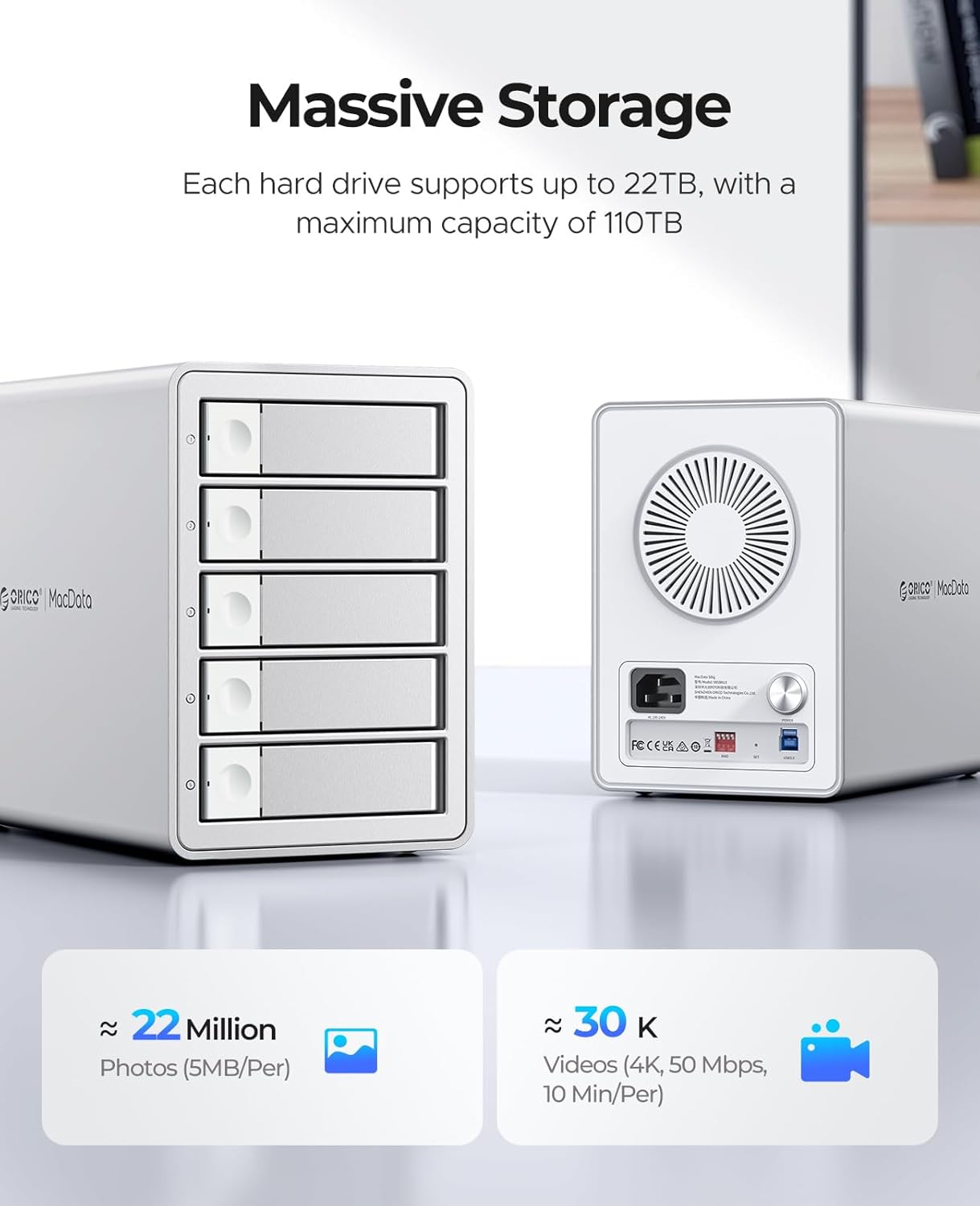
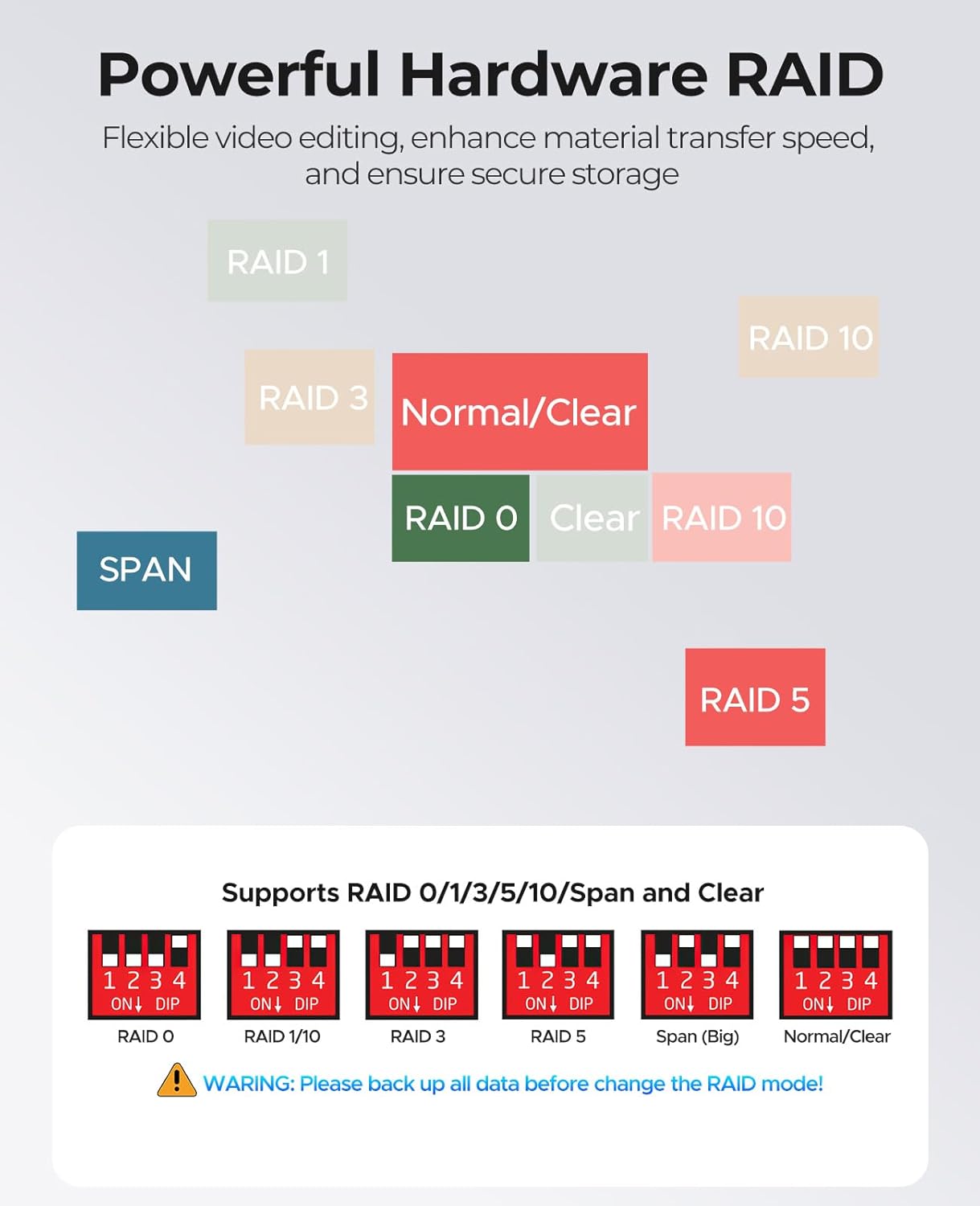
ORICO 5Bay RAID External Hard Drive Enclosure for 2.5/3.5 Inch SATA HDD/SSD up to 5X 22TB, USB3.0 Type-A Hard Drive Docking Station, Supports RAID 0/1/3/5/10/JBOD/Clone/ClearMode -9958RU3

2.60

지난 32시간 동안 판매됨 37

$ 249.46
$ 260.00
-4.23%

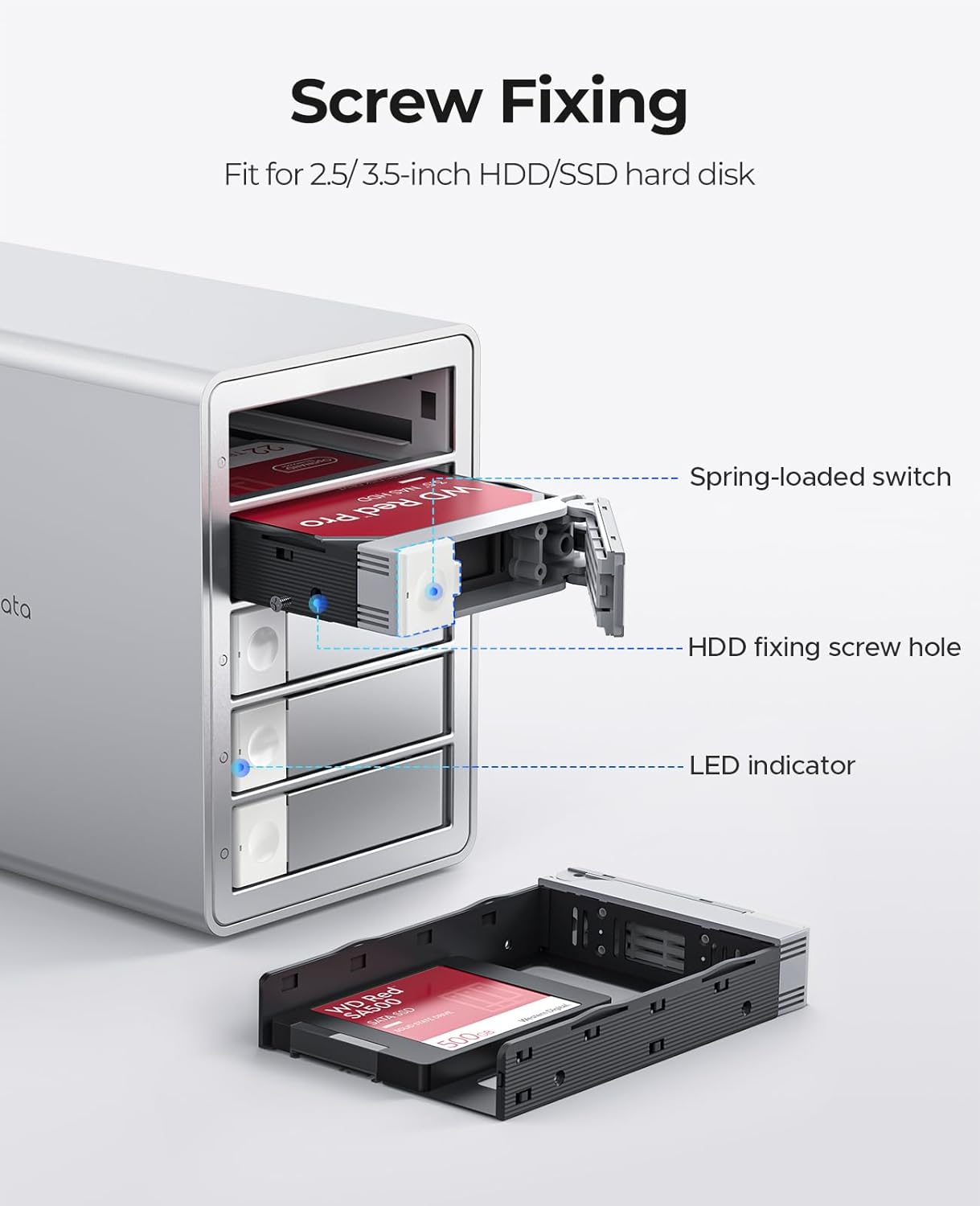
I'm using this as a RAID-5 backup drive on an NAS. The setup was very easy. The only issue is that the doors and drive trays require a little force to remove and I am concerned that they will break. There is another model by the same manufacturer that does not require trays which I also bought. Both are easy to set up. I recommend that one over this. https://www.amazon.com/gp/product/B0DDX8PVH7/ref=ox_sc_saved_image_7?smid=A34PF29WPO2NUY&th=1

27 현재 누군가가 웹사이트를 탐색 중입니다.

수량:
- +

예상 배송 시간: 12~26일(국제), 3~6일(미국)

구매일로부터 45일 이내에 반품이 가능합니다. 관세 및 세금은 환불되지 않습니다.

  • ASIN:

    B0FGTHRZ51

  • BEST_SELLERS_RANK:

    #92 in Hard Drive Docking Stations

  • CUSTOMER_REVIEWS:

    2.6 2.6 out of 5 stars (4) 2.6 out of 5 stars

  • DATA_TRANSFER_RATE:

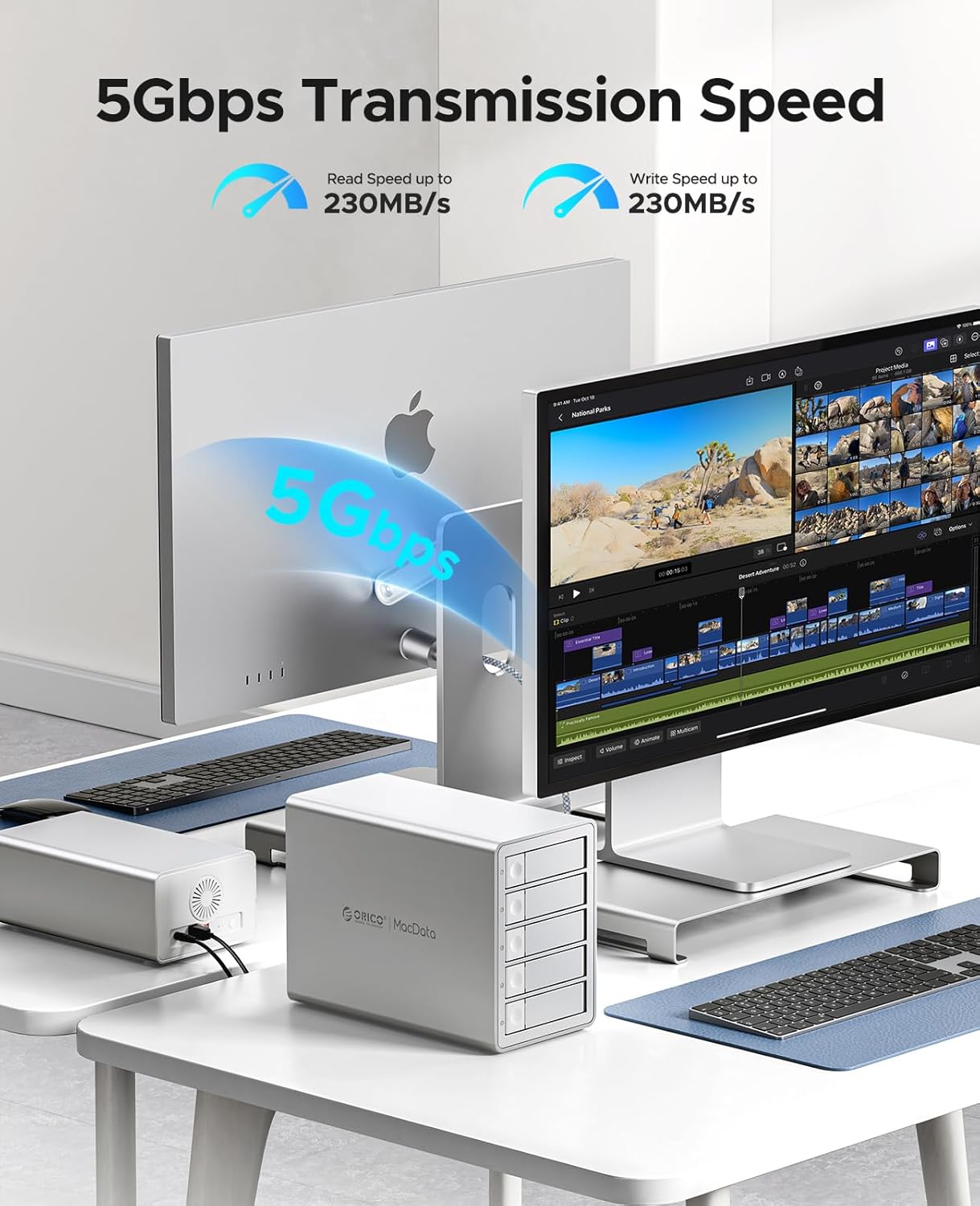
    235 Megabytes Per Second

  • DATE_FIRST_AVAILABLE:

    July 5, 2025

  • HARD_DISK_FORM_FACTOR:

    3.5 Inches

  • ITEM_MODEL_NUMBER:

    9958RU3

  • ITEM_WEIGHT:

    10.43 pounds

  • MANUFACTURER:

    SHENZHEN ORICO TECHNOLOGIES CO.,LTD

  • MAX_NUMBER_OF_SUPPORTED_DEVICES:

    5

  • PACKAGE_DIMENSIONS:

    13.3 x 12.6 x 8.5 inches

안전한 결제를 보장하세요

제품 상세 정보

고객 리뷰
2.60

(100 점수)

5
33
4
0
3
44
2
23
1
0
댓글 취소
댓글을 남겨주세요

6 논평

I'm using this as a RAID-5 backup drive on an NAS. The setup was very easy. The only issue is that the doors and drive trays require a little force to remove and I am concerned that they will break. There is another model by the same manufacturer that does not require trays which I also bought. Both are easy to set up. I recommend that one over this. https://www.amazon.com/gp/product/B0DDX8PVH7/ref=ox_sc_saved_image_7?smid=A34PF29WPO2NUY&th=1

The ORICO DAS is a well-built and versatile 5-bay enclosure that makes it easy to consolidate multiple hard drives in one place. It feels solid, runs quietly, and offers a variety of RAID options — including 0, 1, 3, 5, 10, JBOD, and Clone — giving you flexibility to choose between redundancy or performance setups.Build quality is excellent. The aluminum housing feels sturdy, and the built-in cooling fan keeps things from heating up during extended use. The internal power supply is also a nice touch — no bulky external brick taking up outlet space.My only real complaint is the drive removal design. The latch mechanism requires sliding a small lock before pulling the drive out, and it feels a bit fragile compared to the lever-assisted designs I’ve used before. If you frequently swap drives, you’ll want to be gentle.I haven’t tested transfer speeds yet, but for general storage, backups, and RAID configurations, it’s working great so far. A faster connection option than USB 3.0 would’ve been nice, but overall this enclosure is dependable, quiet, and well thought out.

I'm using this as a RAID-5 backup drive on an NAS. The setup was very easy. The only issue is that the doors and drive trays require a little force to remove and I am concerned that they will break. There is another model by the same manufacturer that does not require trays which I also bought. Both are easy to set up. I recommend that one over this. https://www.amazon.com/gp/product/B0DDX8PVH7/ref=ox_sc_saved_image_7?smid=A34PF29WPO2NUY&th=1

This is a solid drive enclosure once you get it set up, with support for a variety of RAID modes. However, getting it configured was a real pain. The documentation was extremely limited, and it took forever to find and download the necessary software from the ORICO website, almost to the point of sending it back!Once everything is running, though, it's a reliable unit, but don't expect lightning-fast speed. I have some 7200RPM spinning disks, and I could barely top 30/Mbps read/write speeds. I'm not sure why you would opt for a USB-A connection in this day and age when USB-C is so much of a standard. I guess if you have an old PC to connect to. I have not tried a pseudo-failure of the RAID yet to see how to rebuild my RAID 5.On the plus side, the drives install super easily, and the box is heavy-duty aluminum (which is the only reason this didn't get one star).UPDATE: I emailed Orico tech support for documentation on swapping out a bad disk drive in a RAID 5 configuration. I could not find any documentation online, and my first email to tech support at the published email address (to China) bounced back and could not be delivered. (no typo in the address).I resent the same email, and in ~12 hours, they replied.Here is their response (copy/paste from their email:Hello, regarding the recovery and replacement of disks in a RAID 1-3-5-10 array: replacement is required when there is an alarm in the array cabinet indicating a bad disk. Generally, the array cabinet will have a red indicator light. (Note!!: If there is no error reported, the hard disk cannot be replaced in an extended array. The array is built once, and the bad disks are indicated by the red light of the actual disk cabinet.) If the hard drives are not placed in the original order used to build the array, or if a hard disk is replaced without a red alert, it may cause array degradation, data anomalies, data loss, and other issues!!Replacing the hard drive: after an error occurs, the faulty hard drive should be replaced with a new hard drive that has the same or larger capacity than the original (after replacement, the recovery progress can be checked by downloading the RAID management software from our official website). The replacement needs to eject the device and power down before replacing; after replacement, connect it back while powered on. Hot swapping is not allowed. Thank you for your support.ORICO Support TeamORICO Technologies Co.,LtdEmail: supports@orico.com.cn

The ORICO DAS is a well-built and versatile 5-bay enclosure that makes it easy to consolidate multiple hard drives in one place. It feels solid, runs quietly, and offers a variety of RAID options — including 0, 1, 3, 5, 10, JBOD, and Clone — giving you flexibility to choose between redundancy or performance setups.Build quality is excellent. The aluminum housing feels sturdy, and the built-in cooling fan keeps things from heating up during extended use. The internal power supply is also a nice touch — no bulky external brick taking up outlet space.My only real complaint is the drive removal design. The latch mechanism requires sliding a small lock before pulling the drive out, and it feels a bit fragile compared to the lever-assisted designs I’ve used before. If you frequently swap drives, you’ll want to be gentle.I haven’t tested transfer speeds yet, but for general storage, backups, and RAID configurations, it’s working great so far. A faster connection option than USB 3.0 would’ve been nice, but overall this enclosure is dependable, quiet, and well thought out.

This is a solid drive enclosure once you get it set up, with support for a variety of RAID modes. However, getting it configured was a real pain. The documentation was extremely limited, and it took forever to find and download the necessary software from the ORICO website, almost to the point of sending it back!Once everything is running, though, it's a reliable unit, but don't expect lightning-fast speed. I have some 7200RPM spinning disks, and I could barely top 30/Mbps read/write speeds. I'm not sure why you would opt for a USB-A connection in this day and age when USB-C is so much of a standard. I guess if you have an old PC to connect to. I have not tried a pseudo-failure of the RAID yet to see how to rebuild my RAID 5.On the plus side, the drives install super easily, and the box is heavy-duty aluminum (which is the only reason this didn't get one star).UPDATE: I emailed Orico tech support for documentation on swapping out a bad disk drive in a RAID 5 configuration. I could not find any documentation online, and my first email to tech support at the published email address (to China) bounced back and could not be delivered. (no typo in the address).I resent the same email, and in ~12 hours, they replied.Here is their response (copy/paste from their email:Hello, regarding the recovery and replacement of disks in a RAID 1-3-5-10 array: replacement is required when there is an alarm in the array cabinet indicating a bad disk. Generally, the array cabinet will have a red indicator light. (Note!!: If there is no error reported, the hard disk cannot be replaced in an extended array. The array is built once, and the bad disks are indicated by the red light of the actual disk cabinet.) If the hard drives are not placed in the original order used to build the array, or if a hard disk is replaced without a red alert, it may cause array degradation, data anomalies, data loss, and other issues!!Replacing the hard drive: after an error occurs, the faulty hard drive should be replaced with a new hard drive that has the same or larger capacity than the original (after replacement, the recovery progress can be checked by downloading the RAID management software from our official website). The replacement needs to eject the device and power down before replacing; after replacement, connect it back while powered on. Hot swapping is not allowed. Thank you for your support.ORICO Support TeamORICO Technologies Co.,LtdEmail: supports@orico.com.cn

댓글을 남겨주세요:

댓글 제목
댓글 내용
배송 및 반품
우리가 당신을 보호하겠습니다

대부분 지역에서는 배송비를 한 번만 지불하시면 됩니다 (주문 및 배송 페이지를 확인해 주세요).

구매 후 14일 이내 무료 반품 가능 (단, 수명이 다한 제품, 맞춤 제작 상품, 마스크, 향수 및 에어로졸과 같이 위험하거나 인화성 물질이 포함된 일부 제품은 제외).

수입 관세 정보

복잡한 절차는 저희가 처리해 드리겠습니다. 카나리아 제도를 제외한 모든 EU 국가, 영국, 미국, 캐나다, 호주, 뉴질랜드, 푸에르토리코, 스위스, 싱가포르, 한국, 쿠웨이트, 멕시코, 카타르, 인도, 노르웨이, 사우디아라비아, 대만, 태국, UAE, 일본, 브라질, 맨섬, 산마리노, 콜롬비아, 칠레, 아르헨티나, 이집트, 레바논, 홍콩 특별행정구, 바레인, 터키로 배송되는 상품 가격에는 모든 수입 관세가 포함되어 있습니다. 표시된 가격이 최종 결제 금액입니다.

예상 배송 시간

특급 배송: 7-10일

해당 창고에서 배송되었습니다.

더 자세한 정보가 필요하신가요?
반품 정책
반품 정책

저희는 제품 품질에 자신 있습니다. 만약 구매하신 제품에 완전히 만족하지 못하신다면, 수령일로부터 30일 이내에 간편하게 반품하실 수 있도록 정책을 마련해 두었습니다.

간편한 교환 또는 환불
  • 다른 사이즈, 색상 또는 스타일의 상품으로 교환하거나 전액 환불받을 수 있습니다.
  • 반품되는 모든 상품은 착용하지 않은 상태여야 하며, 원래 포장 상태 그대로 모든 태그가 손상되지 않은 상태여야 합니다.
간단한 절차
  • 온라인으로 반품을 신청하거나 고객 서비스 팀에 문의하여 도움을 받으실 수 있습니다.
  • 물품을 제대로 포장해 주시고, 원래의 포장 목록도 함께 넣어주세요.
  • 반품하실 상품을 보내주실 때에는 저희가 제공해 드린 선불 배송 라벨을 사용해 주시기 바랍니다.
  • 환불 요청 접수 즉시 처리해 드리겠습니다.

반품과 관련하여 궁금한 점이나 우려 사항이 있으시면 언제든지 저희 전문 고객 서비스 팀에 문의해 주세요. 고객 만족은 저희의 최우선 목표입니다.

범주
차이
제품
모든 제품 지우기