

하드디스크
ORICO Dual M.2 NVMe SATA SSD Enclosure, USB C to M2 Adapter for M Key PCIe & B+M Key 2230/2242/2260/2280 SSDs,Tool-Free Installation Aluminum SSDs Reader Support Trim and UASP up to 2x4TB-BM2-2SN
4.20
지난 32시간 동안 판매됨 40
$ 35.99
$ 38.00
-5.58%
Good speed of 10Gb/s. 2 bays for SSDs. They can be used individually or at the same time with the cables provided. Got it to set up a backup file system. Works as advertised.
14 현재 누군가가 웹사이트를 탐색 중입니다.
수량:
-
+
예상 배송 시간: 12~26일(국제), 3~6일(미국)
구매일로부터 45일 이내에 반품이 가능합니다. 관세 및 세금은 환불되지 않습니다.
-
ASIN:
B0B6NXFJK7
-
BEST_SELLERS_RANK:
#91 in Enclosures
-
COMPATIBLE_DEVICES:
Laptop
-
CUSTOMER_REVIEWS:
4.2 4.2 out of 5 stars (426) 4.2 out of 5 stars
-
DATA_TRANSFER_RATE:
10000000000 Bits Per Second
-
DATE_FIRST_AVAILABLE:
July 15, 2022
-
ITEM_MODEL_NUMBER:
Dual M.2 SATA+NVMe
-
ITEM_WEIGHT:
8.4 ounces
-
MANUFACTURER:
SHENZHEN ORICO TECHNOLOGIES CO.,LTD
-
MAX_NUMBER_OF_SUPPORTED_DEVICES:
2
-
MEMORY_STORAGE_CAPACITY:
4 TB
-
PACKAGE_DIMENSIONS:
7.32 x 4.25 x 1.26 inches
안전한 결제를 보장하세요






제품 상세 정보
1.Aluminum alloy design, which has a high-grade appearance and texture.
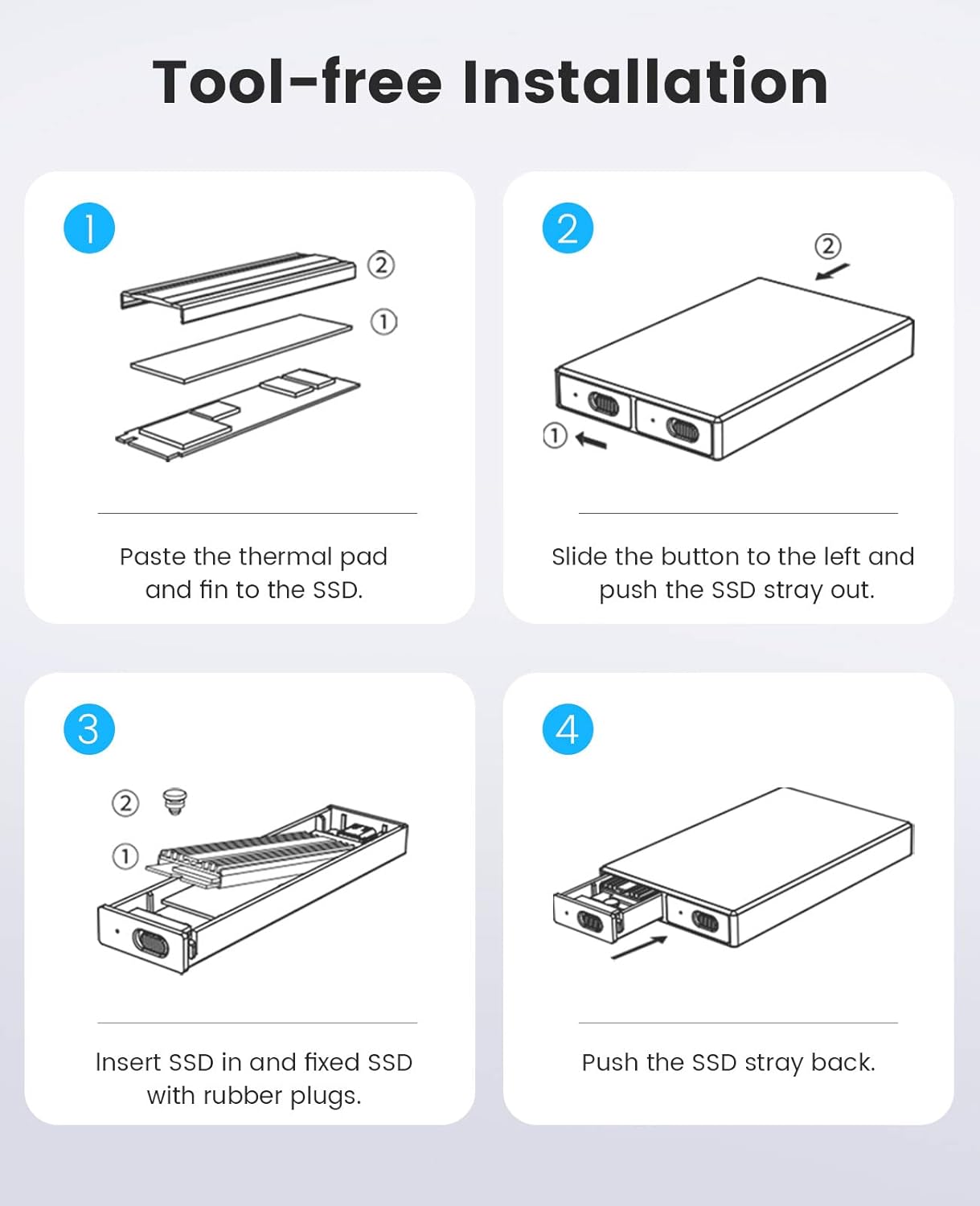
2.Tool-Free Installation, saving the trouble of screwing, easy to use, and portable.
3. With safety lock button design, which can be locked and extracted to prevent misoperation.
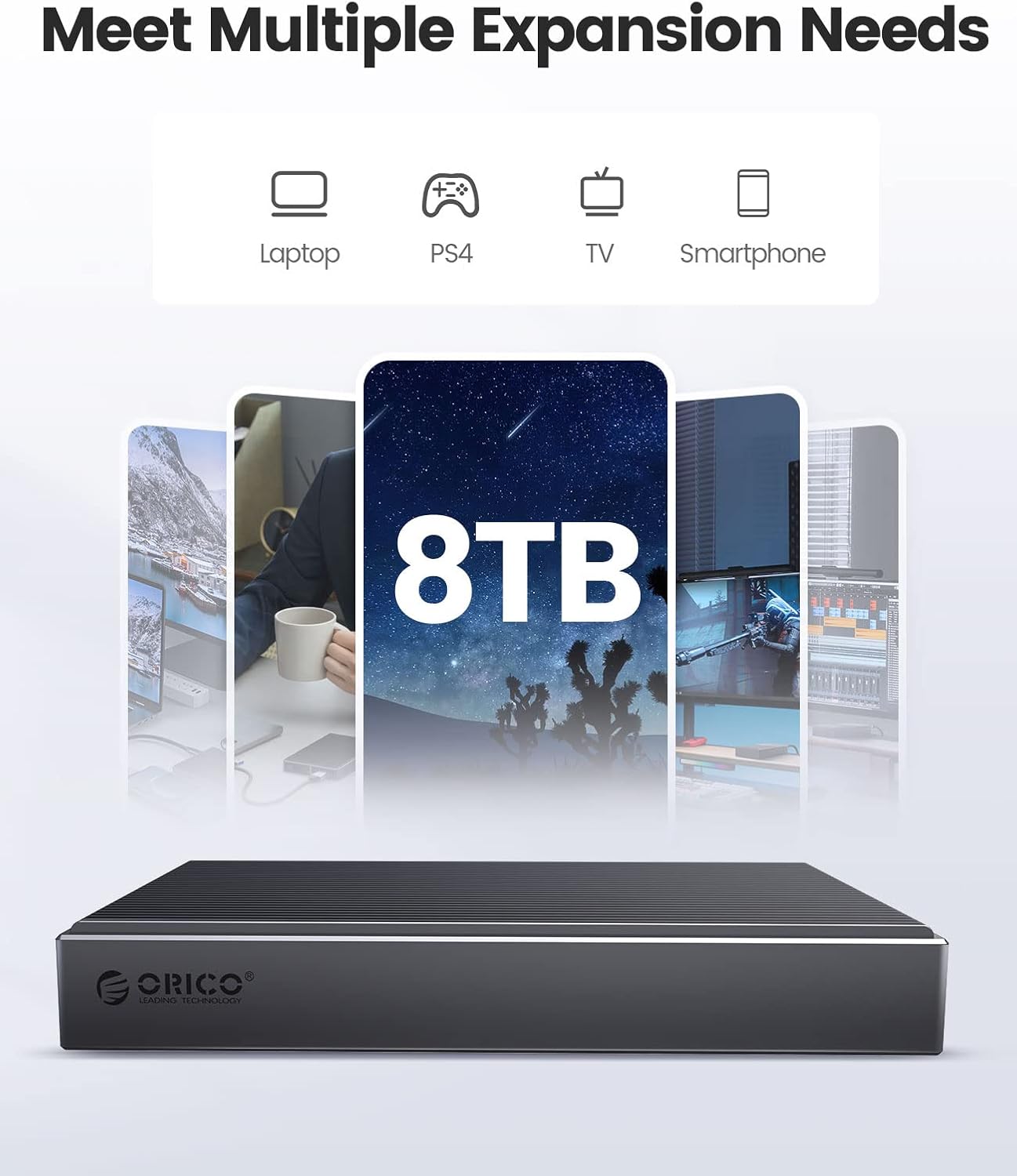
4. Support multi M.2 NVMe SSD, compatible with 30mm/42mm/60mm/80mm specifications.
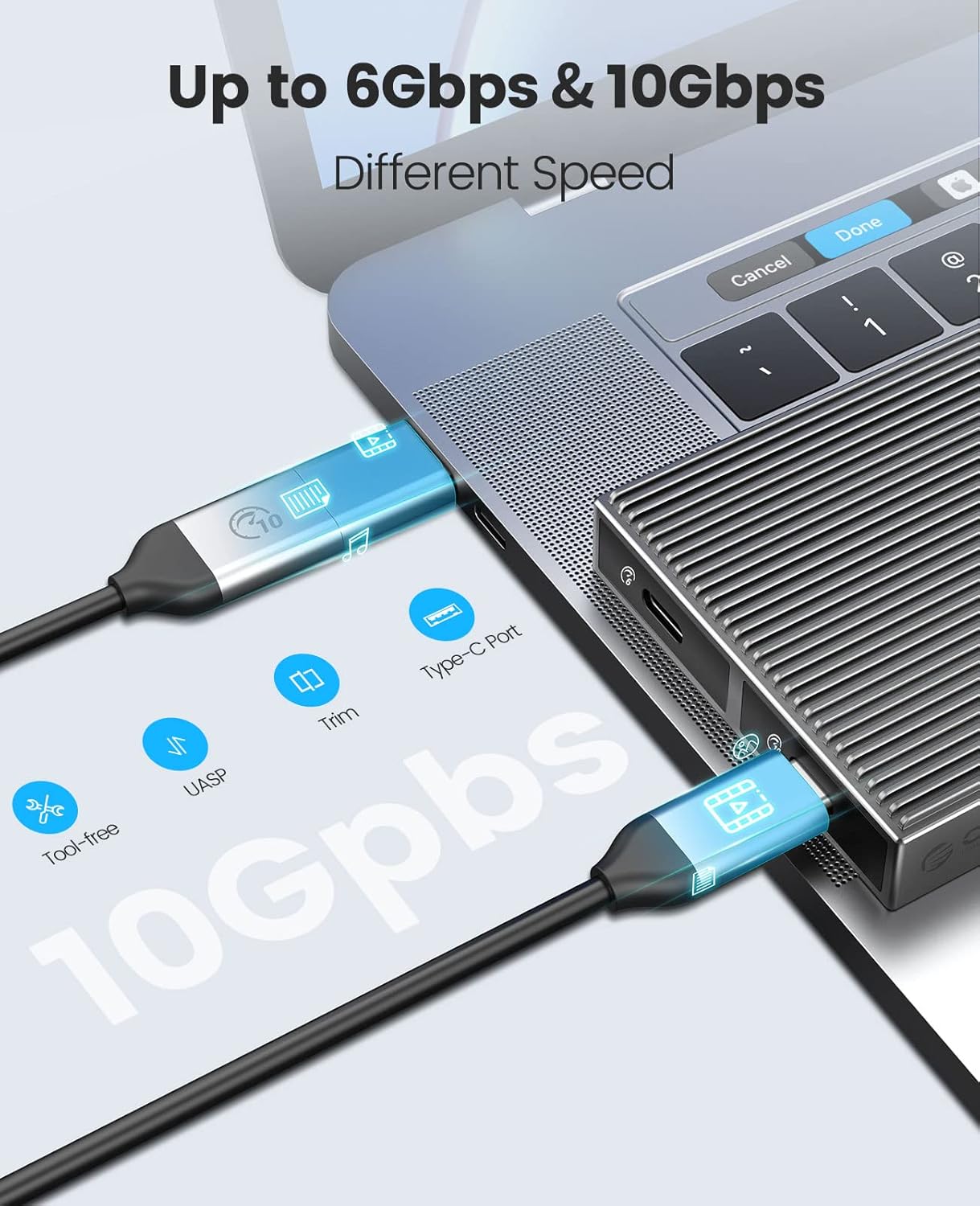
5. Adopting USB3.2 Gen2 Type-C interface 10Gbps ultra-high-speed transmission technology, support for forward and reverse insertion, backward compatible with USB3.0/USB2.0.
6. Support SSD TRIM instruction and UASP acceleration.
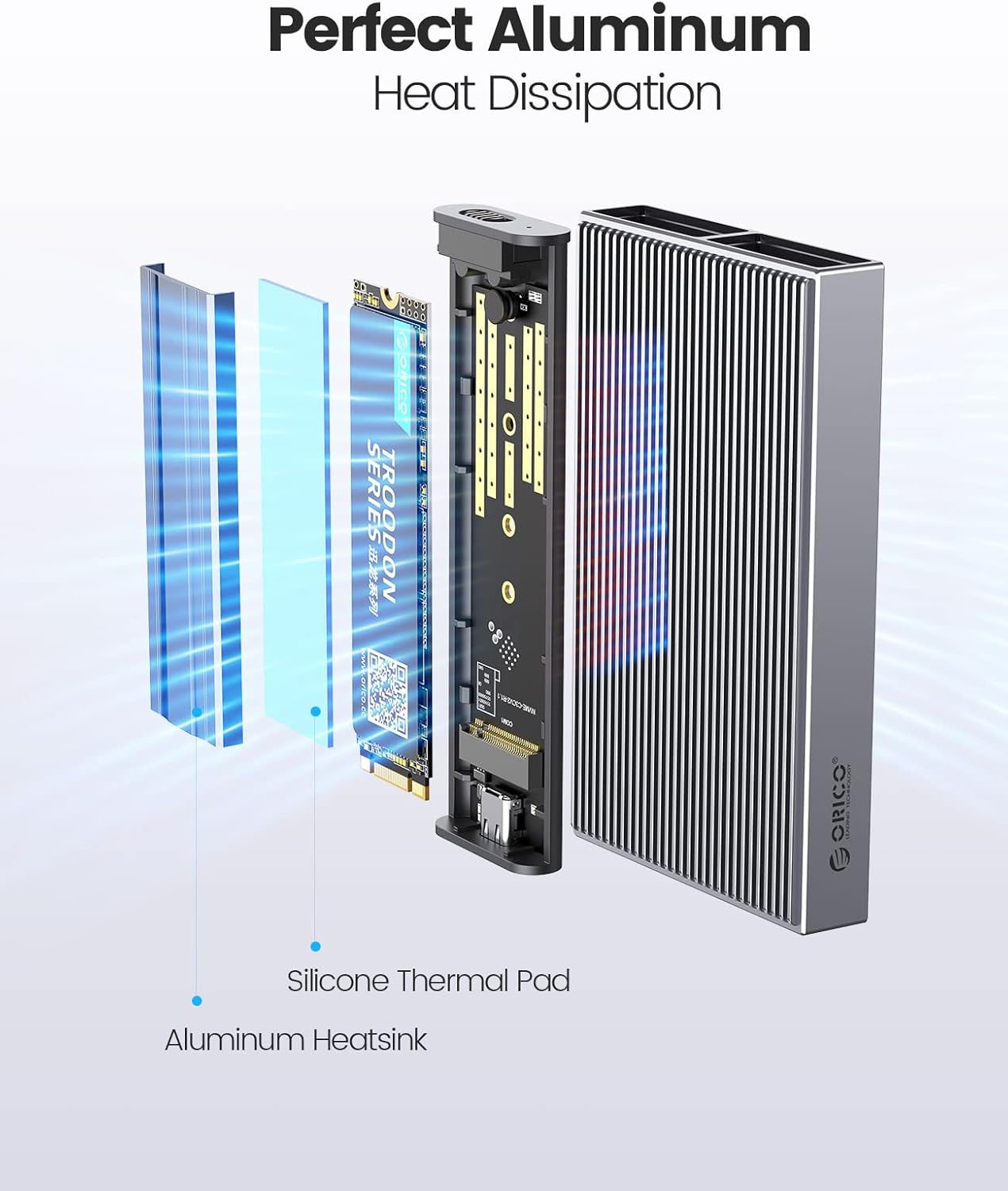
7. Plug and play, no driver required. Support hot-swap. 8. We provide Aluminum Cooling Vest(Heat Sink) and Silicone Thermal Pad to help against overheat.
Easy to use - Unlike some enclosures that force you to deal with small screws to take them apart and put them together, this uses a "tool free" approach where the two parts of the enclosure pop apart (though they're quite secure when together) and you're easily able to install/change the drive.
1. Please properly back up all data on the SSD to prevent data loss.
2. In any case, during data transfer, please do not unplug the M.2 SSD case from the PC, otherwise data may be lost. Please unplug the cable before taking out the SSD after use.
3. Once connected, your PC/Laptop's OS will initialize the M.2 SSD. This process may take a minute. You can access the data if the SSD is partitioned and the data is on the SSD.
4. Be careful to check compatibility before installing an SSD.
5. Please be as gentle as possible when installing the SSD to avoid scratching the components on the printed circuit board. When installing an SSD, be careful of static electricity. On the other hand, for safety reasons, it is also recommended to not connet device before proceeding with the installation.
고객 리뷰
4.20
(100 점수)
댓글 취소
댓글을 남겨주세요

배송 및 반품
우리가 당신을 보호하겠습니다
대부분 지역에서는 배송비를 한 번만 지불하시면 됩니다 (주문 및 배송 페이지를 확인해 주세요).
구매 후 14일 이내 무료 반품 가능 (단, 수명이 다한 제품, 맞춤 제작 상품, 마스크, 향수 및 에어로졸과 같이 위험하거나 인화성 물질이 포함된 일부 제품은 제외).
수입 관세 정보
복잡한 절차는 저희가 처리해 드리겠습니다. 카나리아 제도를 제외한 모든 EU 국가, 영국, 미국, 캐나다, 호주, 뉴질랜드, 푸에르토리코, 스위스, 싱가포르, 한국, 쿠웨이트, 멕시코, 카타르, 인도, 노르웨이, 사우디아라비아, 대만, 태국, UAE, 일본, 브라질, 맨섬, 산마리노, 콜롬비아, 칠레, 아르헨티나, 이집트, 레바논, 홍콩 특별행정구, 바레인, 터키로 배송되는 상품 가격에는 모든 수입 관세가 포함되어 있습니다. 표시된 가격이 최종 결제 금액입니다.
예상 배송 시간
특급 배송: 7-10일
해당 창고에서 배송되었습니다.
반품 정책
반품 정책
저희는 제품 품질에 자신 있습니다. 만약 구매하신 제품에 완전히 만족하지 못하신다면, 수령일로부터 30일 이내에 간편하게 반품하실 수 있도록 정책을 마련해 두었습니다.
간편한 교환 또는 환불
- 다른 사이즈, 색상 또는 스타일의 상품으로 교환하거나 전액 환불받을 수 있습니다.
- 반품되는 모든 상품은 착용하지 않은 상태여야 하며, 원래 포장 상태 그대로 모든 태그가 손상되지 않은 상태여야 합니다.
간단한 절차
- 온라인으로 반품을 신청하거나 고객 서비스 팀에 문의하여 도움을 받으실 수 있습니다.
- 물품을 제대로 포장해 주시고, 원래의 포장 목록도 함께 넣어주세요.
- 반품하실 상품을 보내주실 때에는 저희가 제공해 드린 선불 배송 라벨을 사용해 주시기 바랍니다.
- 환불 요청 접수 즉시 처리해 드리겠습니다.
반품과 관련하여 궁금한 점이나 우려 사항이 있으시면 언제든지 저희 전문 고객 서비스 팀에 문의해 주세요. 고객 만족은 저희의 최우선 목표입니다.