

안전 장비
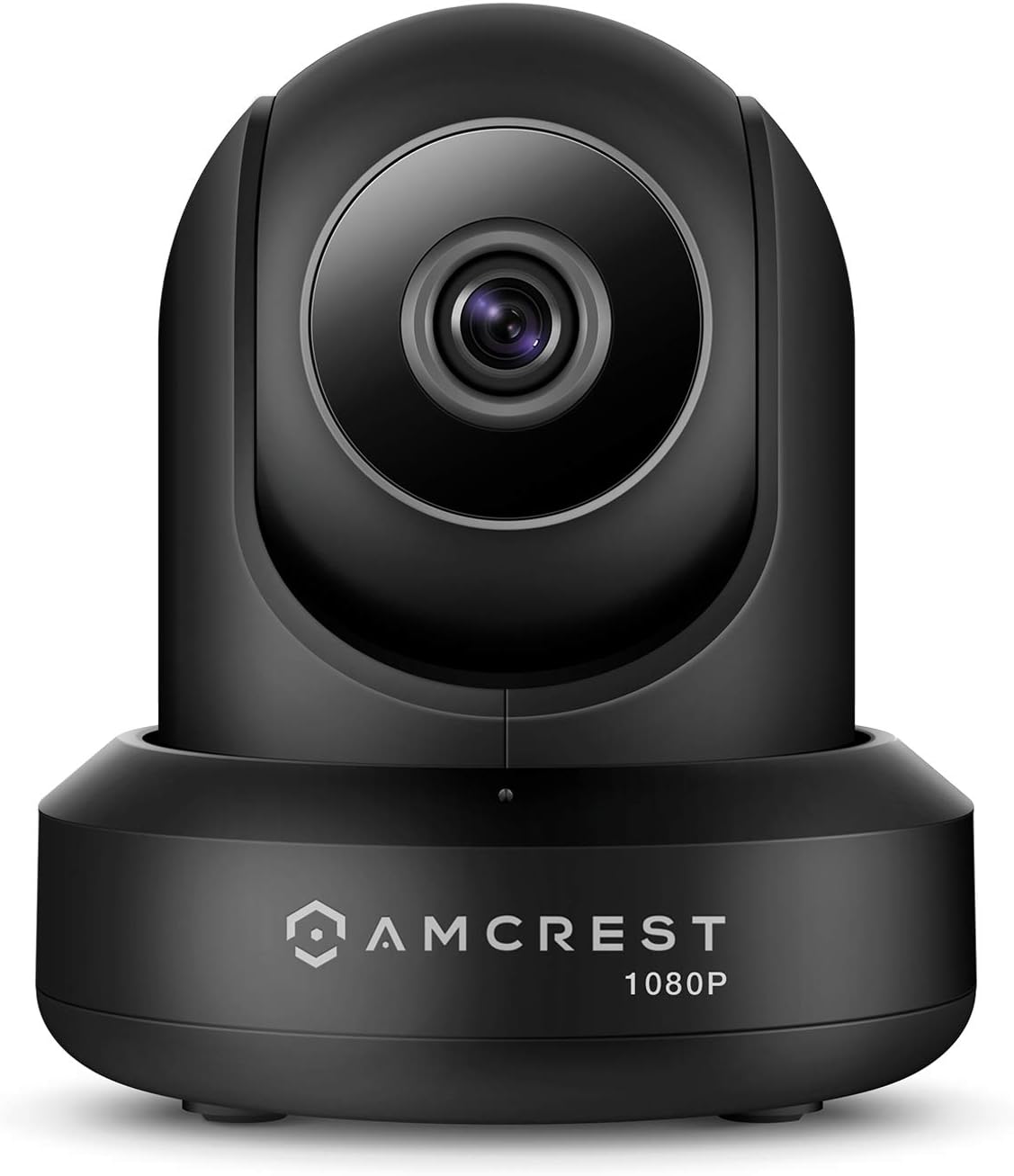
Amcrest ProHD 1080P WiFi 2MP (1920TVL) Indoor Pan/Tilt Security Wireless IP Camera IP2M-841B (Black)
4.10
지난 32시간 동안 판매됨 49
$ 54.99
$ 55.00
-0.02%
I received my Amcrest ProHD 1080P WiFi Wireless IP Security Camera on October 20th, and set it up for the 1st time on October 22nd. Been using the Foscam FI8910W since February 2014 and that has not missed a beat. Works everyday like a true soldier.But needed an upgrade as the Foscam FI8910W was 1st released in November 2011 (way back when) so it's not that user friendly unless you are a mid level techy and I wanted more recent features.So when Foscam sent me an email on the new Amcrest ProHD 1080P WiFi Wireless IP Security Camera, I jumped on it.I bought it because it had all the festures of the FI8910W but more friendlier (the biggest difference, setting up Port Forwarding so you can stream your camera live anywhere in the world from your Amcrest App).So here goes:Pros:- it truly is a 30 second set up (including port forwarding). The App does everything for you. Currently I am at work and I can tap into my Amcrest App and view my Live feed.- HD Quality is great- The camera is very responsive when you change the Pan & Tilt from your phone app...even if you are miles away- It looks great. Does not stand out like the Foscam FI8910WCons- Wi-Fi Connectivity (as someone else mentioned): I am still testing this one but the range doesn't seem to be that wide. I moved the camera from being 5 ft away from the router to 20 ft away inside my TV stand on the bottom shelf and it had problems. Would not connect. Which is very disappointing because that is the spot my Foscam FI8910W has been in for the past year and a half. But the FI8910W does come with an antenna on the back which will help with range. The Amcrest does not have an antenna.- Going Deep in the Set Up: Ok, it is 30 seconds to set up....if you stick to the basics (install app, scan QR code, and you have Live Feed with Port Forwarding). However, if you want to go deeper and set up email forward on motion alerts, etc, that does take sometime and you will probably have to email Armcrest for support as this will involve using their web interface which you can access by using the camera's IP address in your browser. The instructions on using the web interface so far are non existent, but again, i've only opened the box last night so maybe the instructions are somewhere on their website. Will investigate this further.UPDATE: 03/11/2015After having the Amcrest ProHD Camera for roughly 2 weeks now, it is truly an amazing camera with surprising features for a DIY systemPros:- The online User Interface is very extensive. Unfortunately there is no instruction manual on how to navigate the Amcrest web browser UI, but once you have figured it out, you will be quickly impressed.- Motion Detection settings are very detailed. Within the cameras field of vision, you can set up detection zones for the camera to focus on and focus on only. It does this by dividing the field of view into little squares and you can activate/de-activate each square- Motion Detection Sensitivity & Motion Graph: Saw a review where a customer complained the camera was too sensitive. This is not the case in my situation. You can get very detailed again with the settings here. They are two settings: Sensitivity and Threshold. 1st, you can set how sensitive you want the camera to be for motion, which is then transposed onto a motion graph shown on the web browser UI, and then you can set the threshold. Continuous motion caused the graph to rise and once the graph as risen above your set threshold value on the vertical axis, the alarm is triggered (whether this alarm is email or audio if you have a siren hooked up to it)Ethernet Connection: Having some issue with WiFi connectivity, so set mines up via Ethernet. Works absolutely brilliant using the Amcrest Android App when connected by Ethernet....and this is regardless of whether you are at home and miles away. I can open my app anytime, anywhere and be guaranteed it will log into the camera.Remote Pan, Tilt & Zoom: Again, this review is based on connecting the camera via Ethernet. The remote pan, zoom & tilt from the app is very response. If you are miles away and want to pan,zoom or tilt the camera via the android app, there is little to no delay.Cons:Still, WiFi range is my only issue. I took the camera by a friend and it did not even pick up her router that was 5 ft away (that was odd)....but she is using the ISP basic router. As with any WiFi product, your router and all other wifi devices in your home will play a big role in each device performanceBottom Line:Brilliant Camera, but gets 4 stars from me as the WiFi range is not impressive, in my set up. Remember this can is dependent on your router & number of wifi devices in your home.UPDATE: 16/11/2015Purchased a 2nd one of these cameras lately. Showed a friend who was so in love with it that she took my original one and so I purchased this replacement.With this one, the Wi Fi on it works like a dream. It's only been two days, but I have not experienced any WiFi issues with it like I did with the 1st Amcrest. And I have tested it both while at home connected to the same network and when away from connected to the local cell phone network.Ethernet Connection is still faster....but the wifi connection only has a very small delay....less than 1 second, which is pretty good. The Ethernet connection is instant....even if away from home.What I must say though is I need to go back and check the Firmware version on the 1st Amcrest. This time for sure I updated the firmware from the .5.R which the camera came with, to the 2.420.AC00.8.R which is available for download at http://amcrest.com/firmware .So maybe if the Firmware on the previous is out of date, perhaps that maybe what caused the poor WiFi performance issues. So, I am changing my review from a 4 star to a 5 star because thus far, with the 2.420.AC00.8.R Firmware, the WiFi performance on this 2nd Amcrest it outstanding.
12 현재 누군가가 웹사이트를 탐색 중입니다.
수량:
-
+
예상 배송 시간: 12~26일(국제), 3~6일(미국)
구매일로부터 45일 이내에 반품이 가능합니다. 관세 및 세금은 환불되지 않습니다.
-
ALERT_TYPE:
Motion Only
-
ASIN:
B0145OQTPG
-
BATTERIES_REQUIRED:
No
-
BEST_SELLERS_RANK:
#185 in Dome Surveillance Cameras
-
COLOR:
Black
-
COMPATIBLE_DEVICES:
Smartphone
-
CONNECTIVITY_PROTOCOL:
Ethernet, Wi-Fi
-
CONTROL_METHOD:
Voice
-
CONTROLLER_TYPE:
Amazon Alexa, Vera
-
CUSTOMER_REVIEWS:
4.1 4.1 out of 5 stars (17,241) 4.1 out of 5 stars
-
DATE_FIRST_AVAILABLE:
August 19, 2015
-
EFFECTIVE_VIDEO_RESOLUTION:
1080 Pixels
-
FIELD_OF_VIEW:
360 Degrees
-
FORM_FACTOR:
Dome
-
FRAME_RATE:
30 fps
-
GLOBAL_TRADE_IDENTIFICATION_NUMBER:
00859888005535
-
INCLUDED_COMPONENTS:
1080p Wi-fi Ip Pan/tilt 2-way Camera With Cloud Recording (black)
-
INDOOR_OUTDOOR_USAGE:
Indoor
-
INTERNATIONAL_PROTECTION_RATING:
IP67
-
IS_DISCONTINUED_BY_MANUFACTURER:
No
-
ITEM_DIMENSIONS_L_X_W_X_H:
8 x 12 x 10 inches
-
ITEM_MODEL_NUMBER:
IP2M-841B
-
ITEM_WEIGHT:
8 ounces
-
LOW_LIGHT_TECHNOLOGY:
Night Color
-
MANUFACTURER:
AMCREST
-
MAXIMUM_WEBCAM_IMAGE_RESOLUTION:
2 MP
-
MOUNTING_TYPE:
Ceiling Mount
-
NIGHT_VISION_RANGE:
32 Feet
-
NUMBER_OF_CHANNELS:
2
-
NUMBER_OF_ITEMS:
1
-
PHOTO_SENSOR_TECHNOLOGY:
CMOS
-
POWER_SOURCE:
Corded Electric
-
PRODUCT_DIMENSIONS:
8 x 12 x 10 inches
-
ROOM_TYPE:
Bedroom, Classroom, Hallway, Kitchen, Living Room, Office, Study Room
-
SPECIFIC_USES_FOR_PRODUCT:
Surveillance
-
UNIT_COUNT:
1.0 Count
-
UPC:
659424885887 661094063489 859888005535 659424885115 798068901307 647971367208 662187376387 601420008104
-
VIDEO_CAPTURE_FORMAT:
ASF
-
VIDEO_CAPTURE_RESOLUTION:
1080p, Security System with Motion Detection, Nightvision
-
VIEWING_ANGLE:
90 Degrees
-
VOLTAGE:
5 Volts
-
WATTAGE:
7.5 watts
-
WIRELESS_COMMUNICATION_TECHNOLOGY:
Wi-Fi
-
ZOOM_TYPE:
Digital Zoom
안전한 결제를 보장하세요






제품 상세 정보
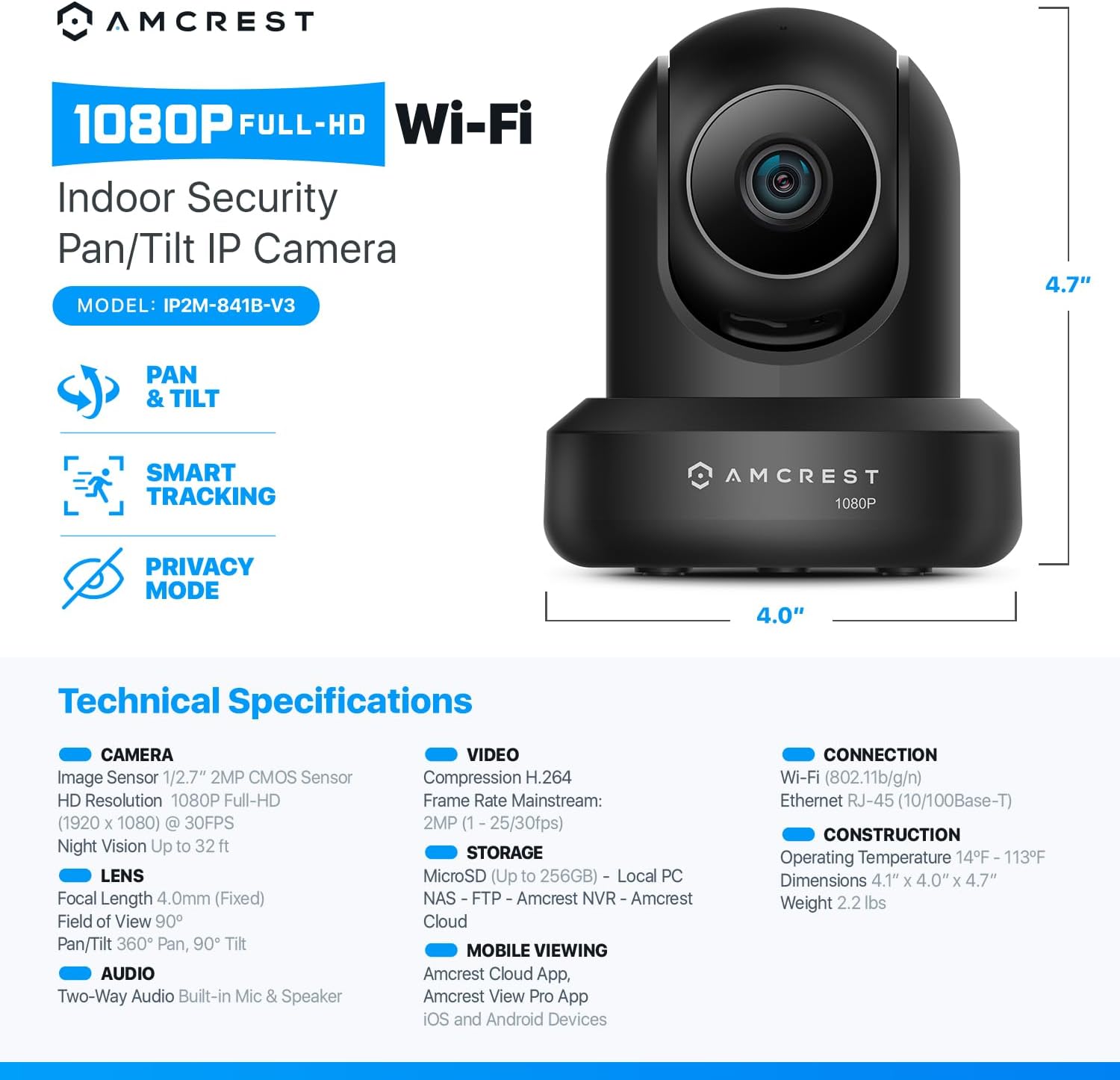
The new Amcrest 1080p ProHD soaks in the entire scene, dynamically painting all of the vivid colors and rich imagery, onto your desktop or smartphone in Full HD 1920x1080p resolution at 30fps. Cutting edge H.264 high efficienct video coding technology allows for smoother video and reduces file sizes and bandwidth consumption.
Receive intelligent alerts that send notifications directly to your computer or smartphone via the Amcrest View Pro app anytime motion or audio is detected. Create distinct motion detection zones and customize each zone's sensitivity to receive only the alerts that you need. Be notified anytime your smart home camera goes offline.
The Amcrest ProHD 1080p camera features flexible storage options to a 256MicroSD, Amcrest Cloud, Amcrest Surveillance Pro for PC and Mac, Amcrest NVRs, Synology & QNAP NAS, FTP, Blue Iris and more, giving you the flexibility and security you need. This product may contain components which are not NDAA compliant.
Easily communicate with loved ones anytime, anywhere, using the camera's built-in microphone and speaker. Cover every angle with 355° pan and 90°tilt. The night vision feature allows you to see up to 32 feet in the dark. Turn on Privacy mode to block both the video, audio and recording features to your camera, giving you peace of mind when you need it.
고객 리뷰
4.10
(100 점수)
댓글 취소
댓글을 남겨주세요

배송 및 반품
우리가 당신을 보호하겠습니다
대부분 지역에서는 배송비를 한 번만 지불하시면 됩니다 (주문 및 배송 페이지를 확인해 주세요).
구매 후 14일 이내 무료 반품 가능 (단, 수명이 다한 제품, 맞춤 제작 상품, 마스크, 향수 및 에어로졸과 같이 위험하거나 인화성 물질이 포함된 일부 제품은 제외).
수입 관세 정보
복잡한 절차는 저희가 처리해 드리겠습니다. 카나리아 제도를 제외한 모든 EU 국가, 영국, 미국, 캐나다, 호주, 뉴질랜드, 푸에르토리코, 스위스, 싱가포르, 한국, 쿠웨이트, 멕시코, 카타르, 인도, 노르웨이, 사우디아라비아, 대만, 태국, UAE, 일본, 브라질, 맨섬, 산마리노, 콜롬비아, 칠레, 아르헨티나, 이집트, 레바논, 홍콩 특별행정구, 바레인, 터키로 배송되는 상품 가격에는 모든 수입 관세가 포함되어 있습니다. 표시된 가격이 최종 결제 금액입니다.
예상 배송 시간
특급 배송: 7-10일
해당 창고에서 배송되었습니다.
반품 정책
반품 정책
저희는 제품 품질에 자신 있습니다. 만약 구매하신 제품에 완전히 만족하지 못하신다면, 수령일로부터 30일 이내에 간편하게 반품하실 수 있도록 정책을 마련해 두었습니다.
간편한 교환 또는 환불
- 다른 사이즈, 색상 또는 스타일의 상품으로 교환하거나 전액 환불받을 수 있습니다.
- 반품되는 모든 상품은 착용하지 않은 상태여야 하며, 원래 포장 상태 그대로 모든 태그가 손상되지 않은 상태여야 합니다.
간단한 절차
- 온라인으로 반품을 신청하거나 고객 서비스 팀에 문의하여 도움을 받으실 수 있습니다.
- 물품을 제대로 포장해 주시고, 원래의 포장 목록도 함께 넣어주세요.
- 반품하실 상품을 보내주실 때에는 저희가 제공해 드린 선불 배송 라벨을 사용해 주시기 바랍니다.
- 환불 요청 접수 즉시 처리해 드리겠습니다.
반품과 관련하여 궁금한 점이나 우려 사항이 있으시면 언제든지 저희 전문 고객 서비스 팀에 문의해 주세요. 고객 만족은 저희의 최우선 목표입니다.