
고객 서비스

판매자들은 가입하면 더 많은 혜택을 누릴 수 있습니다.

모든 주문 무료 배송.

스마트 도어락

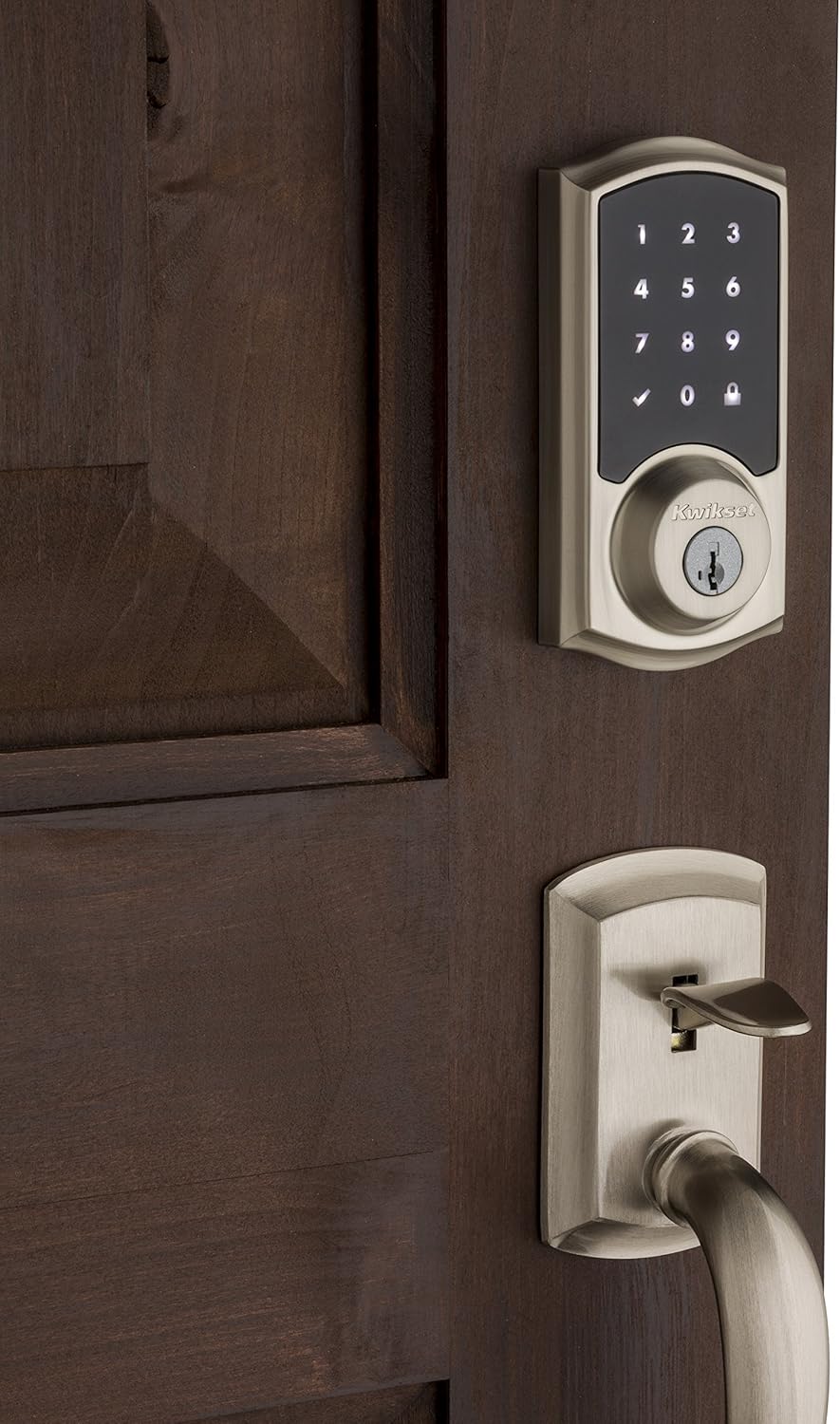
Kwikset 99160-002 916 Z-Wave SmartCode Touchscreen Electronic Deadbolt, Featuring SmartKey in Satin Nickel, Works with Alexa via SmartThings, Wink, or Iris

3.40

지난 32시간 동안 판매됨 39

$ 319.99
$ 337.00
-5.32%

I have this connected to a SmartThings hub via Z-Wave, and it's working great. I decided to go with SmartThings because I read that someone wrote a custom app that you can use to add and remove codes, which isn't a supported feature for this lock with most hubs. Turns out that that the other reviews are correct, the official app will only lock, unlock, and monitor status so you can link those to other activities. The custom app seems to have other features, but I didn't have much luck with it. From what I've read, you shouldn't add any codes manually before you get that app up and running, because mixing the two seems to cause problems. I haven't taken the time to remove all of my codes and re-add them with the app, but I don't really have a need to add and remove codes, anyway. Since this is linked up to my SmartThings hub, and can lock and unlock the door from anywhere with Internet service, and I can always loan someone a key, or quickly change the Kwikset key to a temporary one, if I don't want to take the time to remove the back of the lock and press the button so I can add manually add/change/remove codes.There is sometimes a delay getting the keypad to respond to touches after you wake it up with the back of your hand or finger, but I've found that the number touches respond better to a fingertip than to my thumb, and that waiting a second or so after it wakes up usually does the trick. I also typically unlock the lock with my phone before I get out of the car anyway, so I don't use the keypad much. I could have set up SmartThings to automatically unlock the door when it senses my phone arriving at home, but I decided against because I don't want anyone with my phone to have access to my house if I would ever lose it. The screen is totally black until you touch it to wake up, and the number/symbol will go from lit to black when you touch it so you know it recognized the touch. It does take a few seconds (typically 5 seconds or less) for the lock to respond to requests over the Internet and update the status in the app, but it has been reliable so far, so I'm happy.I also looked at Schlage Connect Camelot Touchscreen Deadbolt with Built-In Alarm, Bright Brass, BE469 CAM 605, which seems to support changing codes without a custom app, but I went with the Kwikset because of the SmartKey features and how easy it is to rekey locks without having to buy a rekeying set or pay a locksmith. I decided to replace all of the exterior door locks in my new place at the same time, and going with Kwikset allowed me to change all of the locks to the same key very quickly, and between each set of keys that came with each new lock, plus the second set that came with Kwikset SmartKey Re-keying Kit REKYG KIT CP SMT KW when I changed them, I have plenty of key options to quickly change my locks to if I ever want/need to give someone a key to my home instead of assigning a code.

17 현재 누군가가 웹사이트를 탐색 중입니다.

Color
Satin Nickel
Style
Z-Wave
수량:
- +

예상 배송 시간: 12~26일(국제), 3~6일(미국)

구매일로부터 45일 이내에 반품이 가능합니다. 관세 및 세금은 환불되지 않습니다.

  • ASIN:

    B00Q3N513E

  • BATTERIES_INCLUDED:

    Yes

  • BATTERIES_REQUIRED:

    Yes

  • BATTERY_CELL_TYPE:

    Alkaline

  • BEST_SELLERS_RANK:

    #362,996 in Tools & Home Improvement (See Top 100 in Tools & Home Improvement) #1,086 in Deadbolts

  • BRAND:

    Kwikset

  • COLOR:

    Satin Nickel

  • CONNECTIVITY_PROTOCOL:

    Z-Wave

  • CONTROL_METHOD:

    Voice

  • CONTROLLER_TYPE:

    Amazon Alexa, SmartThings, Wink

  • CUSTOMER_REVIEWS:

    3.4 3.4 out of 5 stars (512) 3.4 out of 5 stars

  • DATE_FIRST_AVAILABLE:

    November 25, 2014

  • FINISH:

    Satin Nickel

  • FINISH_TYPE:

    Satin Nickel

  • GLOBAL_TRADE_IDENTIFICATION_NUMBER:

    00883351519212

  • INCLUDED_COMPONENTS:

    Hardware;Door, Gate & Window Hardware;door-dead-bolts

  • IS_DISCONTINUED_BY_MANUFACTURER:

    No

  • ITEM_DIMENSIONS_L_X_W_X_H:

    10 x 7.87 x 6.3 inches

  • ITEM_MODEL_NUMBER:

    99160-002

  • ITEM_PACKAGE_QUANTITY:

    1

  • ITEM_WEIGHT:

    2.73 pounds

  • LOCK_TYPE:

    Deadbolt

  • MANUFACTURER:

    Kwikset

  • MATERIAL:

    Nickel

  • MODEL_NAME:

    SmartCode 916 Touchscreen

  • NUMBER_OF_PIECES:

    1

  • PART_NUMBER:

    99160-002

  • PRODUCT_DIMENSIONS:

    10 x 7.87 x 6.3 inches

  • SHAPE:

    Rectangular

  • SPECIAL_FEATURE:

    Keyless

  • SPECIAL_FEATURES:

    Keyless

  • STYLE:

    Z-Wave

  • UPC:

    883351519212 841434167279 732454661536

안전한 결제를 보장하세요

제품 상세 정보
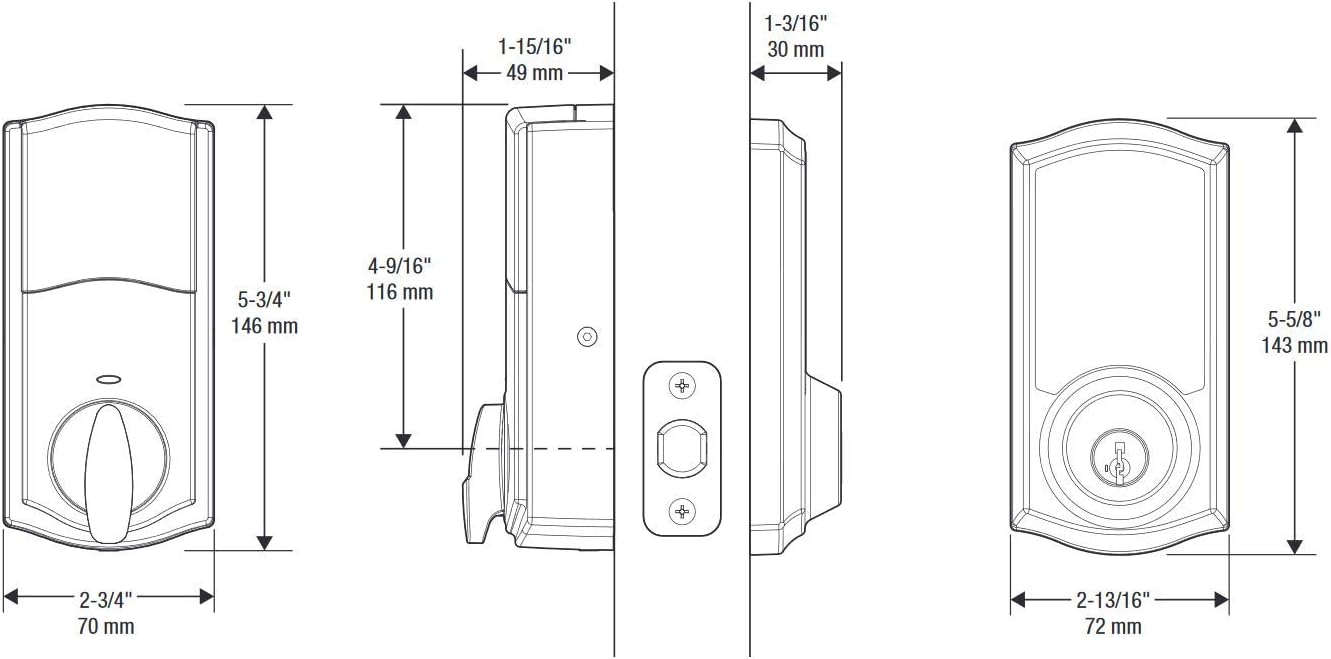
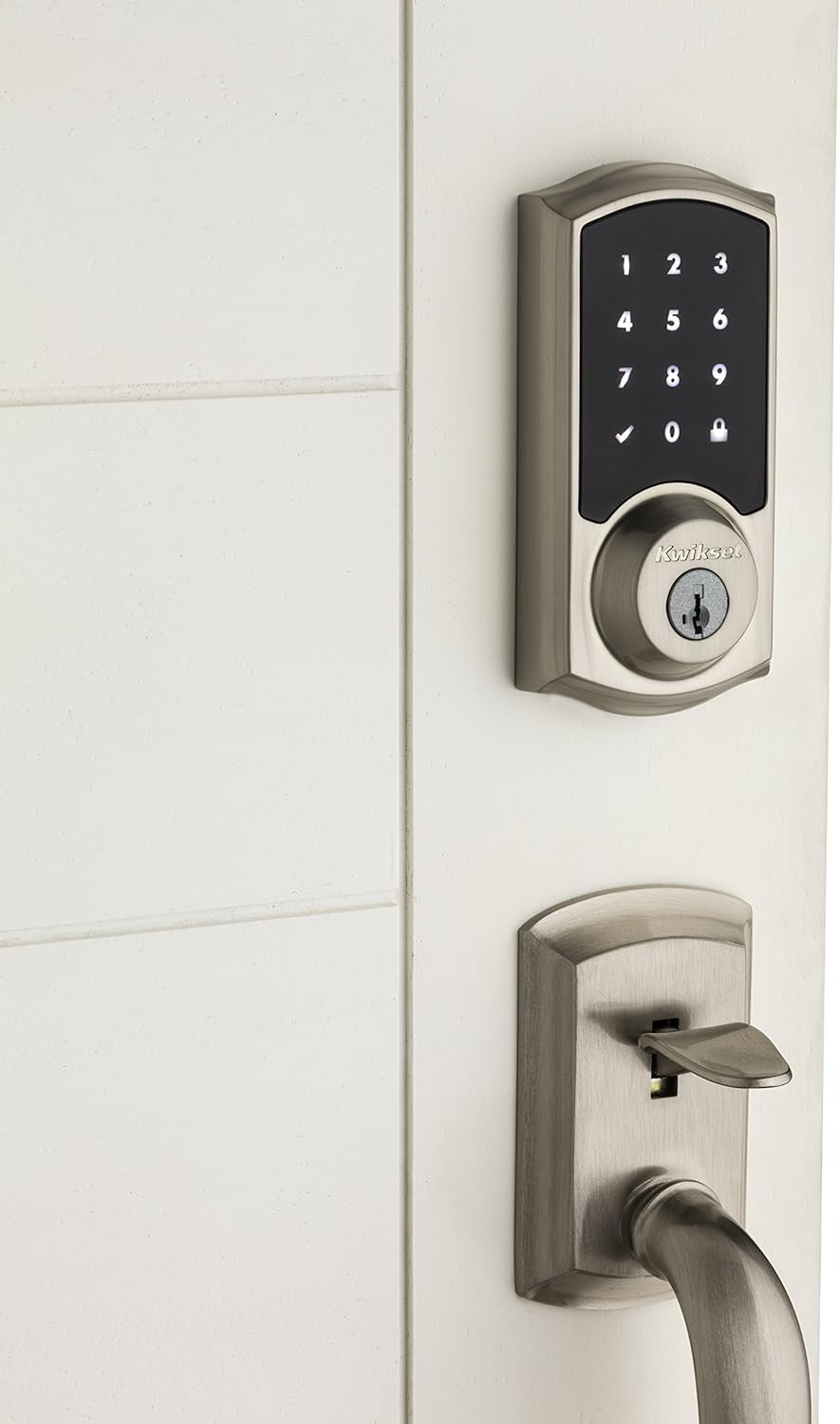
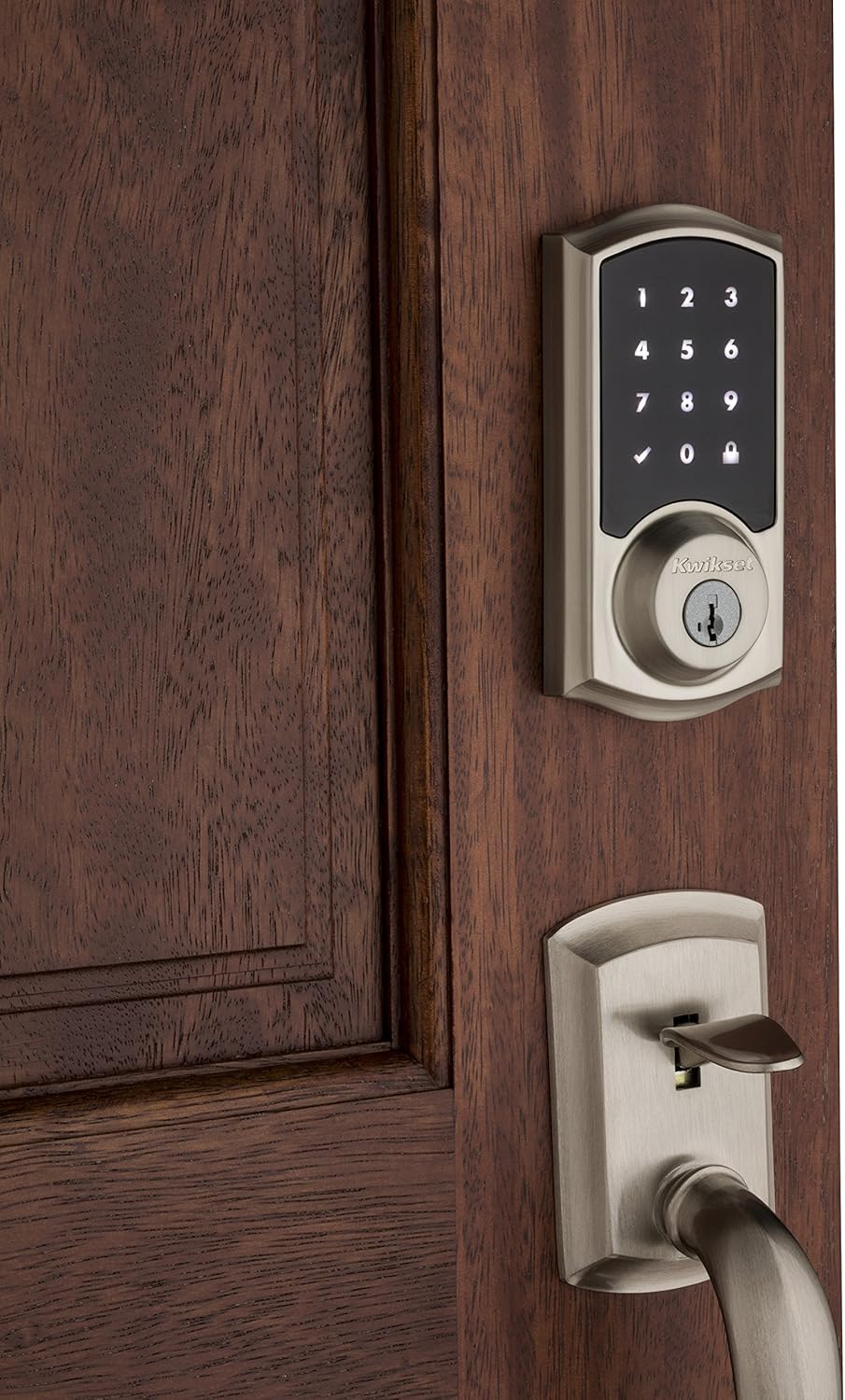
The SmartCode touchscreen smart lock with Home Connect technology enables the lock to wirelessly communicate with other devices in home. The lock allows the user (through a web enabled device) to remotely check the door lock status, lock or unlock the door and receive notifications. SmartCode is a one-touch locking motorized deadbolt. With your personalized code, you can enter your home with the convenience of keyless entry and the back-lit keypad provides increased visibility. It features patented SecureScreen™ technology to prevent code detection from fingerprints on the touchscreen. This SmartCode deadbolt is easy to install, program and use, and operates on 4 AA batteries. It also features SmartKey Security as the back-up keyway.
고객 리뷰
3.40

(100 점수)

5
18
4
9
3
20
2
13
1
40
댓글 취소
댓글을 남겨주세요

16 논평

Gran producto
2026-01-31    -GERARDO VALENCIA

Un poco complicado para hacer la conexión con Home de apple, pero lo logramos.

Gran producto
2026-03-01    -GERARDO VALENCIA

Un poco complicado para hacer la conexión con Home de apple, pero lo logramos.

The lock set not working >1 year
2026-02-22    -Amy Chan

Lousy item and stop working in just 10 months.. it seems there is no warranty and I cannot change.

The look and functionality are excellent, but be prepared to put some effort in , both for Z-Wave features and physical installation.I included it with my Vera Edge prior to install; they need to be close to each other to do so, and everything appeared to work as expected.I installed the lock easily and added two user codes no problem, everything worked.Recently we have construction work being done, so I thought "great, this is why I went Z-wave". I connected remotely and added a builder code, which appeared ok: a refresh of the Vera page showed 3 pins. But the new PIN could not be recognised by the lock. I did a lot of research and found one clue - someone had suggested to delete all user PINs from the lock, and program them ONLY from Vera.I tried that today, and found my next problem - I'd apparently programmed a master code, but forgotten. My bad.I wasn't actually sure that this was my problem - the instructions suggest that if that's the case I should get 5 beeps. What I actually got was two distinct beeps, followed by 4 distinctly different shorter beeps. The instructions are woefully incomplete in explaining beep codes.I tried excluding and including to see if programming from Vera would be refreshed. The red+yellow z-wave unit light flashed, but in between all possible combinations, the lock appeared to continue to be reachable; not what I expected.I tried factory reset, thinking that I could erase the master code that I assumed was there but could not remember. It appeared to work - the lights did what they said they would - but codes still there, and still connected to Vera. so factory reset steps are completely inneffective.I finally thought about all codes I might have used, and remembered my master code. Thanks goodness. Then I deleted all user codes, and added one by one from Vera only. Everything works.This is quirky, and poorly explained, and there was a lot of frustration involved.A final thought is also - why do I have to find that hex key to open the lock to add user codes? In a non-Z-wave lock, this would be a pain and really detract from ease of use. The master code probably is what removed the need to keep the program button inaccessible. With a master code, make the program button easier to access in the next model please KwikSet.Summary:1) Pair with Vera, then install at the door2) DO add a master code - plenty of discussion on the web about the principle of visitors being able to 'create their own key' if you don't do this3) Do NOT add user codes on the lock itself.4) Do NOT forget your master code. I don't know if it can be recovered or reset if you do - thankfully I didn't have to go there5) ONLY add user codes from VeraUpdate: This lock has driven me crazy. I'd junk it in a heartbeat, except I now depend on it for the reasons I bought it. Here's what doesn't work:1) Keypad sensitivity is weird. Sometimes it works, sometimes I have to palm the whole thing to wake it up and touch it multiple times in multiple ways to get it to respond. It works better for some other peoples' hands than mine.2) The physical design is just horrible. I have a 50 yr old house which shifts a little - I reinforced the whole door opening with plywood rather than wallboard to avoid racking, and there is maybe 1/8" visible shift inframe gaps - not much. Neverthelss when the door is lacthed closed, the deadbolt should always be free to move into the frame/box. The issue is that the steal box the deadbolt goes into is not designed with up/down gaps, and it binds. I've wood-filled the hole and remounted, "slotted" the holes to allow adjustability, and readjusted the latchset multiple times to get the door to close to where the bolt will engage freely. Every time, it works for a few days if I'm lucky, or hours, before the latch binds again and it long-beeps to say "not operated" (it works manually but with a little resistance).All it needed was a longer slot to allow the deadbolt more freedom - I guess I'll keep hunting for some other after-market alternate box.Very disappointed now every time I hear that long beep.

3.0 out of 5 stars Not my best purchase
2025-12-24    -Genesys

I purchased 3 of these for a new home under construction. First use was to just use them as dead bolts to secure the home during construction and gave separate codes to each contractor - this worked out very well and I'm happy that we can enter and save a total of 30 different codes.One of the three failed electronically and had to be returned - had no problems doing that.On the negative side, I haven't found a way to have it report what codes are currently active - so you need to keep a good list and don't loose it - you cant delete a code unless you know what it is - If you don't know what codes are active, your only choice is to do a factory reset and reenter only those you want.Another negative, the batteries don't seem to last as long as they are advertised.Now that we are in the house, I want to integrate these locks with the home automation system, SmartThings. I have not been able to do this yet, because in order to connect with the SmartThings router, the lock needs to be within 1 1/2 feet of the router. So the only possibility is for me to completely remove them and set them next to the router. This is just DUMB. I've tried without doing this, but the router just doesn't seem to be able to find them. I will eventually take them off the door and give it a try when I have time .... but warning to all who plan to use with SmartThings - go to the SmartThings wiebsite and read about the problems many people have had trying to get these to work correctly. So when I tackle this, I will leave plenty of time. I'll update this later after I try connecting to SmartThings.

Five Stars
2026-01-10    -Gianni DiPietro

Incredible product, every home should have one.

Buy this one.
2026-02-16    -tdotbri

Best lock out there. Hands down (and I've worked as a lock smith before).

Five Stars
2026-03-05    -ben wang

good

The look and functionality are excellent, but be prepared to put some effort in , both for Z-Wave features and physical installation.I included it with my Vera Edge prior to install; they need to be close to each other to do so, and everything appeared to work as expected.I installed the lock easily and added two user codes no problem, everything worked.Recently we have construction work being done, so I thought "great, this is why I went Z-wave". I connected remotely and added a builder code, which appeared ok: a refresh of the Vera page showed 3 pins. But the new PIN could not be recognised by the lock. I did a lot of research and found one clue - someone had suggested to delete all user PINs from the lock, and program them ONLY from Vera.I tried that today, and found my next problem - I'd apparently programmed a master code, but forgotten. My bad.I wasn't actually sure that this was my problem - the instructions suggest that if that's the case I should get 5 beeps. What I actually got was two distinct beeps, followed by 4 distinctly different shorter beeps. The instructions are woefully incomplete in explaining beep codes.I tried excluding and including to see if programming from Vera would be refreshed. The red+yellow z-wave unit light flashed, but in between all possible combinations, the lock appeared to continue to be reachable; not what I expected.I tried factory reset, thinking that I could erase the master code that I assumed was there but could not remember. It appeared to work - the lights did what they said they would - but codes still there, and still connected to Vera. so factory reset steps are completely inneffective.I finally thought about all codes I might have used, and remembered my master code. Thanks goodness. Then I deleted all user codes, and added one by one from Vera only. Everything works.This is quirky, and poorly explained, and there was a lot of frustration involved.A final thought is also - why do I have to find that hex key to open the lock to add user codes? In a non-Z-wave lock, this would be a pain and really detract from ease of use. The master code probably is what removed the need to keep the program button inaccessible. With a master code, make the program button easier to access in the next model please KwikSet.Summary:1) Pair with Vera, then install at the door2) DO add a master code - plenty of discussion on the web about the principle of visitors being able to 'create their own key' if you don't do this3) Do NOT add user codes on the lock itself.4) Do NOT forget your master code. I don't know if it can be recovered or reset if you do - thankfully I didn't have to go there5) ONLY add user codes from VeraUpdate: This lock has driven me crazy. I'd junk it in a heartbeat, except I now depend on it for the reasons I bought it. Here's what doesn't work:1) Keypad sensitivity is weird. Sometimes it works, sometimes I have to palm the whole thing to wake it up and touch it multiple times in multiple ways to get it to respond. It works better for some other peoples' hands than mine.2) The physical design is just horrible. I have a 50 yr old house which shifts a little - I reinforced the whole door opening with plywood rather than wallboard to avoid racking, and there is maybe 1/8" visible shift inframe gaps - not much. Neverthelss when the door is lacthed closed, the deadbolt should always be free to move into the frame/box. The issue is that the steal box the deadbolt goes into is not designed with up/down gaps, and it binds. I've wood-filled the hole and remounted, "slotted" the holes to allow adjustability, and readjusted the latchset multiple times to get the door to close to where the bolt will engage freely. Every time, it works for a few days if I'm lucky, or hours, before the latch binds again and it long-beeps to say "not operated" (it works manually but with a little resistance).All it needed was a longer slot to allow the deadbolt more freedom - I guess I'll keep hunting for some other after-market alternate box.Very disappointed now every time I hear that long beep.

Five Stars
2026-01-26    -ben wang

good

댓글을 남겨주세요:

댓글 제목
댓글 내용
배송 및 반품
우리가 당신을 보호하겠습니다

대부분 지역에서는 배송비를 한 번만 지불하시면 됩니다 (주문 및 배송 페이지를 확인해 주세요).

구매 후 14일 이내 무료 반품 가능 (단, 수명이 다한 제품, 맞춤 제작 상품, 마스크, 향수 및 에어로졸과 같이 위험하거나 인화성 물질이 포함된 일부 제품은 제외).

수입 관세 정보

복잡한 절차는 저희가 처리해 드리겠습니다. 카나리아 제도를 제외한 모든 EU 국가, 영국, 미국, 캐나다, 호주, 뉴질랜드, 푸에르토리코, 스위스, 싱가포르, 한국, 쿠웨이트, 멕시코, 카타르, 인도, 노르웨이, 사우디아라비아, 대만, 태국, UAE, 일본, 브라질, 맨섬, 산마리노, 콜롬비아, 칠레, 아르헨티나, 이집트, 레바논, 홍콩 특별행정구, 바레인, 터키로 배송되는 상품 가격에는 모든 수입 관세가 포함되어 있습니다. 표시된 가격이 최종 결제 금액입니다.

예상 배송 시간

특급 배송: 7-10일

해당 창고에서 배송되었습니다.

더 자세한 정보가 필요하신가요?
반품 정책
반품 정책

저희는 제품 품질에 자신 있습니다. 만약 구매하신 제품에 완전히 만족하지 못하신다면, 수령일로부터 30일 이내에 간편하게 반품하실 수 있도록 정책을 마련해 두었습니다.

간편한 교환 또는 환불
  • 다른 사이즈, 색상 또는 스타일의 상품으로 교환하거나 전액 환불받을 수 있습니다.
  • 반품되는 모든 상품은 착용하지 않은 상태여야 하며, 원래 포장 상태 그대로 모든 태그가 손상되지 않은 상태여야 합니다.
간단한 절차
  • 온라인으로 반품을 신청하거나 고객 서비스 팀에 문의하여 도움을 받으실 수 있습니다.
  • 물품을 제대로 포장해 주시고, 원래의 포장 목록도 함께 넣어주세요.
  • 반품하실 상품을 보내주실 때에는 저희가 제공해 드린 선불 배송 라벨을 사용해 주시기 바랍니다.
  • 환불 요청 접수 즉시 처리해 드리겠습니다.

반품과 관련하여 궁금한 점이나 우려 사항이 있으시면 언제든지 저희 전문 고객 서비스 팀에 문의해 주세요. 고객 만족은 저희의 최우선 목표입니다.
범주
차이
제품
모든 제품 지우기