고객 서비스

판매자들은 가입하면 더 많은 혜택을 누릴 수 있습니다.

모든 주문 무료 배송.

감시 장치

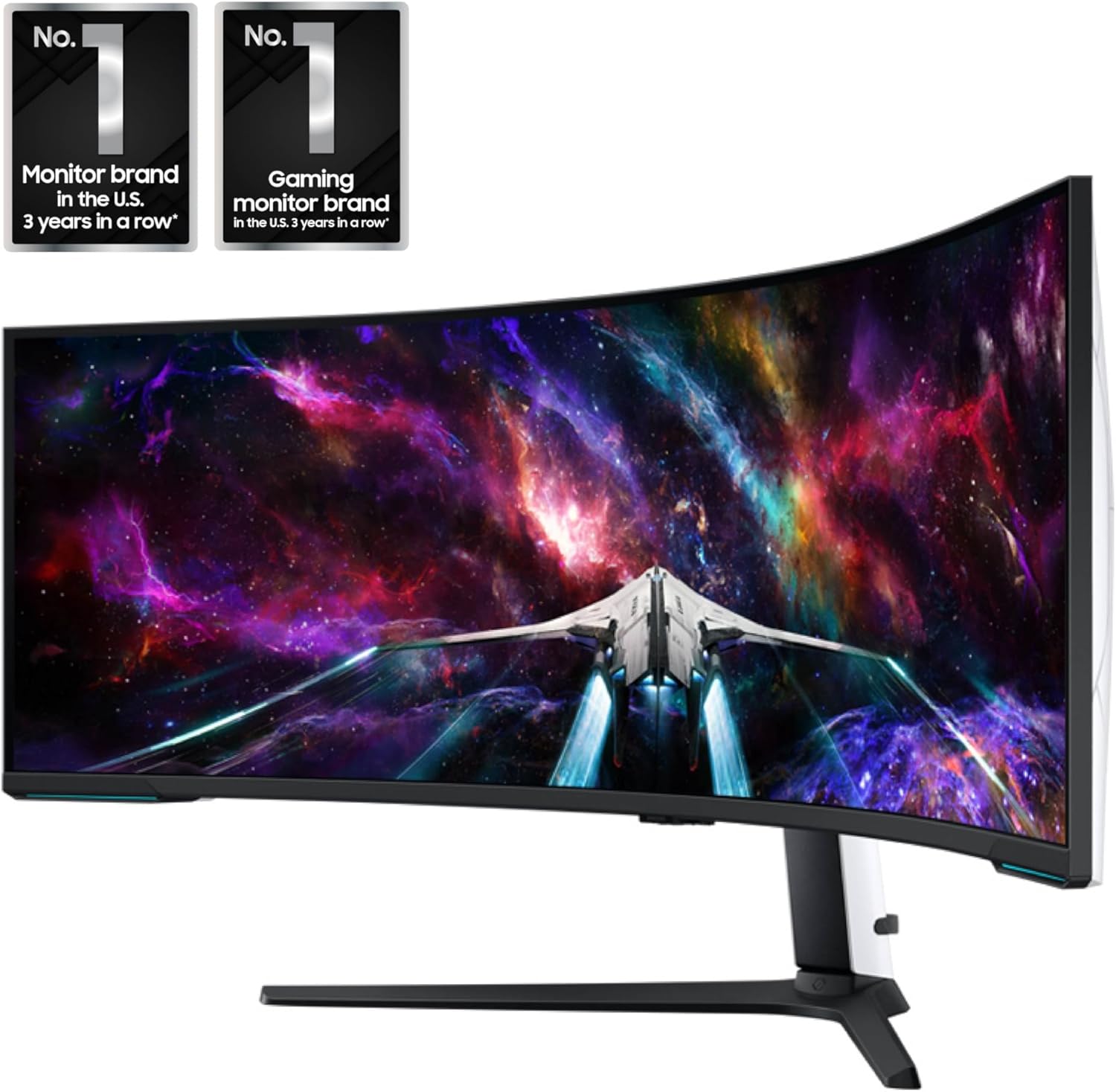
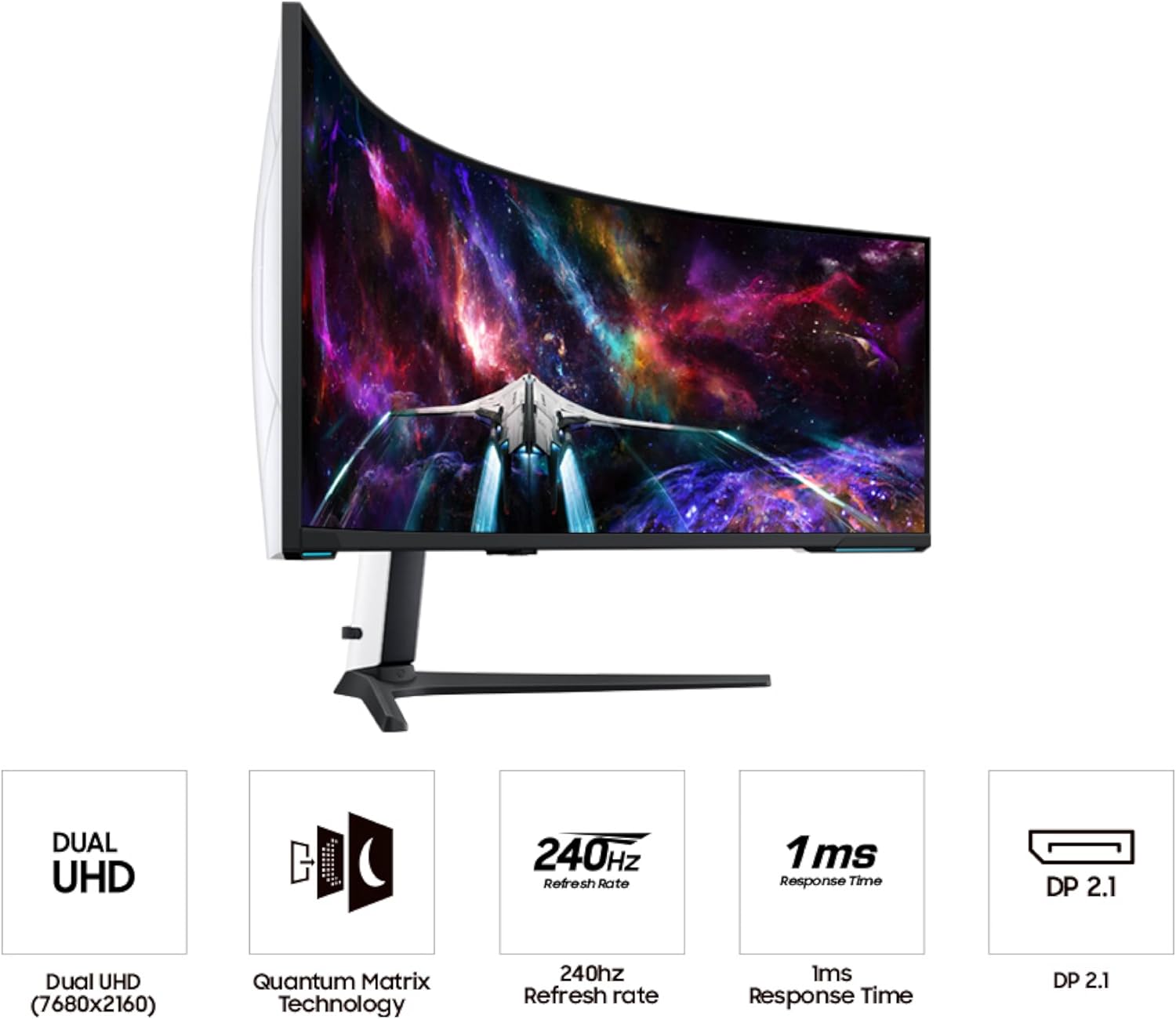
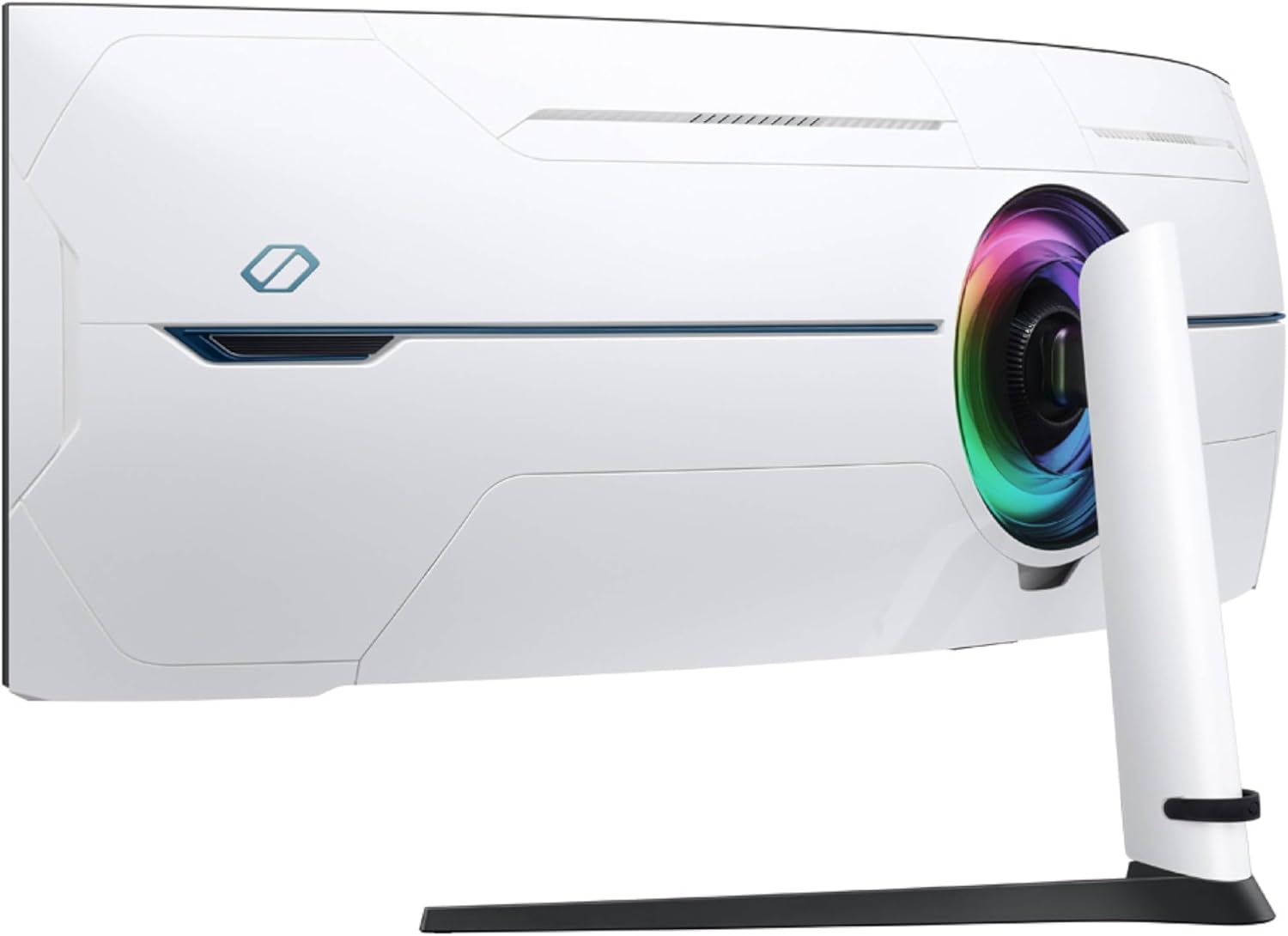
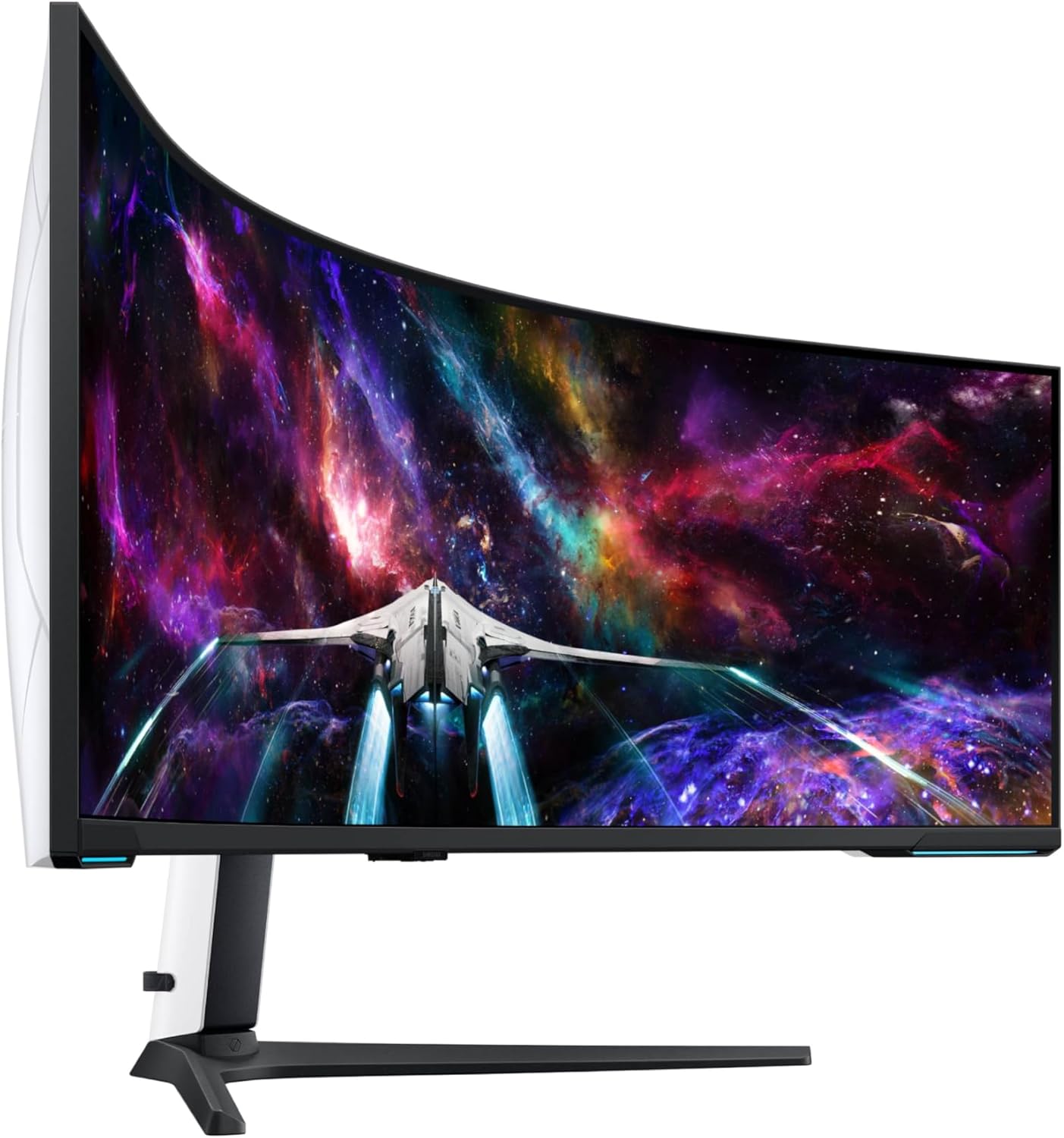
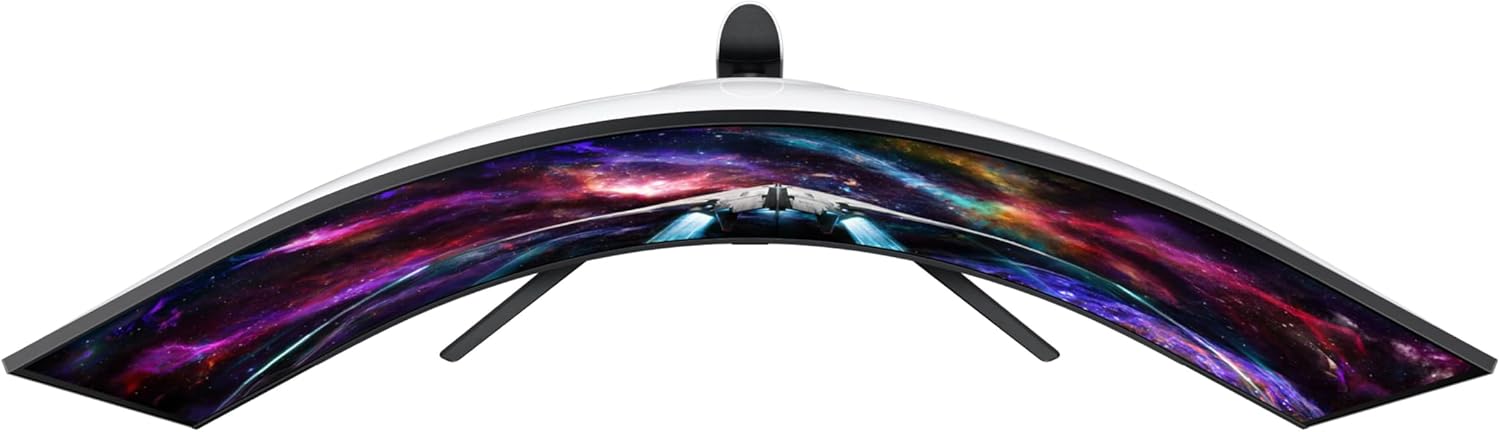
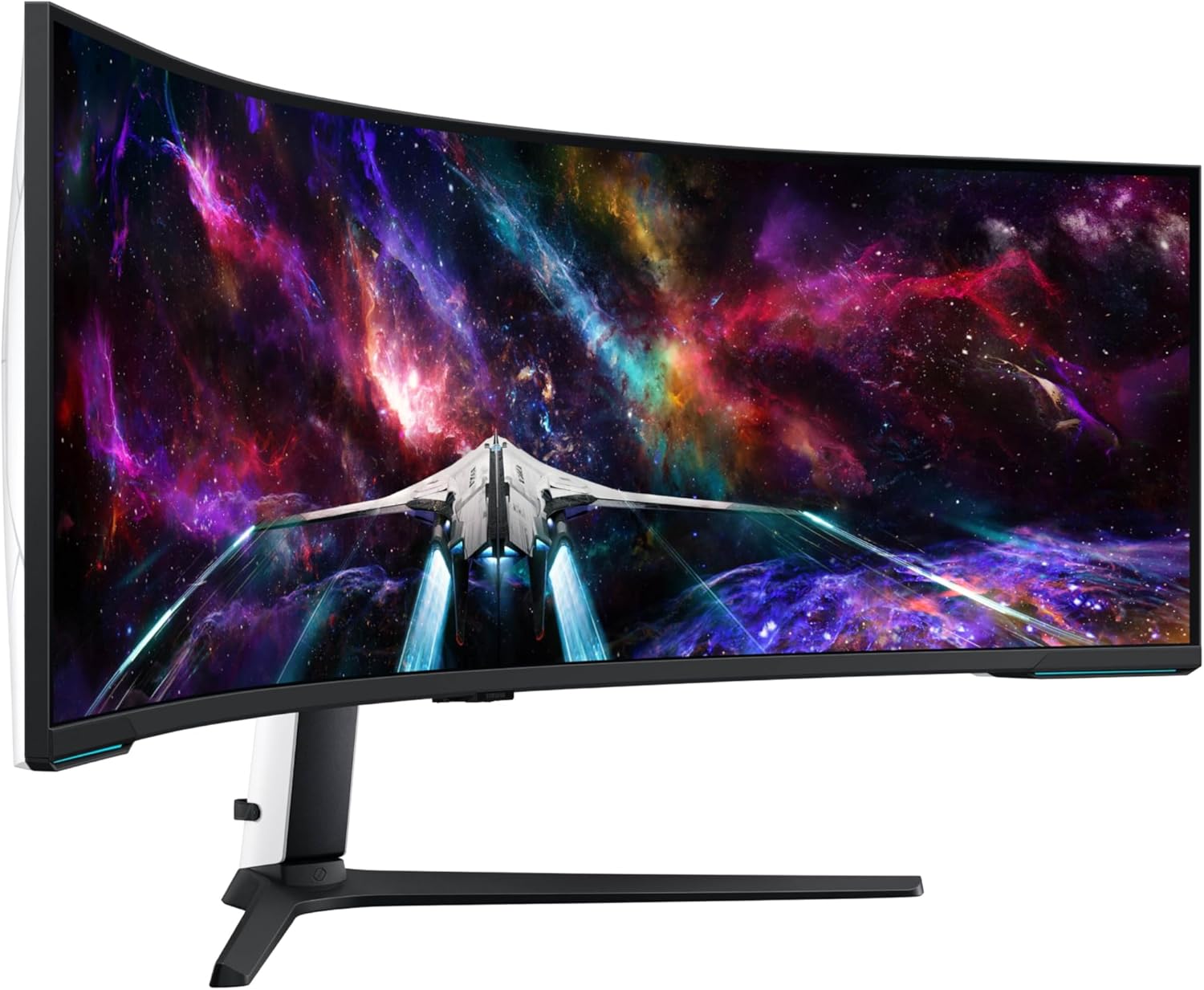
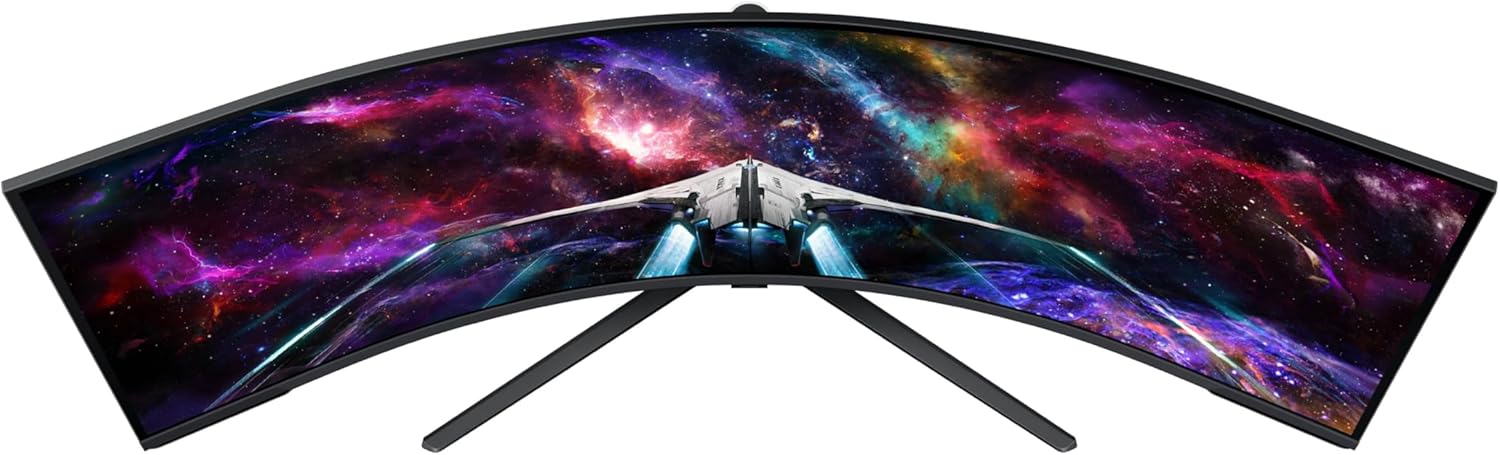
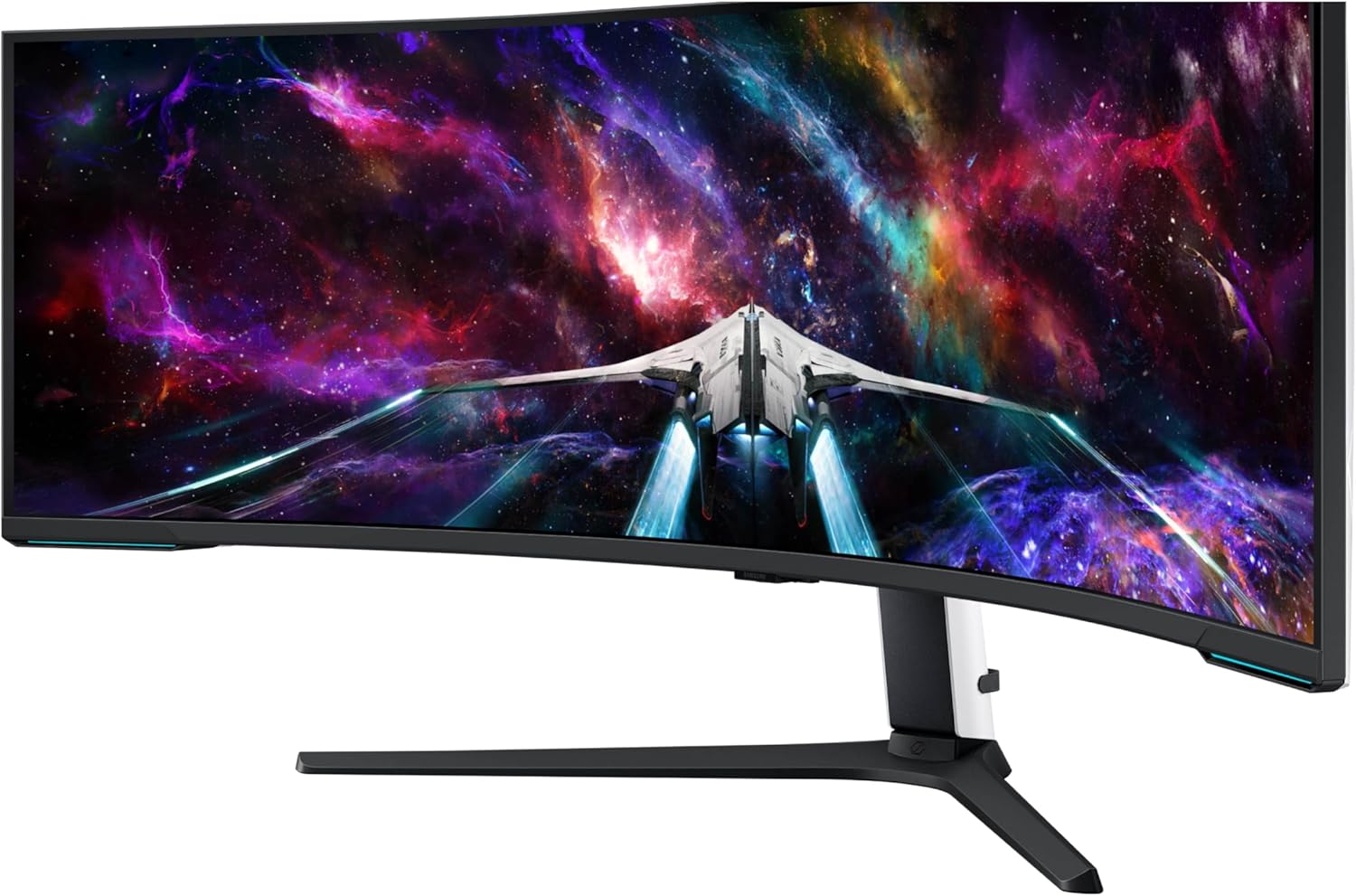
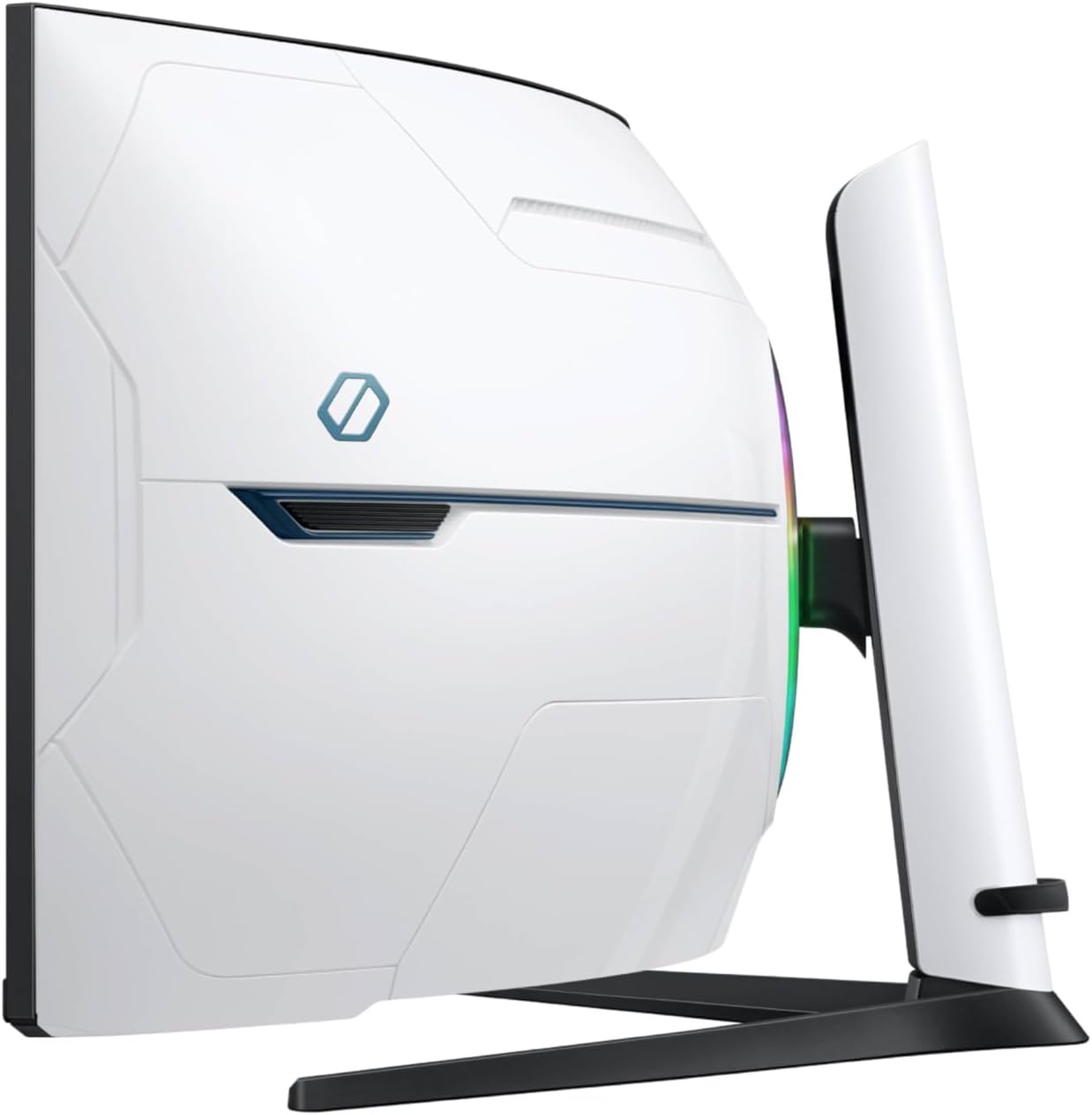
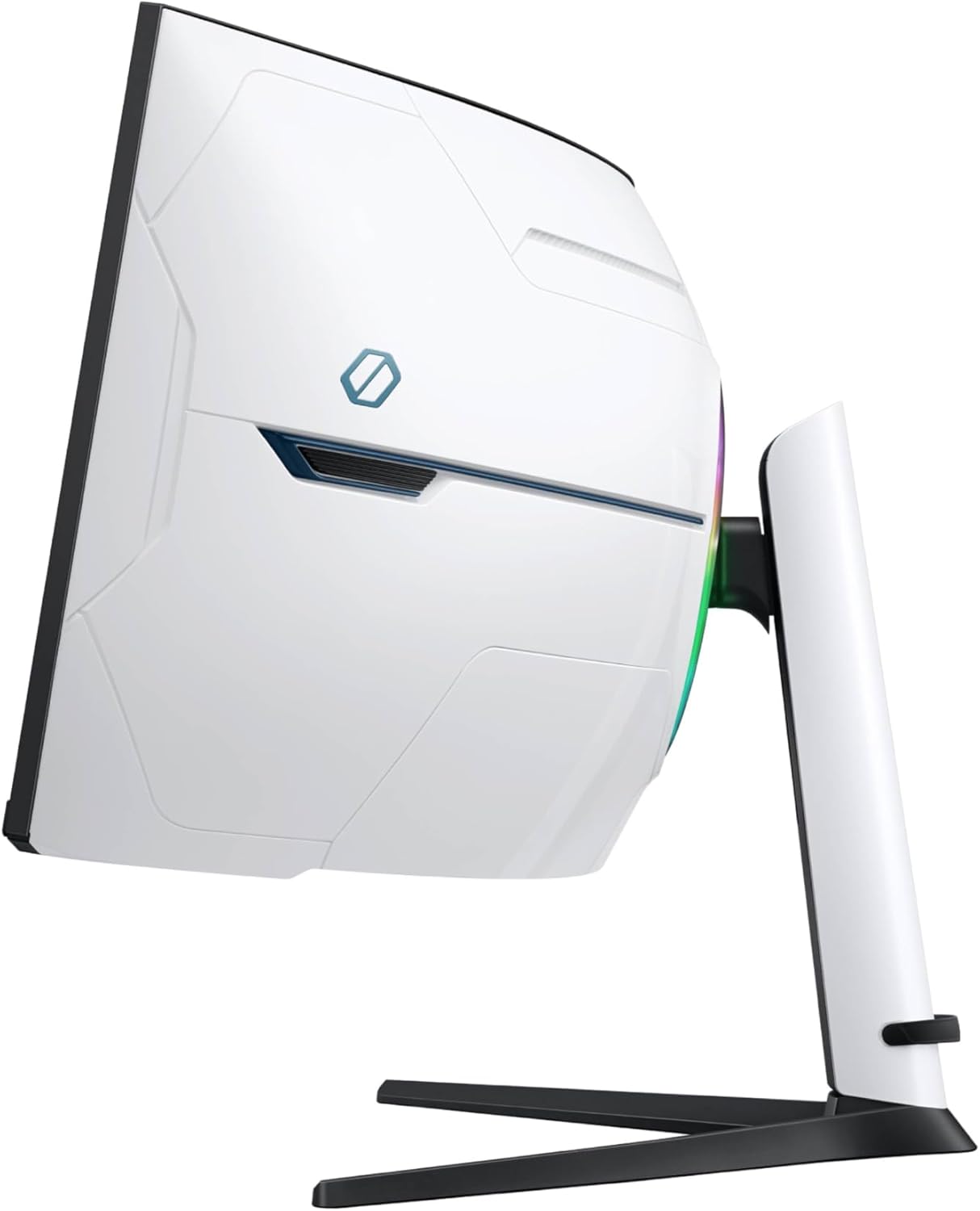
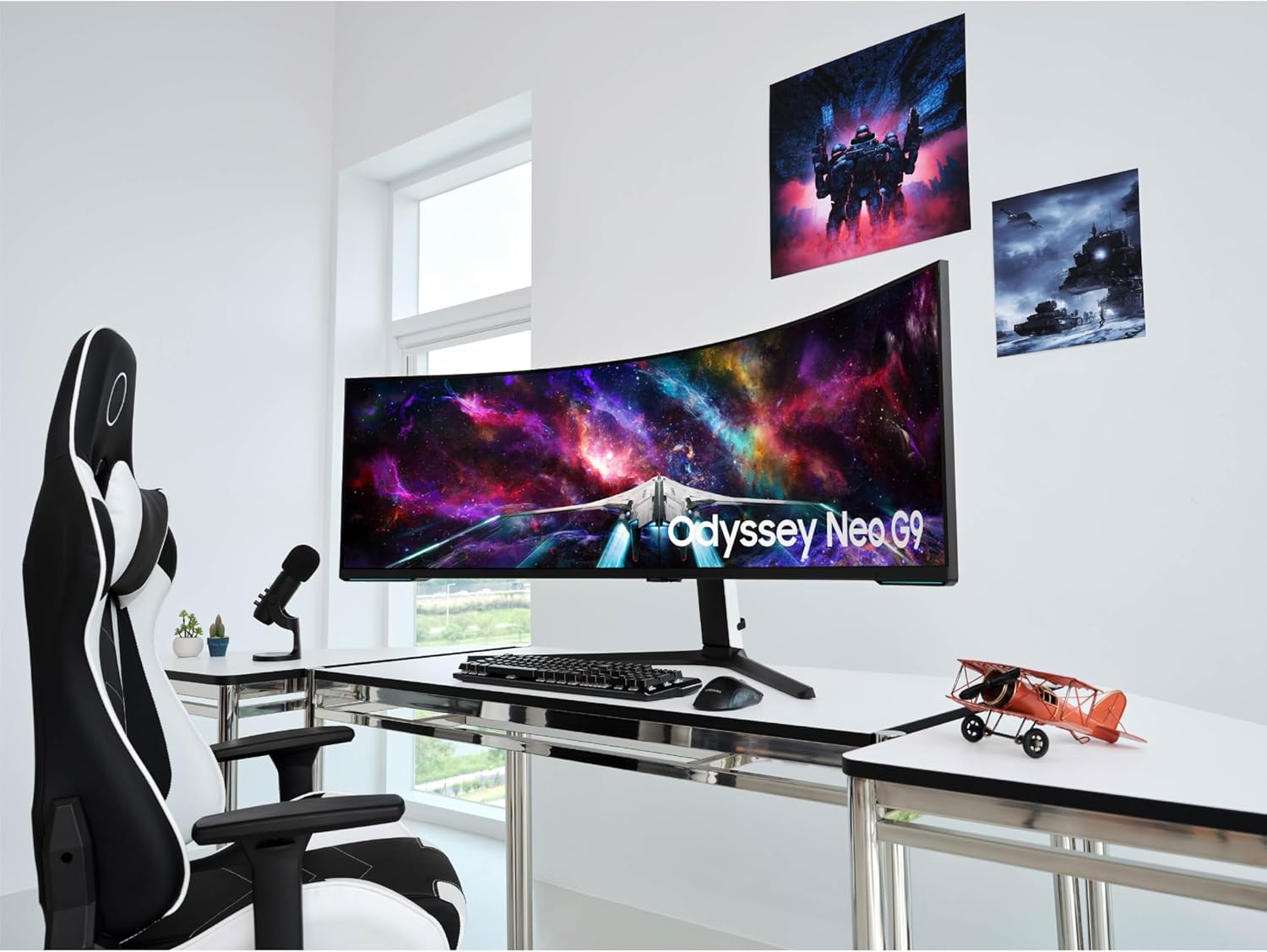
SAMSUNG 57" Odyssey Neo G9 (G95NC) Series Dual 4K UHD 1000R Curved Gaming Monitor, 240Hz, 1ms with DisplayPort 2.1, Quantum Mini-LED, DisplayHDR 1000, AMD FreeSync Premium Pro, LS57CG952NNXZA

4.20

지난 32시간 동안 판매됨 20

$ 1,699.99
$ 1,708.00
-0.47%

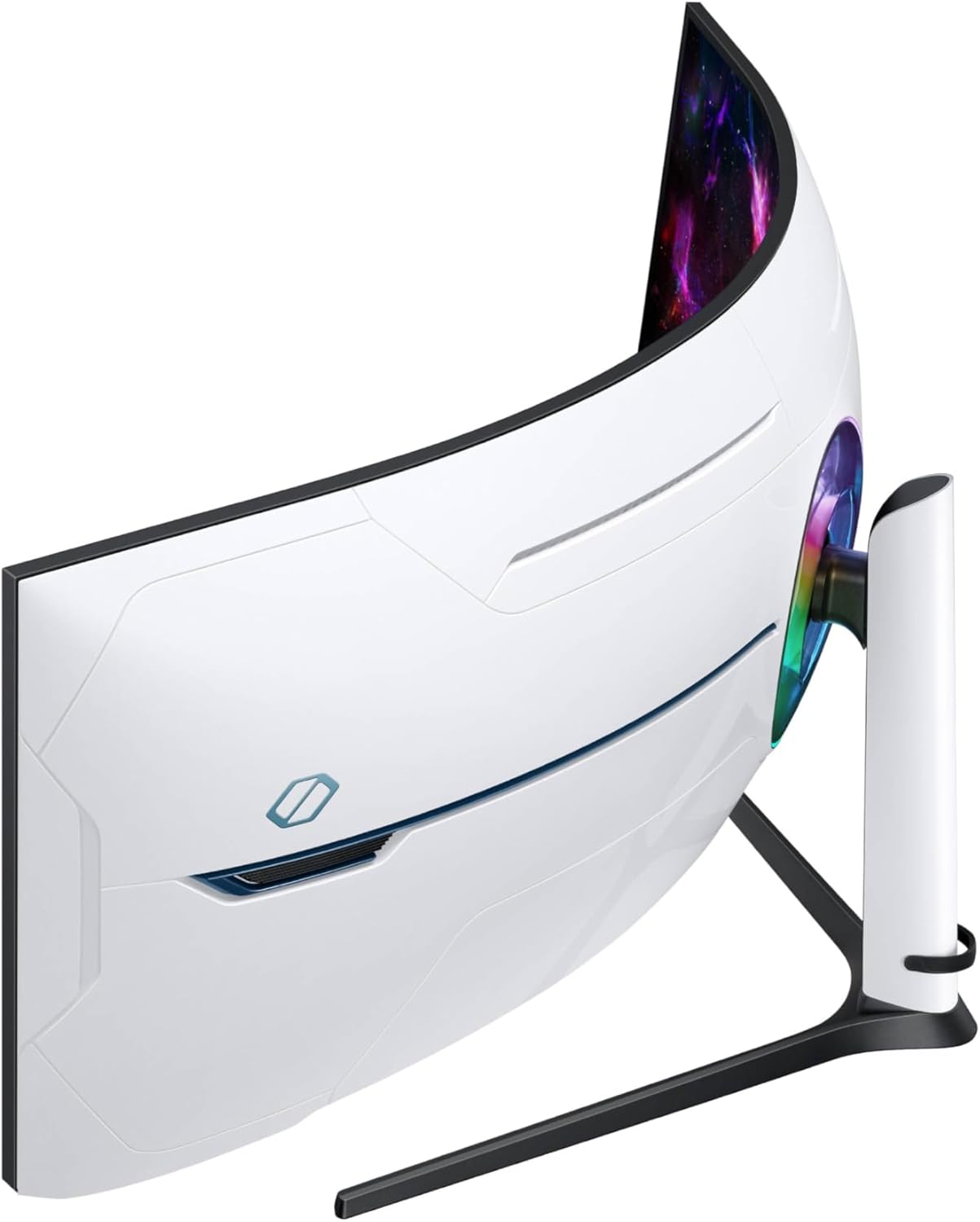
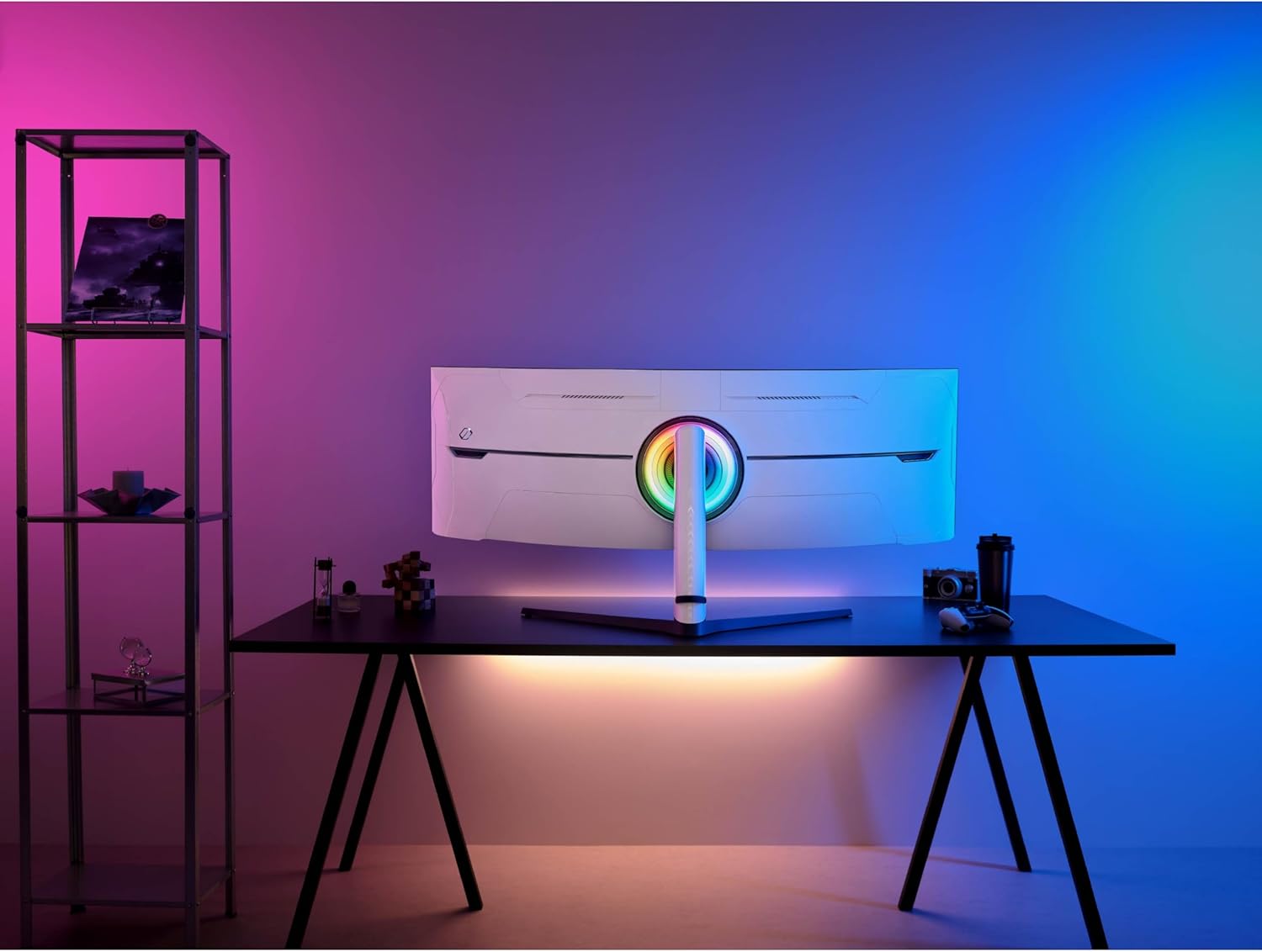
**purchased for $1900 with my own money** (maybe a double flash sale, $2000 on sale for December, additional $100 off for a few hours one day)So I've used this monitor for about a week, 12-16 hours a day (work during the day and online MBA school at night). Here are my initial thoughts.1. HDMI was very buggy. When the monitor went to sleep, it would try a few times to wake up. Then, it eventually crashed (rebooted) my M2 Ultra Mac Studio (a great machine).Switching to a DisplayPort from the USB-C port (back of Mac) has been flawless. (I was hoping to get that port back by using the HDMI, but my previous setup took two USB-C ports, so it's still a net win of one port for me.The screen itself is bright and clear (what you would expect) no dead pixels, artifacts, or flaws of any kind. For work and school, 120Hz is more than good enough, as I didn't see a difference when I switched to 240hz.2. The curve works great about two feet from my face. Since it's on a desk against the wall, it goes out a little further than the previous setup, it was doable, and I got back some desk space undernead having one base instead of two previously. The "wrap" around my field of view is definitely worth the extra space but see the next point.3. The rear lighting and futuristic design were useless since they were against the wall. There's some extra bulk back there that could have been saved (and money) and made the profile slimmer had they not built all that.4. I don't play games much, but Angry Birds was great. Getting the whole screen to show the entire landscape without having to scroll around horizontally was nice. Any side-scrolling games would benefit, assuming they programmed the game to use the extra space.5. I would have liked them to integrate booming loudspeakers (like the other Samsung gaming monitors) so I don't have to use external speakers.6. Also, for this price range, I would have liked to have a high-quality built-in 4K WebCam (even snap-on in the back, but still included) and mic for Zoom calls as well so I can work with two fewer peripherals on the desk.7. Using the Mac Spaces feature, I can have three windows per space and one space per activity (work, school, reading, file management, photos, etc. It's a game-changer, for sure. All without a fat bezel in between the middle of the screen. (If Mac fixed the full-screen function to allow for three full-screen apps instead of two, that would be even better) Multi-page docs or wide spreadsheets are a huge benefactor of this super wide screen.Overall, this was a great purchase for me. I last bought monitors when the Dell 4K ultrashare UP3216Q came out (8 years ago, and they still work great, BTW) and spent $2000 each, so paying $1900 for this monitor was a great deal.

26 현재 누군가가 웹사이트를 탐색 중입니다.

수량:
- +

예상 배송 시간: 12~26일(국제), 3~6일(미국)

구매일로부터 45일 이내에 반품이 가능합니다. 관세 및 세금은 환불되지 않습니다.

  • ASIN:

    B0CDQM55C9

  • BEST_SELLERS_RANK:

    #6,515 in Electronics (See Top 100 in Electronics) #240 in Computer Monitors

  • BRAND:

    Samsung

  • COLOR:

    Black & White

  • CUSTOMER_REVIEWS:

    4.2 4.2 out of 5 stars (441) 4.2 out of 5 stars

  • DATE_FIRST_AVAILABLE:

    September 18, 2023

  • ITEM_DIMENSIONS_LXWXH:

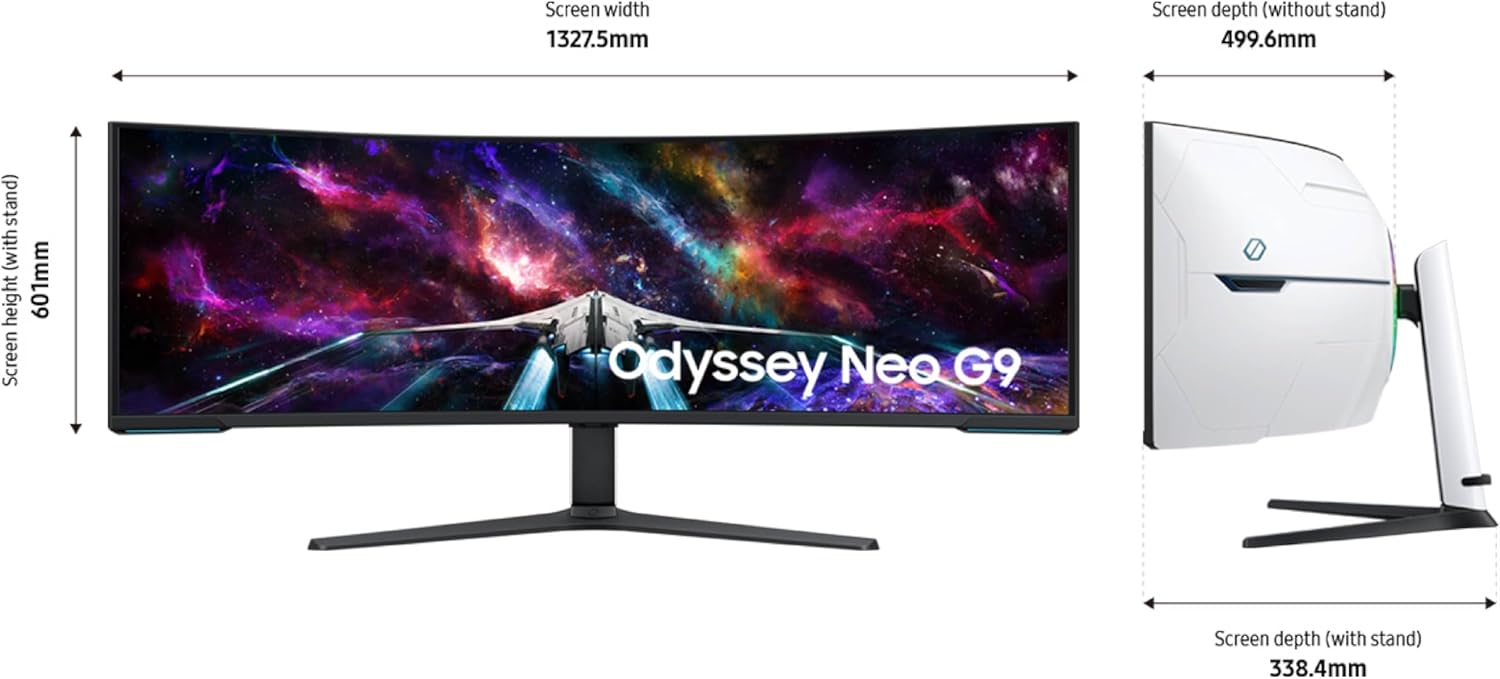
    19.7 x 52.3 x 24 inches

  • ITEM_MODEL_NUMBER:

    FBASAMLS57CG952

  • ITEM_WEIGHT:

    41.9 pounds

  • MANUFACTURER:

    Samsung

  • MAX_SCREEN_RESOLUTION:

    7680 x 2160 Pixels

  • NUMBER_OF_USB_2_0_PORTS:

    2

  • POWER_SOURCE:

    AC

  • PRODUCT_DIMENSIONS:

    19.7 x 52.3 x 24 inches

  • SCREEN_RESOLUTION:

    7680x2160

  • SERIES:

    FBASAMLS57CG952

  • STANDING_SCREEN_DISPLAY_SIZE:

    57 Inches

  • VOLTAGE:

    240 Volts

안전한 결제를 보장하세요
제품 상세 정보
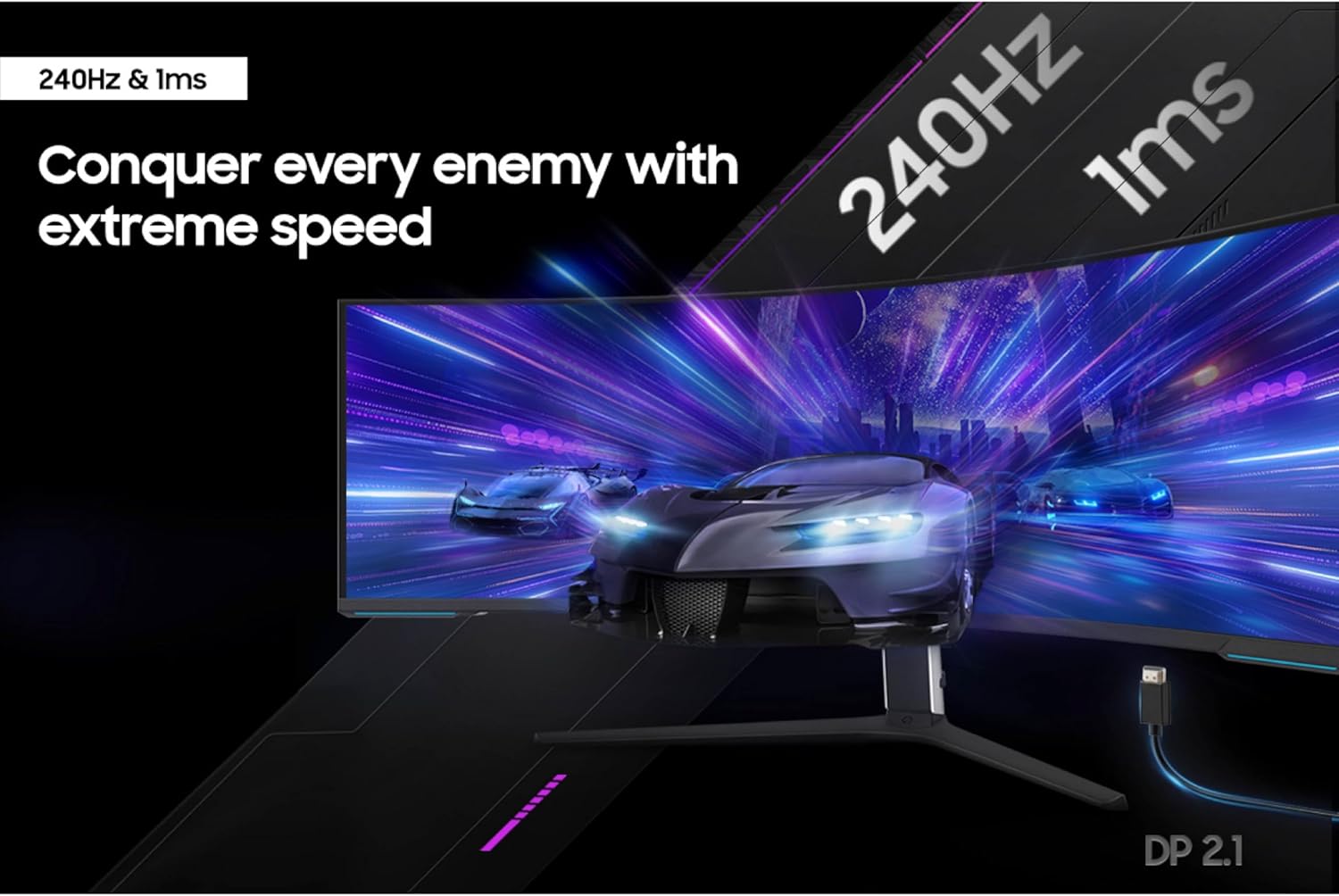
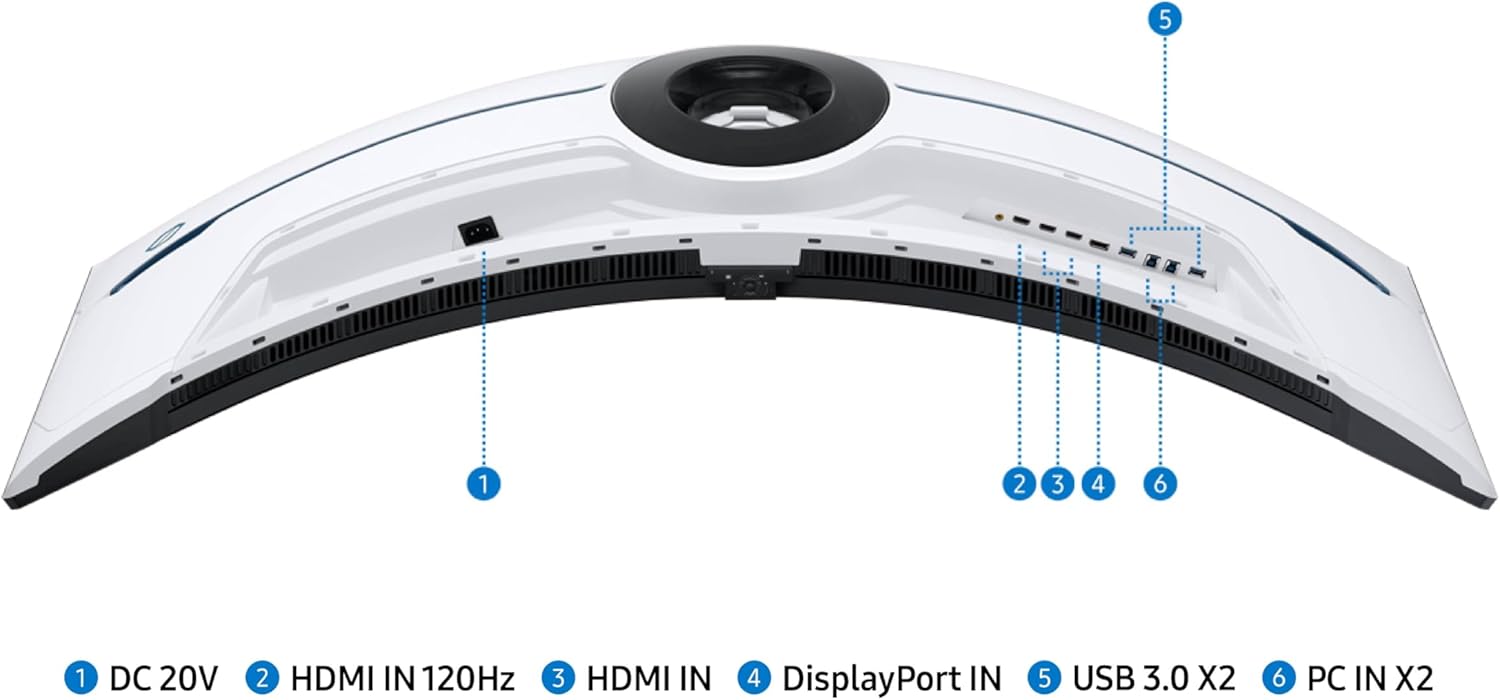
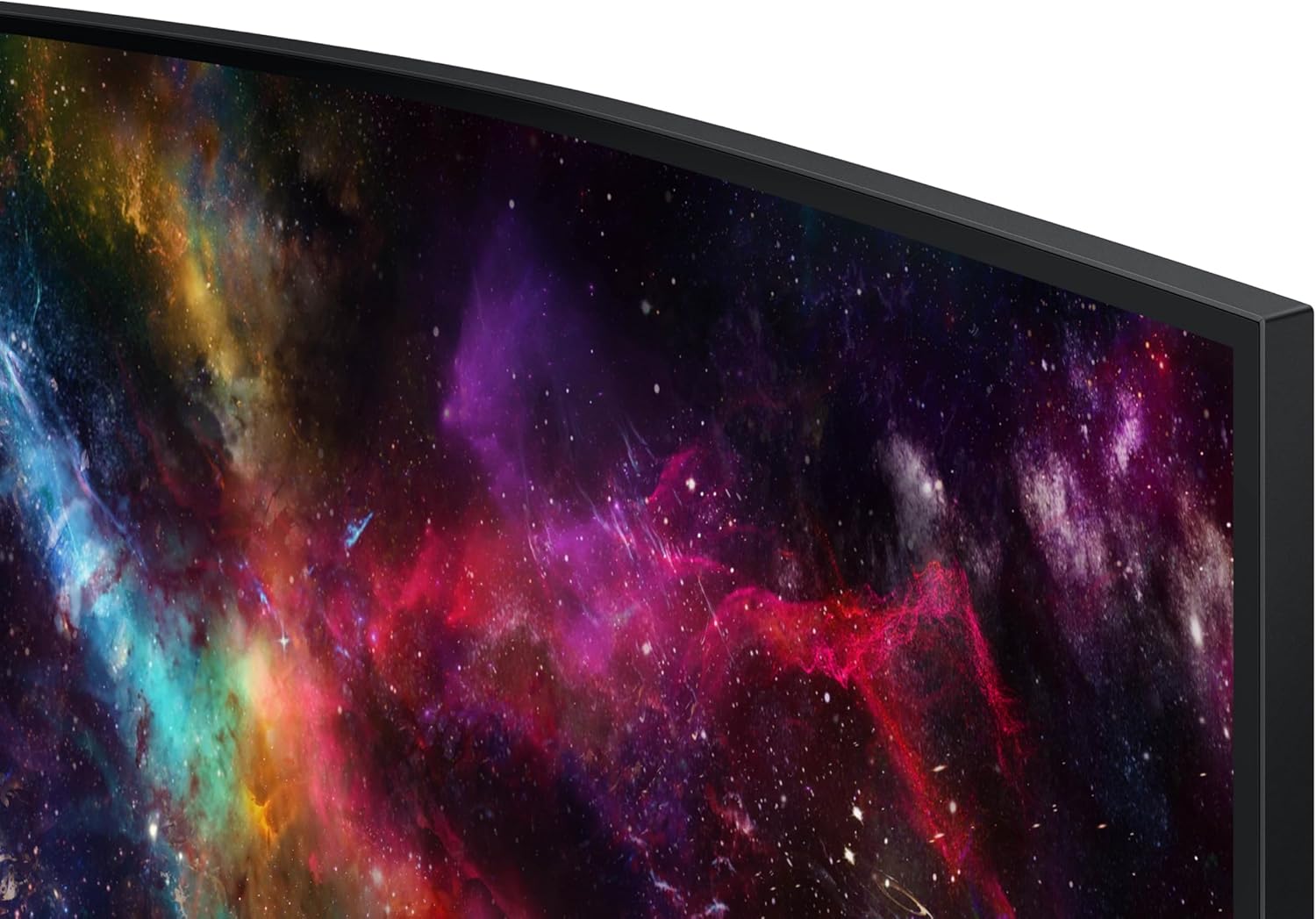
Elevate your game with the world's first Dual UHD Monitor – Samsung's 57" Neo G9 Curved Gaming Monitor. Features 57" screen size, 1000R curve with Quantum Matrix Technology powered by Quantum Mini LEDs for astounding levels of visual accuracy and unparalleled definition. 240Hz Refresh Rate, 1ms response time and FreeSync ™ Premium Pro, for stutter-free, hyper-fast action with all new DisplayPort 2.1. DisplayHDR 1000 with 1,000 nit peak brightness and 1,000,000:1 contrast ratio for enhanced color expression and depth. Cutting-edge design with CoreSync & Core Lighting+, ergonomic stand, and a multitude of convenient input options provide instant access to the game action. With Auto Source Switch+, your monitor detects when connected devices are turned on and instantly switches to the new source signal. *For the world's first full DUHD and 240Hz ultra high performance support, the graphics card being used must support DP 2.1 (UHBR 13.5 and above) or HDMI 2.1 (FRL 12Gbps). Actual specifications and support may vary by graphics card. Please refer to your graphics card specifications for more details. The actual response time may vary by content and monitor settings. **Image simulated for illustrative purposes. AMD FreeSync™ Premium Pro is supported by Radeon Rx 200 graphic cards and subsequent models.
고객 리뷰
4.20

(100 점수)

5
13
4
2
3
4
2
9
1
72
댓글 취소
댓글을 남겨주세요

16 논평

5.0 out of 5 stars Best Monitor EVER
2026-03-07    -Oliver Khan

If you are looking for a monitor for productivity/working and gaming, this is unequivocally without hyperbole the best monitor that you can buy, and for a great price. I purchased it recently and have nothing about amazing things to say. The size of this thing is so perfect that once you start using it you'll never want to go back to any other sized monitor. And the resolution and pixel density is absolutely stunning, this thing looks better and more dense than most 27 or 32 inch monitors which is a feat with how big it is. I use mac and although you can only get max 120 HZ, you still can get full native resolution 7680 x 2160 as long as you use DP2.1, which is more than enough for just working which I presume is what most mac users will be doing. The brightness, colors, contrast and HDR on this thing is also amazing everything looks so vibrant and this monitor has an extremely high max brightness. And for work it is SO convenient having literally two 32 inch screens side by side and having this much screen space, you can have so many applications open at once. As long as you have the money to afford this monitor, the desk space to have the monitor on your desk (which is important because the stand takes up a lot of space and this monitor is very heavy so I wouldn't trust it with an arm), and a rig that can run this at full resolution with good FPS/refresh rate, it is an absolute no brainer in my opinion and is one of my favorite purchases that I've ever made. The build quality does feel a bit flimsy I will admit, but honestly it doesn't matter when the monitor works and performs as well as it does. Just make sure out the box that you calibrate the picture settings, enable HDR, set your Display port/HDMI input to 2.1 (by default it is on 1.4), and tweak the settings to your liking. For me I am using original picture mode, 50 brightness, 50 contrast, 10 sharpness, 22 color, local dimming on HIGH (very important setting), contrast enhancer off, active HDR tone mapping, natural color tone, and native color space settings with the rest of settings on default. Make sure to DISABLE any eye care settings for best quality.

Impressive display. A real pleasure to use
2025-12-26    -Martin C.

I've had this monitor for 3 months now and I am very pleased. I really have no significant complaints. The only down side so far for me is that my video card supports a max of 120hz at 7680x2160. That's no fault of the monitor but rather a limitation of my RTX 4080 Super. Beyond that, there are only positives. Most of my time is not spent gaming so it's important that the monitor does well at non-gaming tasks, which is really does. Text is beautifully crisp, colors are vivid - just a pleasure to use every day. Gaming performance is excellent - best screen I've had to date. Just beautiful.Overall, a monitor I can easily recommend based on my experience to date. Well worth the money.

It looks great with games and provides a massive productivity display. As others have mentioned, it is a bit of a workout for your neck when spanning the display during regular use (owl neck upgrade required?) but it is awesome for games that support it such as Baldur's Gate 3 (the only game I've tried it with so far).My only frustration has been the fact that it goes to sleep during BIOS POST, which makes it frustratingly hard to enter BIOS settings. I plugged in a cheap portable monitor as a secondary display to solve that problem.

It looks great with games and provides a massive productivity display. As others have mentioned, it is a bit of a workout for your neck when spanning the display during regular use (owl neck upgrade required?) but it is awesome for games that support it such as Baldur's Gate 3 (the only game I've tried it with so far).My only frustration has been the fact that it goes to sleep during BIOS POST, which makes it frustratingly hard to enter BIOS settings. I plugged in a cheap portable monitor as a secondary display to solve that problem.

Simply The Best
2025-12-29    -MOB

Update : The screen sometimes does not bring u pthe menu anymore. I need t ounplug it and plug it back in, then when I press the menu button the menu appears. Its not a hardware failure as resetting the device makes the menu buttons 100% usable again. Shame as I knew the menu buttons were terrible when I bought it, and not they are the source of the only problem with it. Why not just make decent buttons ? And why not support a remote control ? It would have cost an extra 2$.I used to have 2x 4K 28 inch monitors and eventually decided to get rid of the large black dividing line down the middle and use a single monitor. So I opted for the 49 inch Samsung Neo G9, with a resolution of 5120x1440 and 240MHz, which I loved. I also got used to the curved screen very quickly, and find it so much easier to work with multiple windows open, also play games is very cool, but dropping from a 4k resolution down to just 1440 vertical resolution did make my games look less clear and less defined. Eventually I saw this screen that has the highest resolution I would ever want to go to (for a screen thats this close to my eyes) ‎7680 x 2160 Pixels puts the highest definition of games back on and the colours and resolution are simply amazing. I love this monitor, its huge, as big as I would ever want to go, and has everything I need (picture in picture, 240 MHz, 1ms, 1000 NITS etc etc. The only thing I would have liked more was if they just replaced the terrible menu buttons, and added a $2 remote control. Such a shame it doesn't have a decent menu button system.

Fantastic monitor for productivity
2026-02-23    -Angela

This monitor is amazing! It replaced my dual screen setup, and while in terms of screen space I have neither gained, nor lost, it does have flexibility to split my screen into 3 or 4, which is very handy. Though I believe it is marketed as a gaming monitor, I use this monitor almost entirely for productivity, and a little bit of media.The curvature is great for me, no eye strain and I do not have to swivel my neck around which is great as I have some neck issues. Text, and I work with text all day long plus some, is very clear.The instructions for assembly were clear, and while I could do most myself, I did need to get someone to help me actually lift it out of box and onto my desk. It is heavy! I have a sit-stand add-on on my desk and this monitor is too heavy for the sit-stand to "lift" (maybe I can adjust with settings though I suspect I exceed the weight limit). A sit-stand desk may be better in that case. Also be prepared to have a lot of room to set up and breakdown materials, as this is a big monitor in a big box with a lot of protective wrapping.I am so pleased I went with this size. It was expensive ($2,199 at time I purchased, though $1,998 at the time I am writing this review) however I have zero regrets. It was well worth it as it has really boosted my productivity, and even made my day job more pleasurable.I'd recommend this even for the non-gamers amongst us who are more interested in productivity uses. If you work in a relatively boring office environment though, be prepared for people to ask when your space suit is coming back from the dry cleaners. The rear of the monitor definitely has a futuristic look.

5.0 out of 5 stars Best Monitor EVER
2026-01-06    -Oliver Khan

If you are looking for a monitor for productivity/working and gaming, this is unequivocally without hyperbole the best monitor that you can buy, and for a great price. I purchased it recently and have nothing about amazing things to say. The size of this thing is so perfect that once you start using it you'll never want to go back to any other sized monitor. And the resolution and pixel density is absolutely stunning, this thing looks better and more dense than most 27 or 32 inch monitors which is a feat with how big it is. I use mac and although you can only get max 120 HZ, you still can get full native resolution 7680 x 2160 as long as you use DP2.1, which is more than enough for just working which I presume is what most mac users will be doing. The brightness, colors, contrast and HDR on this thing is also amazing everything looks so vibrant and this monitor has an extremely high max brightness. And for work it is SO convenient having literally two 32 inch screens side by side and having this much screen space, you can have so many applications open at once. As long as you have the money to afford this monitor, the desk space to have the monitor on your desk (which is important because the stand takes up a lot of space and this monitor is very heavy so I wouldn't trust it with an arm), and a rig that can run this at full resolution with good FPS/refresh rate, it is an absolute no brainer in my opinion and is one of my favorite purchases that I've ever made. The build quality does feel a bit flimsy I will admit, but honestly it doesn't matter when the monitor works and performs as well as it does. Just make sure out the box that you calibrate the picture settings, enable HDR, set your Display port/HDMI input to 2.1 (by default it is on 1.4), and tweak the settings to your liking. For me I am using original picture mode, 50 brightness, 50 contrast, 10 sharpness, 22 color, local dimming on HIGH (very important setting), contrast enhancer off, active HDR tone mapping, natural color tone, and native color space settings with the rest of settings on default. Make sure to DISABLE any eye care settings for best quality.

The hardware is impressive, the screen is incredible but connectivity is a massive pain.The power button only works when it wants to, I'm forced to consistently plug the power cable in and out to turn on the screen. I tried different HDMI cables and different HDMI ports... still nothing, for the amount of money you pay, this should've came with built in speakers and some sort of remote cause the buttons do no work.

**purchased for $1900 with my own money** (maybe a double flash sale, $2000 on sale for December, additional $100 off for a few hours one day)So I've used this monitor for about a week, 12-16 hours a day (work during the day and online MBA school at night). Here are my initial thoughts.1. HDMI was very buggy. When the monitor went to sleep, it would try a few times to wake up. Then, it eventually crashed (rebooted) my M2 Ultra Mac Studio (a great machine).Switching to a DisplayPort from the USB-C port (back of Mac) has been flawless. (I was hoping to get that port back by using the HDMI, but my previous setup took two USB-C ports, so it's still a net win of one port for me.The screen itself is bright and clear (what you would expect) no dead pixels, artifacts, or flaws of any kind. For work and school, 120Hz is more than good enough, as I didn't see a difference when I switched to 240hz.2. The curve works great about two feet from my face. Since it's on a desk against the wall, it goes out a little further than the previous setup, it was doable, and I got back some desk space undernead having one base instead of two previously. The "wrap" around my field of view is definitely worth the extra space but see the next point.3. The rear lighting and futuristic design were useless since they were against the wall. There's some extra bulk back there that could have been saved (and money) and made the profile slimmer had they not built all that.4. I don't play games much, but Angry Birds was great. Getting the whole screen to show the entire landscape without having to scroll around horizontally was nice. Any side-scrolling games would benefit, assuming they programmed the game to use the extra space.5. I would have liked them to integrate booming loudspeakers (like the other Samsung gaming monitors) so I don't have to use external speakers.6. Also, for this price range, I would have liked to have a high-quality built-in 4K WebCam (even snap-on in the back, but still included) and mic for Zoom calls as well so I can work with two fewer peripherals on the desk.7. Using the Mac Spaces feature, I can have three windows per space and one space per activity (work, school, reading, file management, photos, etc. It's a game-changer, for sure. All without a fat bezel in between the middle of the screen. (If Mac fixed the full-screen function to allow for three full-screen apps instead of two, that would be even better) Multi-page docs or wide spreadsheets are a huge benefactor of this super wide screen.Overall, this was a great purchase for me. I last bought monitors when the Dell 4K ultrashare UP3216Q came out (8 years ago, and they still work great, BTW) and spent $2000 each, so paying $1900 for this monitor was a great deal.

Simply The Best
2026-01-15    -MOB

Update : The screen sometimes does not bring u pthe menu anymore. I need t ounplug it and plug it back in, then when I press the menu button the menu appears. Its not a hardware failure as resetting the device makes the menu buttons 100% usable again. Shame as I knew the menu buttons were terrible when I bought it, and not they are the source of the only problem with it. Why not just make decent buttons ? And why not support a remote control ? It would have cost an extra 2$.I used to have 2x 4K 28 inch monitors and eventually decided to get rid of the large black dividing line down the middle and use a single monitor. So I opted for the 49 inch Samsung Neo G9, with a resolution of 5120x1440 and 240MHz, which I loved. I also got used to the curved screen very quickly, and find it so much easier to work with multiple windows open, also play games is very cool, but dropping from a 4k resolution down to just 1440 vertical resolution did make my games look less clear and less defined. Eventually I saw this screen that has the highest resolution I would ever want to go to (for a screen thats this close to my eyes) ‎7680 x 2160 Pixels puts the highest definition of games back on and the colours and resolution are simply amazing. I love this monitor, its huge, as big as I would ever want to go, and has everything I need (picture in picture, 240 MHz, 1ms, 1000 NITS etc etc. The only thing I would have liked more was if they just replaced the terrible menu buttons, and added a $2 remote control. Such a shame it doesn't have a decent menu button system.

댓글을 남겨주세요:

댓글 제목
댓글 내용
배송 및 반품
우리가 당신을 보호하겠습니다

대부분 지역에서는 배송비를 한 번만 지불하시면 됩니다 (주문 및 배송 페이지를 확인해 주세요).

구매 후 14일 이내 무료 반품 가능 (단, 수명이 다한 제품, 맞춤 제작 상품, 마스크, 향수 및 에어로졸과 같이 위험하거나 인화성 물질이 포함된 일부 제품은 제외).

수입 관세 정보

복잡한 절차는 저희가 처리해 드리겠습니다. 카나리아 제도를 제외한 모든 EU 국가, 영국, 미국, 캐나다, 호주, 뉴질랜드, 푸에르토리코, 스위스, 싱가포르, 한국, 쿠웨이트, 멕시코, 카타르, 인도, 노르웨이, 사우디아라비아, 대만, 태국, UAE, 일본, 브라질, 맨섬, 산마리노, 콜롬비아, 칠레, 아르헨티나, 이집트, 레바논, 홍콩 특별행정구, 바레인, 터키로 배송되는 상품 가격에는 모든 수입 관세가 포함되어 있습니다. 표시된 가격이 최종 결제 금액입니다.

예상 배송 시간

특급 배송: 7-10일

해당 창고에서 배송되었습니다.

더 자세한 정보가 필요하신가요?
반품 정책
반품 정책

저희는 제품 품질에 자신 있습니다. 만약 구매하신 제품에 완전히 만족하지 못하신다면, 수령일로부터 30일 이내에 간편하게 반품하실 수 있도록 정책을 마련해 두었습니다.

간편한 교환 또는 환불
  • 다른 사이즈, 색상 또는 스타일의 상품으로 교환하거나 전액 환불받을 수 있습니다.
  • 반품되는 모든 상품은 착용하지 않은 상태여야 하며, 원래 포장 상태 그대로 모든 태그가 손상되지 않은 상태여야 합니다.
간단한 절차
  • 온라인으로 반품을 신청하거나 고객 서비스 팀에 문의하여 도움을 받으실 수 있습니다.
  • 물품을 제대로 포장해 주시고, 원래의 포장 목록도 함께 넣어주세요.
  • 반품하실 상품을 보내주실 때에는 저희가 제공해 드린 선불 배송 라벨을 사용해 주시기 바랍니다.
  • 환불 요청 접수 즉시 처리해 드리겠습니다.

반품과 관련하여 궁금한 점이나 우려 사항이 있으시면 언제든지 저희 전문 고객 서비스 팀에 문의해 주세요. 고객 만족은 저희의 최우선 목표입니다.

범주
차이
제품
모든 제품 지우기