고객 서비스

판매자들은 가입하면 더 많은 혜택을 누릴 수 있습니다.

모든 주문 무료 배송.

비디오 안경

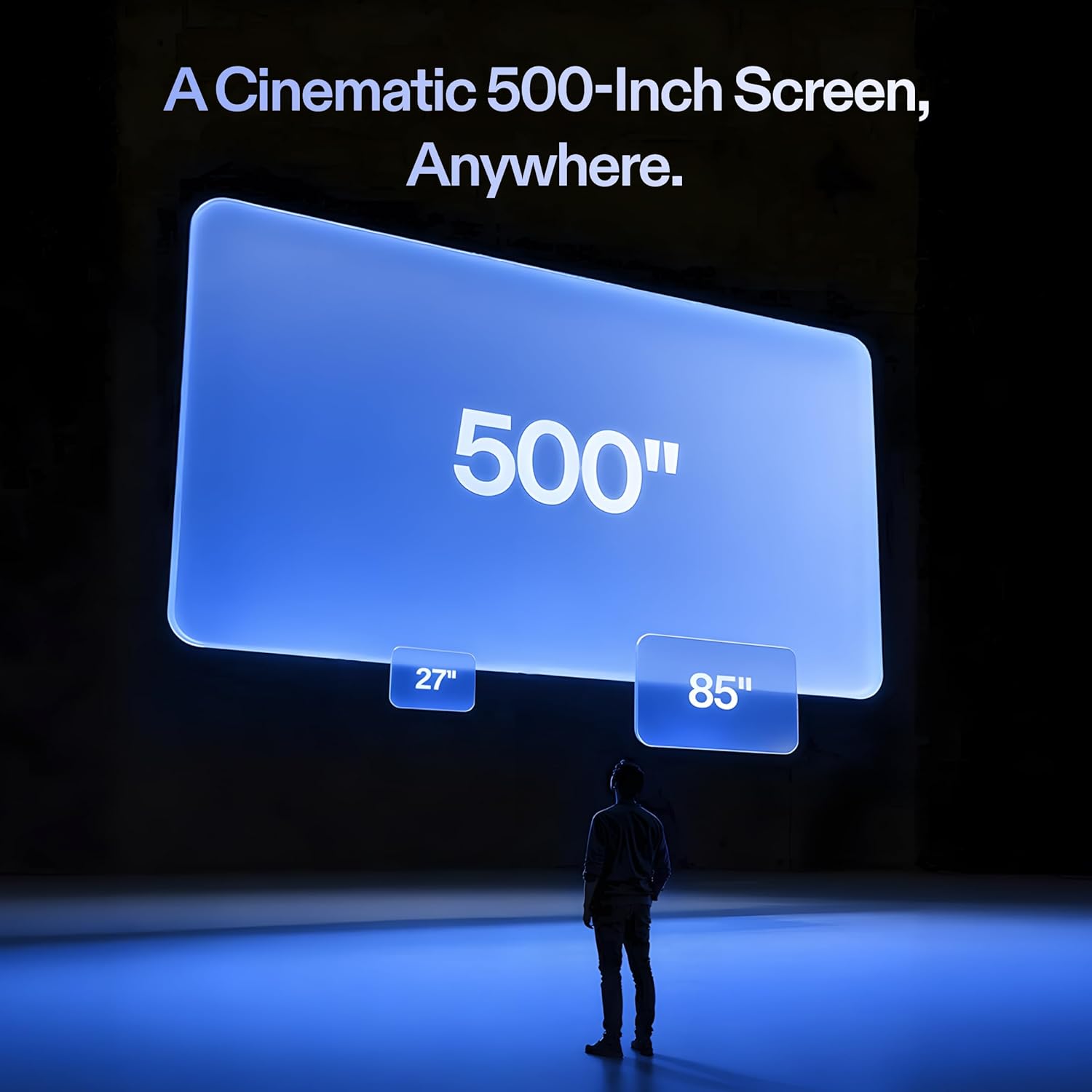
XREAL 1S AR Glasses, 500" Virtual Screen Smart Glasses with 52° FOV, Native 3DoF, 3D Mode, Powered by X1 Chip, Supports All USB-C DP Devices Including iPhone 17/16/15, Supports Switch 2 with XREAL Neo

4.60

지난 32시간 동안 판매됨 43

$ 449.00
$ 473.00
-5.35%

I've been using the 1S with my Switch 2 and so far it's been great 90% of the time. To get the Switch 2 to work you need an additional dock accessory, and from Xreal their solution is the Neo. I am however using Viture's Pro Mobile Dock and so far they both mostly work great together despite not being the same brand. Sometimes I'll need to unplug and replug the cable from the Switch 2 to the Pro Mobile Dock for the glasses to detect a signal. I'm not sure if the issue is the glasses, the Switch 2, or the dock. I'm thinking it's probably a bit of the each, but the experience has been exceptional and smooth so I'm not complaining, well... at least not that much anyway!If you're wondering, I opted for Viture's Pro Mobile Dock because to me it just seems like the better product. I also looked at RayNeo's dock, but ultimately chose Viture's because of the ability to support two glasses output and 1 HDMI input. There's also an accessory that can connect the dock to the Switch 2, but I just leave it off because it'll mean I have to remove the Switch 2 protective case.Back to the glasses itself, the image is clean! I also have the RayNeo Air 3S and I can say with confidence that this Xreal 1S is significantly better. The real question is, at the time of this writing, is the Xreal 1S worth $250 more than the RayNeo Air 3S? I say yes and it depends.The 1S has a ton more options to change the image settings. You can change the screen size, set the screen distance, set whether the screen is a widescreen, anchored or stationary, and of course the not-a-gimmick Real3D processing. All those features I've just mentioned are non-existent on a more entry level model like the Air 3S. The Air 3S has the essentials to a good AR experience, a clean screen that's smooth. If you are wanting more features and adjustments to your AR experience then it maybe worth the upgrade to the medium-high glasses like this Xreal 1S.And even though it's not much on paper, the 1080p to 1200p is quite significant. Compared to my RayNeo Air 3S, this Xreal 1S is clearer and has better color reproduction. And because the FOV is also wider, the viewing experience feels more immersive.To me, the Real3D is a game changer. I've always been into the whole 3D experience, but like most people would agree it's always been finicky at best. But holy smokes I can't believe how well this feature works, it's like magic! Any content of your choice, just turn on the 3D feature, and BOOM! The 3D experience that you've had in the past now in your face through these glasses. The image isn't perfect and does has some artifacts, but overall it's very good! When 3D is enabled, the graphical fidelity takes a bit and becomes a bit less clear more fuzzy, but for the 3D feature asa tradeoff, I can accept it. Imagine your playing on your Switch 2, then with 3D enabled, now the graphics looks like your handheld 3DS. Lol 😅 well maybe not that bad, but it's not too far off?I also have been trying ultra-wide mode, which in the AR world takes a bit to get used to, but after about an hour I caught on and was able to be productive in my job. I've used it for a full work day so far and can imagine myself using this full time moving forward. I didn't experience any eye fatigue, the sound from conference calls were clear, and clients on the other line didn't have any complaints about the built-in microphone either! To me that's super convenient, an oversized virtual monitor, excellent sound ouptut, and acceptable microphone input all into one device that fits into my pocket and face? Whoa this 1S is amazing! I'd argue the 1S and it's competition of AR glasses are starting to be as big of a disruptionn in the computing like the introduction of the smart phones.The 1S however is not perfect. Like other reviews I've read from this and other manufacturer models (Viture Luma for example) the anchor mode is good, but would occasionally drift. It's not a deal breaker, but more of a minor annoyance. Thankfully there's a way to reposition, press and hold the main button then the screen will center to where you're looking at. I'm not sure but I imagine if you purchased the 6DOF upgrade, then maybe the drift issue will be less likely to happen or eliminated altogether.In addition, a minor annoyance that I'm noticing is that I frequently have to go to the options and always change the settings back to the way that I like it. Apparently there's no way to save your settings so that the next time the glasses device wakes it'll start with the same settings where you last left it, but nope it doesn't do that each you boot the glasses it'll start with the default loadouts. I hope they'll eventually come out with a firmware update that'll at least allow users to create profiles of settings so I won't have to keep on going through the settings each time I use it.Overall, these glasses are SUPER nice. The frame are metal and the general feels of the device feels feels very durable and high quality. The cobolt blue blue looks terrific, the buttons are responsive and the UI is pretty straightforward to navigate through the settings. There are still some minor drawbacks with the anchor drifts and settings not being saved, but I'm hopeful those issues can be resolved in a couple of patches. If you're considering AR glasses, these are an investment worth considering that won't disappoint, highly recommended!

19 현재 누군가가 웹사이트를 탐색 중입니다.

수량:
- +

예상 배송 시간: 12~26일(국제), 3~6일(미국)

구매일로부터 45일 이내에 반품이 가능합니다. 관세 및 세금은 환불되지 않습니다.

  • ASIN:

    B0GC56Z4CR

  • BEST_SELLERS_RANK:

    #3 in Video Display Glasses

  • CUSTOMER_REVIEWS:

    4.6 4.6 out of 5 stars (29) 4.6 out of 5 stars

  • DATE_FIRST_AVAILABLE:

    December 23, 2025

  • ITEM_MODEL_NUMBER:

    X1113

  • ITEM_WEIGHT:

    2.89 ounces

  • MANUFACTURER:

    XREAL

  • PACKAGE_DIMENSIONS:

    7.3 x 3.6 x 3.3 inches

안전한 결제를 보장하세요

제품 상세 정보
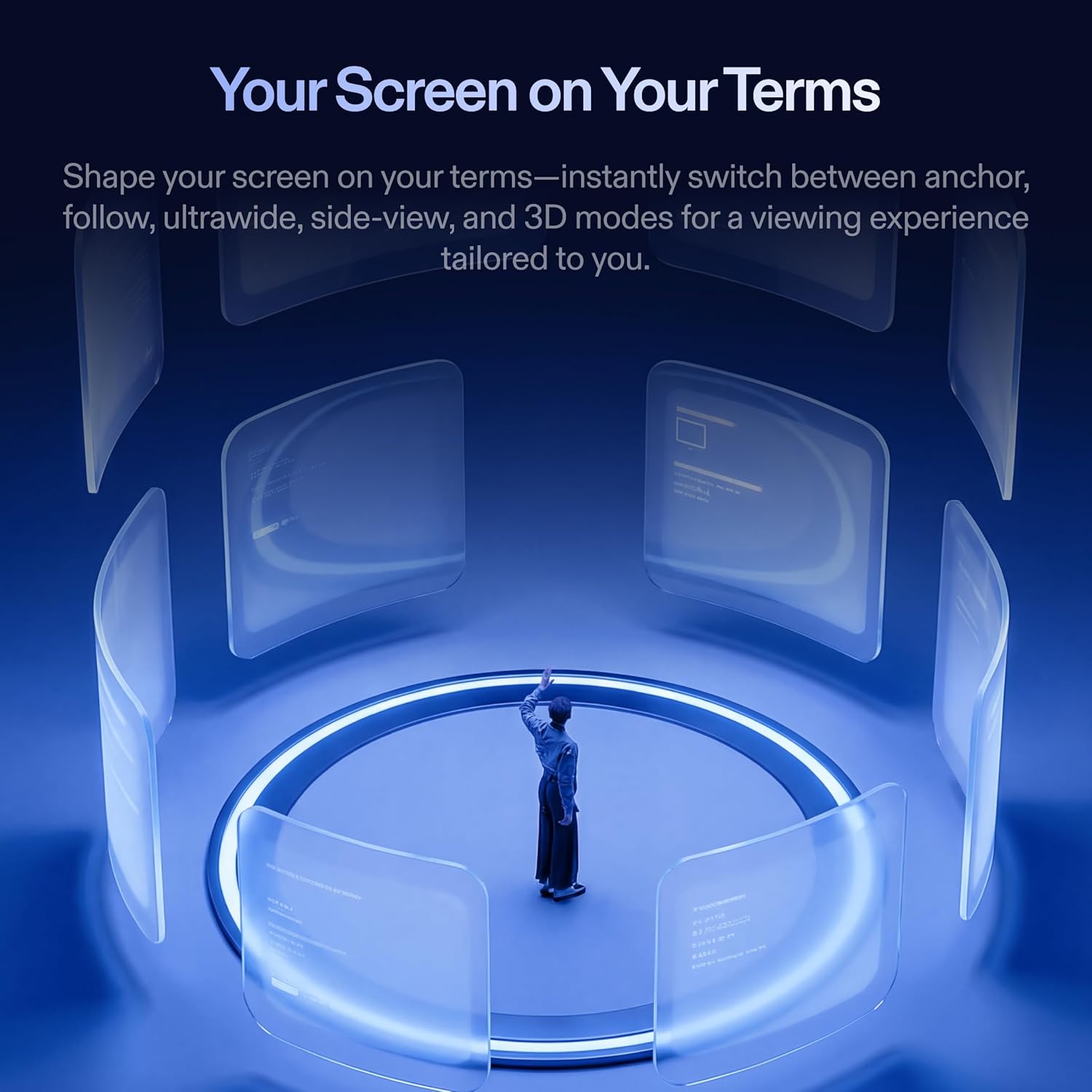
Plug into Any USB-C DP Devices & Anchor your screen anywhere with a press of a button. Adjust size and distance easily with the on-screen display settings. Anchor your screen anywhere in your room, so it stays perfectly fixed in place—even as you walk around, lean in, or change your position. Travel far, and keep your view steady. With real-time spatial anchoring, your big screen stays locked in as you move-no blur, no drift, no motion sickness. From the morning commute to the couch at night your entertainment is always ready, and always clear. The world is wide, so should your screen. An ultrawide view gives you space to multitask, create, and unwind-letting you seamlessly shift from work to play without compromise. A mini-screen for multitaskers that want to see more of their surroundings. Ushering in the next generation of user interactions that merge the physical and digital worlds. XREAL's mission is to make AR accessible for everyone with it's line of AR glasses. XREAL self developed spatial computing chip, the X1 Chip pushes performance to the limit in a compact design and unlock native 3 DoF in your glasses, delivering a major upgrade for the XREAL One.
고객 리뷰
4.60

(100 점수)

5
0
4
4
3
8
2
12
1
76
댓글 취소
댓글을 남겨주세요

6 논평

Let's start with a bit of background. My only experience with VR was a HP 4k VR headset that I used for flight simulator. I thought the field was great, very immersive but...the device would get hot, heavy, and the area with clear vision was very narrow. Impossible to use for more than an hourFast forward to 2026... I had been looking at VR glasses for a while, because of the form factor. Like many, I read a lot of reviews and post on Reddit, which all seem to be very biased and some reviews look plainly fake.You want the truth? from a newbie? here you go:The device is well packaged. The glasses feel qualitative. to me the most striking point was the lack of setup.There is no app, nothing to download, I just plugged it in my iPad and it worked (iPad m4).How does it fit? well, I think I have a pretty normal head, no adjustment were needed. The frame nose pads and temple fit just fine. The frame doesnt feel too heavy, I stayed comfortable for about 2 hours. (didnt try more). I didnt even have to adjust my pupillary distance.How is the image quality? This is were there is some subjectivity. The screen is optically placed at infinity, it means that it you need glasses for far you will need correction with the Xreal glasses. Like in real life, if you decide not to use your glasses it will be from a little bit blurry to unusable depending on your prescription.I have -1.00 in one eye, I could absolutely use them without prescription but text would be hard to read. Absolutely ok to watch a movie. I ended up wearing contact lenses for my first trial of those glasses.When you first put the glasses on, there is a on screen tutorial that is very straightforward. I got confused with the button a few times but after 10 minutes I was fine. The screen quality feels like 1080p resolution +. It doesnt strike me as bad resolution or poor resolution and Im used to high quality screens at my desk.The resolution is good on 90% of the screen. In a way than you can move your eyes to look at things and it doesnt get blurry. There is a bit of blur on the extreme edges of the screen.The colors are perfectly rendered, natural, not washed out and not overly saturated. The brightness is more than enough for a normal room light and of course very bright in the dark.Then there is the field of view, or "how big the screen is". I've read many posts about it and nothing made sense. So here my experience, overall, I would say that if feels much closer to a theater than any TV screen. When superimposed to my 70 inch TV I would say I have about 4 times that surface. I do believe the claim of 200" screenI think the field of view covers a normal horizontal visual field, meaning that if the screen was wider I would have to turn my head.There is an extended mode that makes the screen taller. It is more immersive BUT the subtitles at the bottom are slightly blurry forcing me to turn my head down, to get clarity (moving the subtitles toward the center)In normal mode, the subtitles are very legible.The 3D mode kinda works. It gives some sense of try-dimensional image, it feels a hint tiring on the eyes. I can see myself using it for certain movies or documentaries. I also think there is a loss of frame rate when 3D is on. B-For movies I say it's A+I also tried to read media, like webpages and newspaper, it's more than legible, it's very good. A-Would I work on an excel spreadsheet all day? probably not.Would I read a website on a plane, absolutely.The anchoring functions is perfect. The screen doesnt move, there is no lag, no jitter the screen is stable in position.There is no input lag either. When you scroll on iPad, it scrolls immediately. No delay no jitter.Does it get hot? Not that much. Nothing that bothered me.I did notice a faster battery drain on my iPad while using the Xreal vs the iPad screen. That may be one of the product limitation you cannot connect to a source and charge at the same time (I think there is an accessory to do that)I can only imagine how cool this would be to play FPS or flying a drone.Overall I'm super impressed with the engineering and the quality at that price point. I'm even wondering why someone would go through the complexities of installing a video projector. This comes very close, cheaper and easier.

These are FANTASTIC!!! Everything works great. WIthin 30 minutes of receiving these I was watching TV on a large sharp screen with these glasses. The real time 2D to 3D is very good - especially with movies and videos. I watched movies in 3D from my Apple movie library, from AMAZON PRIME and DISNEY PLUS. I also watched a lot of YOUTUBE in TV as well as the CBS EVENING NEWS in 3D on PARAMOUNT PLUS. The 3D conversion of photos is good, but not as good - meaning about 10% of my photos had some artifacts, By the way the screen is sharp edge to edge - and the anchor mode works flawlessly. THe audio is very good as is the menu system. I do not have the NEO accessory yet - so can not say how well my SWITCH 2 works with these glasses. BY the way I am a APPLE VISION PRO owner - and love them, but these are so light and simple to use - and in many ways offers me more 3D options than my VISION PRO. Good job XREAL. I may well order a second pair soon.

5.0 out of 5 stars SUPERB AR EXPERIENCE
2026-01-26    -xxCross

I've been using the 1S with my Switch 2 and so far it's been great 90% of the time. To get the Switch 2 to work you need an additional dock accessory, and from Xreal their solution is the Neo. I am however using Viture's Pro Mobile Dock and so far they both mostly work great together despite not being the same brand. Sometimes I'll need to unplug and replug the cable from the Switch 2 to the Pro Mobile Dock for the glasses to detect a signal. I'm not sure if the issue is the glasses, the Switch 2, or the dock. I'm thinking it's probably a bit of the each, but the experience has been exceptional and smooth so I'm not complaining, well... at least not that much anyway!If you're wondering, I opted for Viture's Pro Mobile Dock because to me it just seems like the better product. I also looked at RayNeo's dock, but ultimately chose Viture's because of the ability to support two glasses output and 1 HDMI input. There's also an accessory that can connect the dock to the Switch 2, but I just leave it off because it'll mean I have to remove the Switch 2 protective case.Back to the glasses itself, the image is clean! I also have the RayNeo Air 3S and I can say with confidence that this Xreal 1S is significantly better. The real question is, at the time of this writing, is the Xreal 1S worth $250 more than the RayNeo Air 3S? I say yes and it depends.The 1S has a ton more options to change the image settings. You can change the screen size, set the screen distance, set whether the screen is a widescreen, anchored or stationary, and of course the not-a-gimmick Real3D processing. All those features I've just mentioned are non-existent on a more entry level model like the Air 3S. The Air 3S has the essentials to a good AR experience, a clean screen that's smooth. If you are wanting more features and adjustments to your AR experience then it maybe worth the upgrade to the medium-high glasses like this Xreal 1S.And even though it's not much on paper, the 1080p to 1200p is quite significant. Compared to my RayNeo Air 3S, this Xreal 1S is clearer and has better color reproduction. And because the FOV is also wider, the viewing experience feels more immersive.To me, the Real3D is a game changer. I've always been into the whole 3D experience, but like most people would agree it's always been finicky at best. But holy smokes I can't believe how well this feature works, it's like magic! Any content of your choice, just turn on the 3D feature, and BOOM! The 3D experience that you've had in the past now in your face through these glasses. The image isn't perfect and does has some artifacts, but overall it's very good! When 3D is enabled, the graphical fidelity takes a bit and becomes a bit less clear more fuzzy, but for the 3D feature asa tradeoff, I can accept it. Imagine your playing on your Switch 2, then with 3D enabled, now the graphics looks like your handheld 3DS. Lol 😅 well maybe not that bad, but it's not too far off?I also have been trying ultra-wide mode, which in the AR world takes a bit to get used to, but after about an hour I caught on and was able to be productive in my job. I've used it for a full work day so far and can imagine myself using this full time moving forward. I didn't experience any eye fatigue, the sound from conference calls were clear, and clients on the other line didn't have any complaints about the built-in microphone either! To me that's super convenient, an oversized virtual monitor, excellent sound ouptut, and acceptable microphone input all into one device that fits into my pocket and face? Whoa this 1S is amazing! I'd argue the 1S and it's competition of AR glasses are starting to be as big of a disruptionn in the computing like the introduction of the smart phones.The 1S however is not perfect. Like other reviews I've read from this and other manufacturer models (Viture Luma for example) the anchor mode is good, but would occasionally drift. It's not a deal breaker, but more of a minor annoyance. Thankfully there's a way to reposition, press and hold the main button then the screen will center to where you're looking at. I'm not sure but I imagine if you purchased the 6DOF upgrade, then maybe the drift issue will be less likely to happen or eliminated altogether.In addition, a minor annoyance that I'm noticing is that I frequently have to go to the options and always change the settings back to the way that I like it. Apparently there's no way to save your settings so that the next time the glasses device wakes it'll start with the same settings where you last left it, but nope it doesn't do that each you boot the glasses it'll start with the default loadouts. I hope they'll eventually come out with a firmware update that'll at least allow users to create profiles of settings so I won't have to keep on going through the settings each time I use it.Overall, these glasses are SUPER nice. The frame are metal and the general feels of the device feels feels very durable and high quality. The cobolt blue blue looks terrific, the buttons are responsive and the UI is pretty straightforward to navigate through the settings. There are still some minor drawbacks with the anchor drifts and settings not being saved, but I'm hopeful those issues can be resolved in a couple of patches. If you're considering AR glasses, these are an investment worth considering that won't disappoint, highly recommended!

Let's start with a bit of background. My only experience with VR was a HP 4k VR headset that I used for flight simulator. I thought the field was great, very immersive but...the device would get hot, heavy, and the area with clear vision was very narrow. Impossible to use for more than an hourFast forward to 2026... I had been looking at VR glasses for a while, because of the form factor. Like many, I read a lot of reviews and post on Reddit, which all seem to be very biased and some reviews look plainly fake.You want the truth? from a newbie? here you go:The device is well packaged. The glasses feel qualitative. to me the most striking point was the lack of setup.There is no app, nothing to download, I just plugged it in my iPad and it worked (iPad m4).How does it fit? well, I think I have a pretty normal head, no adjustment were needed. The frame nose pads and temple fit just fine. The frame doesnt feel too heavy, I stayed comfortable for about 2 hours. (didnt try more). I didnt even have to adjust my pupillary distance.How is the image quality? This is were there is some subjectivity. The screen is optically placed at infinity, it means that it you need glasses for far you will need correction with the Xreal glasses. Like in real life, if you decide not to use your glasses it will be from a little bit blurry to unusable depending on your prescription.I have -1.00 in one eye, I could absolutely use them without prescription but text would be hard to read. Absolutely ok to watch a movie. I ended up wearing contact lenses for my first trial of those glasses.When you first put the glasses on, there is a on screen tutorial that is very straightforward. I got confused with the button a few times but after 10 minutes I was fine. The screen quality feels like 1080p resolution +. It doesnt strike me as bad resolution or poor resolution and Im used to high quality screens at my desk.The resolution is good on 90% of the screen. In a way than you can move your eyes to look at things and it doesnt get blurry. There is a bit of blur on the extreme edges of the screen.The colors are perfectly rendered, natural, not washed out and not overly saturated. The brightness is more than enough for a normal room light and of course very bright in the dark.Then there is the field of view, or "how big the screen is". I've read many posts about it and nothing made sense. So here my experience, overall, I would say that if feels much closer to a theater than any TV screen. When superimposed to my 70 inch TV I would say I have about 4 times that surface. I do believe the claim of 200" screenI think the field of view covers a normal horizontal visual field, meaning that if the screen was wider I would have to turn my head.There is an extended mode that makes the screen taller. It is more immersive BUT the subtitles at the bottom are slightly blurry forcing me to turn my head down, to get clarity (moving the subtitles toward the center)In normal mode, the subtitles are very legible.The 3D mode kinda works. It gives some sense of try-dimensional image, it feels a hint tiring on the eyes. I can see myself using it for certain movies or documentaries. I also think there is a loss of frame rate when 3D is on. B-For movies I say it's A+I also tried to read media, like webpages and newspaper, it's more than legible, it's very good. A-Would I work on an excel spreadsheet all day? probably not.Would I read a website on a plane, absolutely.The anchoring functions is perfect. The screen doesnt move, there is no lag, no jitter the screen is stable in position.There is no input lag either. When you scroll on iPad, it scrolls immediately. No delay no jitter.Does it get hot? Not that much. Nothing that bothered me.I did notice a faster battery drain on my iPad while using the Xreal vs the iPad screen. That may be one of the product limitation you cannot connect to a source and charge at the same time (I think there is an accessory to do that)I can only imagine how cool this would be to play FPS or flying a drone.Overall I'm super impressed with the engineering and the quality at that price point. I'm even wondering why someone would go through the complexities of installing a video projector. This comes very close, cheaper and easier.

5.0 out of 5 stars SUPERB AR EXPERIENCE
2026-01-28    -xxCross

I've been using the 1S with my Switch 2 and so far it's been great 90% of the time. To get the Switch 2 to work you need an additional dock accessory, and from Xreal their solution is the Neo. I am however using Viture's Pro Mobile Dock and so far they both mostly work great together despite not being the same brand. Sometimes I'll need to unplug and replug the cable from the Switch 2 to the Pro Mobile Dock for the glasses to detect a signal. I'm not sure if the issue is the glasses, the Switch 2, or the dock. I'm thinking it's probably a bit of the each, but the experience has been exceptional and smooth so I'm not complaining, well... at least not that much anyway!If you're wondering, I opted for Viture's Pro Mobile Dock because to me it just seems like the better product. I also looked at RayNeo's dock, but ultimately chose Viture's because of the ability to support two glasses output and 1 HDMI input. There's also an accessory that can connect the dock to the Switch 2, but I just leave it off because it'll mean I have to remove the Switch 2 protective case.Back to the glasses itself, the image is clean! I also have the RayNeo Air 3S and I can say with confidence that this Xreal 1S is significantly better. The real question is, at the time of this writing, is the Xreal 1S worth $250 more than the RayNeo Air 3S? I say yes and it depends.The 1S has a ton more options to change the image settings. You can change the screen size, set the screen distance, set whether the screen is a widescreen, anchored or stationary, and of course the not-a-gimmick Real3D processing. All those features I've just mentioned are non-existent on a more entry level model like the Air 3S. The Air 3S has the essentials to a good AR experience, a clean screen that's smooth. If you are wanting more features and adjustments to your AR experience then it maybe worth the upgrade to the medium-high glasses like this Xreal 1S.And even though it's not much on paper, the 1080p to 1200p is quite significant. Compared to my RayNeo Air 3S, this Xreal 1S is clearer and has better color reproduction. And because the FOV is also wider, the viewing experience feels more immersive.To me, the Real3D is a game changer. I've always been into the whole 3D experience, but like most people would agree it's always been finicky at best. But holy smokes I can't believe how well this feature works, it's like magic! Any content of your choice, just turn on the 3D feature, and BOOM! The 3D experience that you've had in the past now in your face through these glasses. The image isn't perfect and does has some artifacts, but overall it's very good! When 3D is enabled, the graphical fidelity takes a bit and becomes a bit less clear more fuzzy, but for the 3D feature asa tradeoff, I can accept it. Imagine your playing on your Switch 2, then with 3D enabled, now the graphics looks like your handheld 3DS. Lol 😅 well maybe not that bad, but it's not too far off?I also have been trying ultra-wide mode, which in the AR world takes a bit to get used to, but after about an hour I caught on and was able to be productive in my job. I've used it for a full work day so far and can imagine myself using this full time moving forward. I didn't experience any eye fatigue, the sound from conference calls were clear, and clients on the other line didn't have any complaints about the built-in microphone either! To me that's super convenient, an oversized virtual monitor, excellent sound ouptut, and acceptable microphone input all into one device that fits into my pocket and face? Whoa this 1S is amazing! I'd argue the 1S and it's competition of AR glasses are starting to be as big of a disruptionn in the computing like the introduction of the smart phones.The 1S however is not perfect. Like other reviews I've read from this and other manufacturer models (Viture Luma for example) the anchor mode is good, but would occasionally drift. It's not a deal breaker, but more of a minor annoyance. Thankfully there's a way to reposition, press and hold the main button then the screen will center to where you're looking at. I'm not sure but I imagine if you purchased the 6DOF upgrade, then maybe the drift issue will be less likely to happen or eliminated altogether.In addition, a minor annoyance that I'm noticing is that I frequently have to go to the options and always change the settings back to the way that I like it. Apparently there's no way to save your settings so that the next time the glasses device wakes it'll start with the same settings where you last left it, but nope it doesn't do that each you boot the glasses it'll start with the default loadouts. I hope they'll eventually come out with a firmware update that'll at least allow users to create profiles of settings so I won't have to keep on going through the settings each time I use it.Overall, these glasses are SUPER nice. The frame are metal and the general feels of the device feels feels very durable and high quality. The cobolt blue blue looks terrific, the buttons are responsive and the UI is pretty straightforward to navigate through the settings. There are still some minor drawbacks with the anchor drifts and settings not being saved, but I'm hopeful those issues can be resolved in a couple of patches. If you're considering AR glasses, these are an investment worth considering that won't disappoint, highly recommended!

These are FANTASTIC!!! Everything works great. WIthin 30 minutes of receiving these I was watching TV on a large sharp screen with these glasses. The real time 2D to 3D is very good - especially with movies and videos. I watched movies in 3D from my Apple movie library, from AMAZON PRIME and DISNEY PLUS. I also watched a lot of YOUTUBE in TV as well as the CBS EVENING NEWS in 3D on PARAMOUNT PLUS. The 3D conversion of photos is good, but not as good - meaning about 10% of my photos had some artifacts, By the way the screen is sharp edge to edge - and the anchor mode works flawlessly. THe audio is very good as is the menu system. I do not have the NEO accessory yet - so can not say how well my SWITCH 2 works with these glasses. BY the way I am a APPLE VISION PRO owner - and love them, but these are so light and simple to use - and in many ways offers me more 3D options than my VISION PRO. Good job XREAL. I may well order a second pair soon.

댓글을 남겨주세요:

댓글 제목
댓글 내용
배송 및 반품
우리가 당신을 보호하겠습니다

대부분 지역에서는 배송비를 한 번만 지불하시면 됩니다 (주문 및 배송 페이지를 확인해 주세요).

구매 후 14일 이내 무료 반품 가능 (단, 수명이 다한 제품, 맞춤 제작 상품, 마스크, 향수 및 에어로졸과 같이 위험하거나 인화성 물질이 포함된 일부 제품은 제외).

수입 관세 정보

복잡한 절차는 저희가 처리해 드리겠습니다. 카나리아 제도를 제외한 모든 EU 국가, 영국, 미국, 캐나다, 호주, 뉴질랜드, 푸에르토리코, 스위스, 싱가포르, 한국, 쿠웨이트, 멕시코, 카타르, 인도, 노르웨이, 사우디아라비아, 대만, 태국, UAE, 일본, 브라질, 맨섬, 산마리노, 콜롬비아, 칠레, 아르헨티나, 이집트, 레바논, 홍콩 특별행정구, 바레인, 터키로 배송되는 상품 가격에는 모든 수입 관세가 포함되어 있습니다. 표시된 가격이 최종 결제 금액입니다.

예상 배송 시간

특급 배송: 7-10일

해당 창고에서 배송되었습니다.

더 자세한 정보가 필요하신가요?
반품 정책
반품 정책

저희는 제품 품질에 자신 있습니다. 만약 구매하신 제품에 완전히 만족하지 못하신다면, 수령일로부터 30일 이내에 간편하게 반품하실 수 있도록 정책을 마련해 두었습니다.

간편한 교환 또는 환불
  • 다른 사이즈, 색상 또는 스타일의 상품으로 교환하거나 전액 환불받을 수 있습니다.
  • 반품되는 모든 상품은 착용하지 않은 상태여야 하며, 원래 포장 상태 그대로 모든 태그가 손상되지 않은 상태여야 합니다.
간단한 절차
  • 온라인으로 반품을 신청하거나 고객 서비스 팀에 문의하여 도움을 받으실 수 있습니다.
  • 물품을 제대로 포장해 주시고, 원래의 포장 목록도 함께 넣어주세요.
  • 반품하실 상품을 보내주실 때에는 저희가 제공해 드린 선불 배송 라벨을 사용해 주시기 바랍니다.
  • 환불 요청 접수 즉시 처리해 드리겠습니다.

반품과 관련하여 궁금한 점이나 우려 사항이 있으시면 언제든지 저희 전문 고객 서비스 팀에 문의해 주세요. 고객 만족은 저희의 최우선 목표입니다.

범주
차이
제품
모든 제품 지우기