



인쇄기
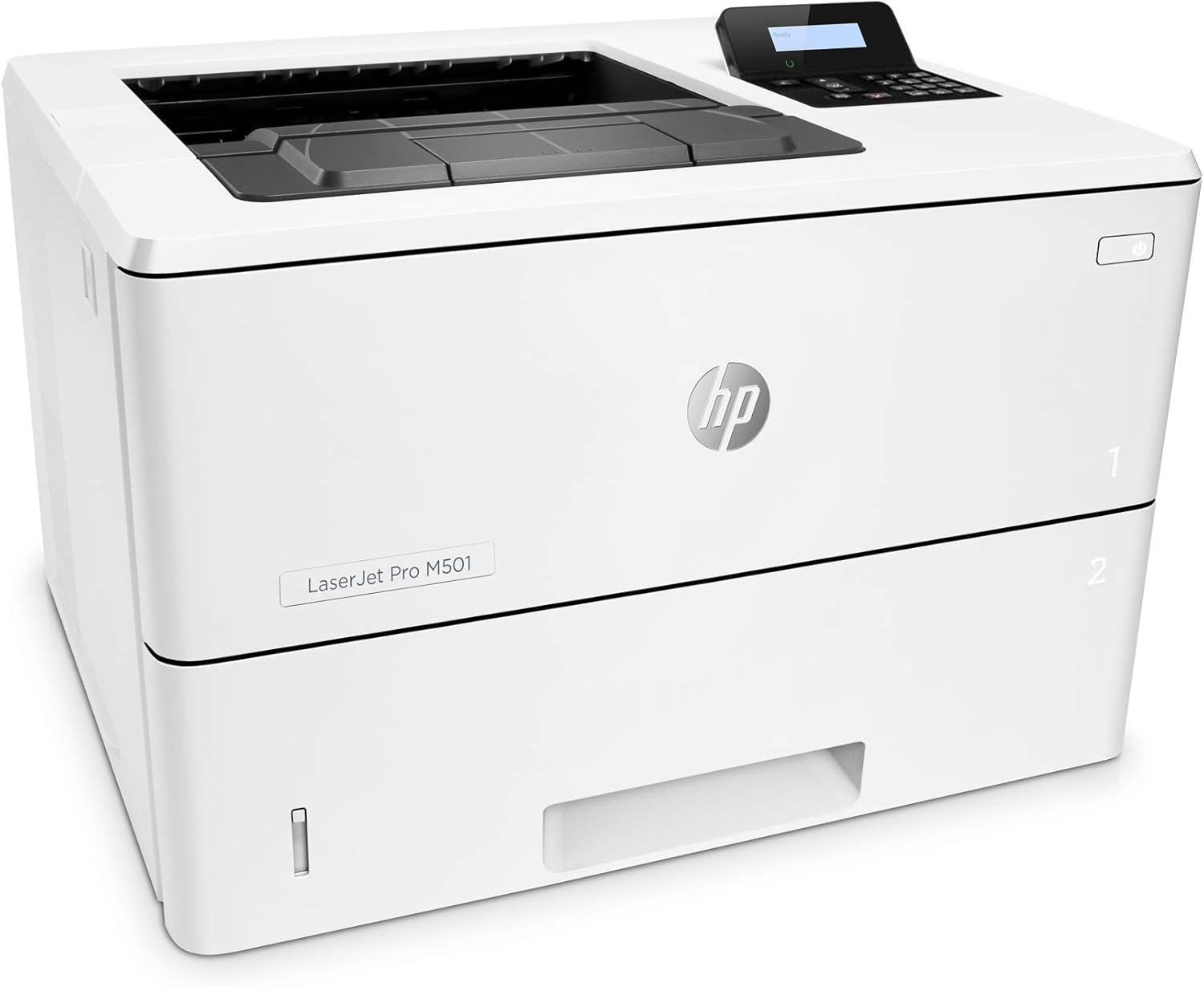
HP LaserJet Pro M501dn Duplex Printer with One-Year, Next-Business Day, Onsite Warranty (J8H61A)
4.30
지난 32시간 동안 판매됨 43
$ 658.90
$ 709.00
-7.60%
Update 1/13/25: Just want to say again how much I love this printer! It's still going strong after 4.5 years. I was afraid I was going to have to buy a new one, but it turns out the power cord was bad, so I plugged an extra cord in and it's working great! And I'm still using that toner cartridge that I installed back in May of 2022. so it lasts quite a while. I mostly use it for random printing of one or two pages maybe once a week, but at least once a year I print out about 500 pages at a time. So it's a great at-home printer, but we also had one in a small office I worked in, and it worked like a dream there, too.Update 5/5/2022: Updating because I just now, after 18 months of using this printer, had to install a new toner cartridge. It comes with what is referred to as a "starter toner" or something like that, so I was unsure when I bought it how long that would last. So, in case anyone else is wondering, the starter toner lasts quite a while! I've been using it to print LONG documents fairly regularly, so I'd say it's printed 3000-4000 pages in that time.Update 10/21/20: I changed my review from a one-star to a five-star review because this really is an EXCELLENT little printer, now that it's working. I spent 2 weeks on the phone with HP support, and waiting around for parts, service men, etc. They finally ended up replacing the formatter board (?). Not sure what that is, but it looked like the brains of the printer, and now it works great! I've printed two separate print jobs in the past week that were each 300 pages, and it spat them out lickety-split! I'm still using the starter toner that came with the printer. I can't recommend the printer completely, simply because it was a nightmare to get it working, and TWICE I was told things by the HP support team that my service guys said weren't true (that the USB cable connecting the printer to my laptop had to be less than 6 ft [so I ordered a new one]; and that the problems were happening because the USB port on my laptop is 3.0 instead of 2.0 like the one on the printer), so I don't entirely trust the HP team. But in the future, I'll just verify everything they tell me if it sounds wrong or doesn't fix a problem. I've had many HP small printers in the past, and they always worked great, so I expect good things from this mega printer now!(Original review:)I bought this printer two months ago to replace a cheaper ink-guzzler. I really wanted to love this printer, and I did love it the first couple of times I used it to print out a large document. But 5 days ago, I tried to print 50 pages, and it stopped after 20 pages. From that point on, the printer was throwing a fit that makes me hate it. It gets stuck in the warm-up phase, so the "status" and "error" lights never stop flashing, which means it's not ready to print. Sometimes it does get through the warmup ok and the readout says it's ready, but when I send the job, it might print out one or two pages and stop, or it might just print out one blank page. Most of the time, though, it doesn't do anything. The green status light may flash like it's receiving the job, but nothing happens. I called HP support the first day I was having problems, and they said the USB cord I was using was too long. They said anything over 6ft can cause problems. So I ordered a new cord and received it two days later. Plugged it in... and the same old problems. Called HP and was on the phone with them for 2 hours (changing firmware, etc.). FINALLY thought we got it fixed, and I managed to print out 80 pages. I didn't want to overheat the printer, so I decided to wait until the next day to print the rest. The next day, the printer was throwing the same old fits again, but HP support wasn't available since it was a Saturday. Fortunately, I had gotten the additional Assurion 24/7 service plan, so I called them. The tech told me to unplug everything and hold the power button down for 30 seconds while it was unplugged. That got the printer past the warmup phase, but then it still wouldn't print. I tried plugging it into a different outlet and that worked 5 times in a row (turning it off and back on) so I thought we had fixed it. I was able to print out 10 pages... then it started throwing a fit again. So I just called HP support again today (Monday) and THIS time, the guy had me look on my laptop's Device Manager, USB controllers, and he saw that the root hub is a 3.0... and this printer only works with 2.0 USB ports. The rep said that means my laptop won’t work with the printer and that I had to get some kind of adapter that only an IT person could install. When I got off the phone with that rep, I realized he never answered my question about whether the printer getting stuck in the warm-up phase was a problem, so I called back and the new tech I talked to had me push a paper clip into the back of the printer, which performed some kind of engine test and made it print out a paper with a bunch of lines on it. Then the tech told me to turn off the printer, then hold down the up arrow while also holding the X button, then turn on the computer (while still holding the buttons). Then a message popped up after the computer finished the warmup. I can't remember what it said other than it ended with the word "init." which I think meant something was initializing. And THAT got the printer past the flashing green and red lights. So I called my IT guy to ask him about getting that adapter so the USB 2.0 printer will work with my 3.0 laptop, and my IT guy said that’s not true at all and that any IT person would know it’s not true. He said a 2.0 printer should work fine, which was also what some stuff I’d found online said... so now I don’t really trust the HP reps (and yes, it was the real HP tech guys I was talking to, using the number on the warranty card).
13 현재 누군가가 웹사이트를 탐색 중입니다.
수량:
-
+
예상 배송 시간: 12~26일(국제), 3~6일(미국)
구매일로부터 45일 이내에 반품이 가능합니다. 관세 및 세금은 환불되지 않습니다.
-
ADDITIONAL_PRINTER_FUNCTIONS:
All In One
-
ASIN:
B01C2OWMGQ
-
BEST_SELLERS_RANK:
#42,431 in Office Products (See Top 100 in Office Products) #58 in Laser Computer Printers
-
COLOR_DEPTH:
1 bpp
-
COMPATIBLE_DEVICES:
Smartphones
-
CONTROL_METHOD:
App
-
CUSTOMER_REVIEWS:
4.3 4.3 out of 5 stars (165) 4.3 out of 5 stars
-
DATE_FIRST_AVAILABLE:
April 1, 2016
-
DUAL_SIDED_PRINTING:
Yes
-
DUPLEX:
Automatic
-
EU_SPARE_PART_AVAILABILITY_DURATION:
1 Years
-
GLOBAL_TRADE_IDENTIFICATION_NUMBER:
00889296258506
-
HARDWARE_INTERFACE:
USB
-
INCLUDED_COMPONENTS:
HP LaserJet Pro MFP M501n^preinstalled introductory HP LaserJet Toner cartridge (Black: ~6000 pages)^In-box documentation (Installation Guide, Getting Started Guide, User's Guide, Support Flyer, Warranty Guide)^Printer documentation and software on CD-ROM^Software drivers and documentation on CD-ROM^CD's containing software and electronic documentation^Power cord
-
INITIAL_PAGE_PRINT_TIME:
5.7 Seconds
-
INK_COLOR:
White
-
IS_DISCONTINUED_BY_MANUFACTURER:
No
-
ITEM_MODEL_NUMBER:
M501dn
-
ITEM_WEIGHT:
25.6 pounds
-
MANUFACTURER:
HP
-
MAX_COPY_RESOLUTION_BLACK_WHITE:
600 dpi
-
MAX_INPUT_SHEET_CAPACITY:
1200
-
MAXIMUM_BLACK_AND_WHITE_PRINT_RESOLUTION:
600 x 600 dpi
-
MAXIMUM_MEDIA_SIZE:
8.5 x 14 inch
-
MEMORY_STORAGE_CAPACITY:
256 MB
-
MODEL_SERIES:
M500
-
NUMBER_OF_TRAYS:
2
-
NUMBER_OF_USB_2_PORTS:
1
-
OUTPUT_SHEET_CAPACITY:
250
-
PRINT_MEDIA:
Paper (plain)
-
PRINTER_INK_TYPE:
Toner
-
PROCESSOR_COUNT:
1
-
PRODUCT_DIMENSIONS:
14.8 x 16.46 x 11.38 inches
-
SCANNER_TYPE:
Sheetfed
-
SERIES_NUMBER:
500
-
SHEET_SIZE:
3 x 5 to 8.5 x 14 Inches
-
SUPPORTED_MEDIA_SIZES:
1.75 x 2.5 inches
-
TOTAL_ETHERNET_PORTS:
2
-
TOTAL_USB_PORTS:
1
-
UPC:
889296258506
-
WARRANTY_TYPE:
One-Year Warranty
-
WATTAGE:
660 watts
안전한 결제를 보장하세요






제품 상세 정보
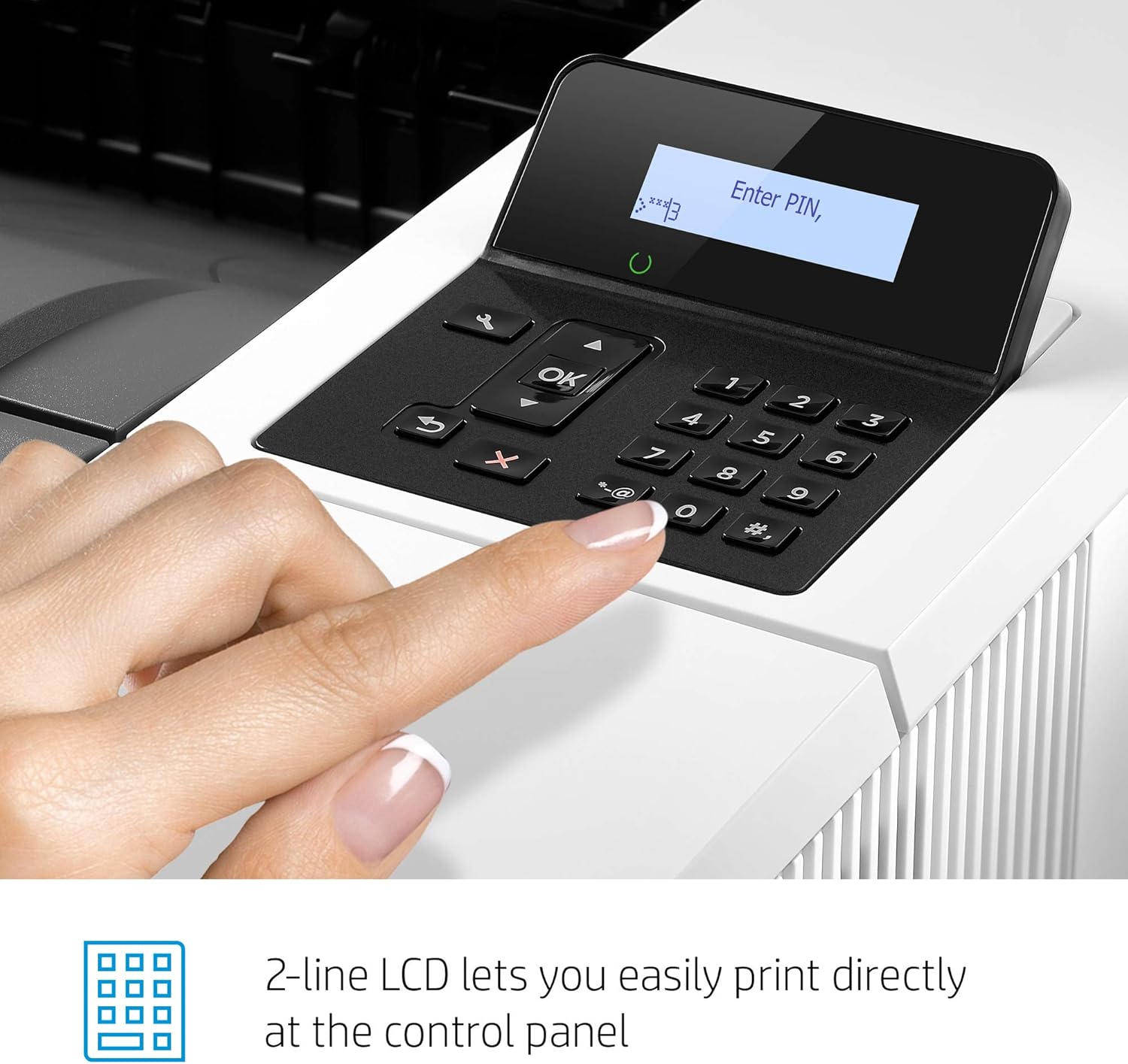
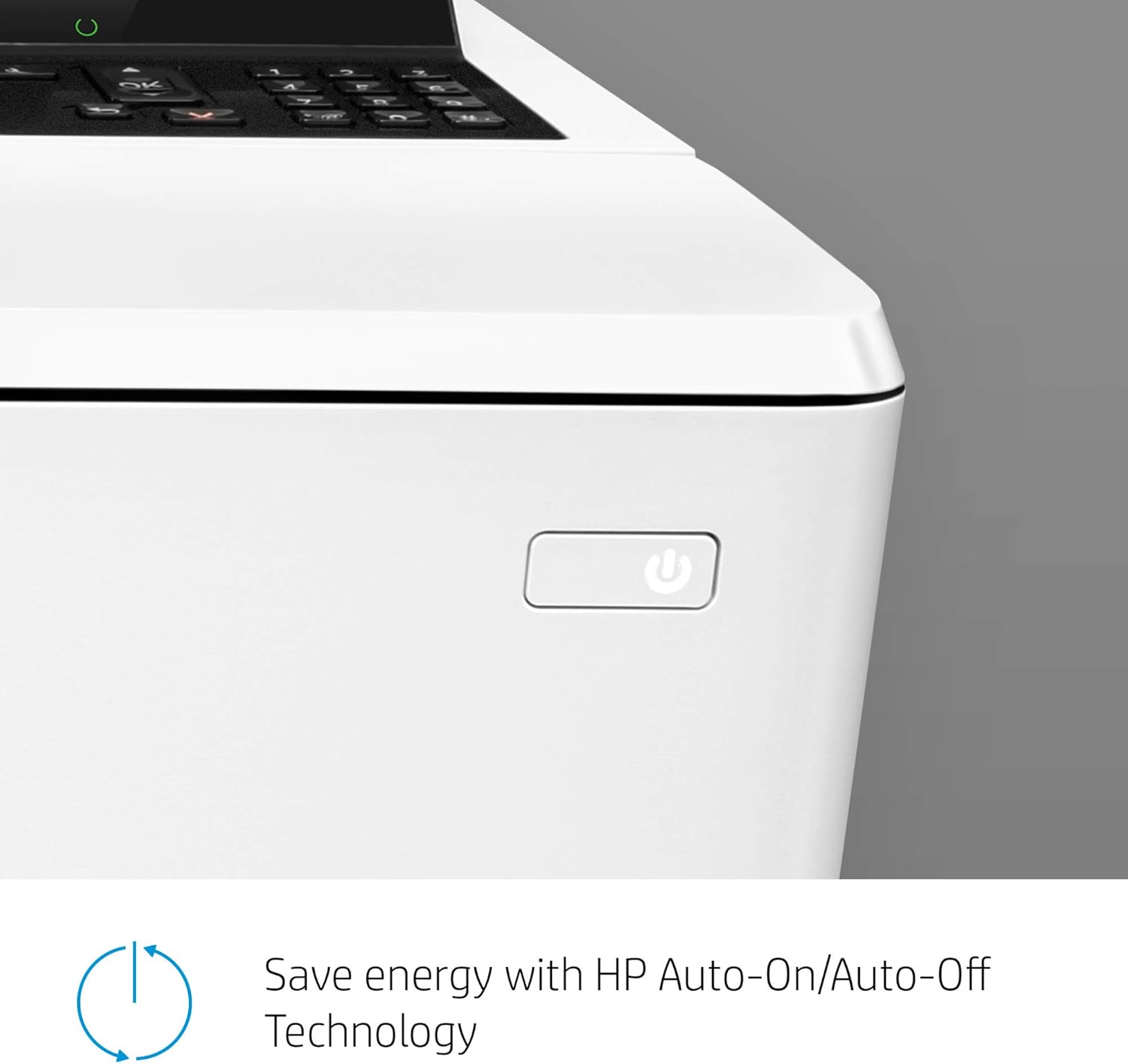
This energy-saving printer starts faster1and delivers security features to help guard against threats. Original HP Toner cartridges with Jet Intelligence produce more pages. Put impressive print speeds and performance to work in your office with the HP LaserJet Pro M501dn. This monochrome laser printer is designed to outperform the competition on energy efficiency, and delivers quick first page out time and ultra-fast 2-sided printing. Embedded security features guard your device, data, and documents against complex threats, and a suite of essential management features help you manage devices and settings with ease
고객 리뷰
4.30
(100 점수)
댓글 취소
댓글을 남겨주세요

배송 및 반품
우리가 당신을 보호하겠습니다
대부분 지역에서는 배송비를 한 번만 지불하시면 됩니다 (주문 및 배송 페이지를 확인해 주세요).
구매 후 14일 이내 무료 반품 가능 (단, 수명이 다한 제품, 맞춤 제작 상품, 마스크, 향수 및 에어로졸과 같이 위험하거나 인화성 물질이 포함된 일부 제품은 제외).
수입 관세 정보
복잡한 절차는 저희가 처리해 드리겠습니다. 카나리아 제도를 제외한 모든 EU 국가, 영국, 미국, 캐나다, 호주, 뉴질랜드, 푸에르토리코, 스위스, 싱가포르, 한국, 쿠웨이트, 멕시코, 카타르, 인도, 노르웨이, 사우디아라비아, 대만, 태국, UAE, 일본, 브라질, 맨섬, 산마리노, 콜롬비아, 칠레, 아르헨티나, 이집트, 레바논, 홍콩 특별행정구, 바레인, 터키로 배송되는 상품 가격에는 모든 수입 관세가 포함되어 있습니다. 표시된 가격이 최종 결제 금액입니다.
예상 배송 시간
특급 배송: 7-10일
해당 창고에서 배송되었습니다.
반품 정책
반품 정책
저희는 제품 품질에 자신 있습니다. 만약 구매하신 제품에 완전히 만족하지 못하신다면, 수령일로부터 30일 이내에 간편하게 반품하실 수 있도록 정책을 마련해 두었습니다.
간편한 교환 또는 환불
- 다른 사이즈, 색상 또는 스타일의 상품으로 교환하거나 전액 환불받을 수 있습니다.
- 반품되는 모든 상품은 착용하지 않은 상태여야 하며, 원래 포장 상태 그대로 모든 태그가 손상되지 않은 상태여야 합니다.
간단한 절차
- 온라인으로 반품을 신청하거나 고객 서비스 팀에 문의하여 도움을 받으실 수 있습니다.
- 물품을 제대로 포장해 주시고, 원래의 포장 목록도 함께 넣어주세요.
- 반품하실 상품을 보내주실 때에는 저희가 제공해 드린 선불 배송 라벨을 사용해 주시기 바랍니다.
- 환불 요청 접수 즉시 처리해 드리겠습니다.
반품과 관련하여 궁금한 점이나 우려 사항이 있으시면 언제든지 저희 전문 고객 서비스 팀에 문의해 주세요. 고객 만족은 저희의 최우선 목표입니다.