
고객 서비스

판매자들은 가입하면 더 많은 혜택을 누릴 수 있습니다.

모든 주문 무료 배송.

인쇄기

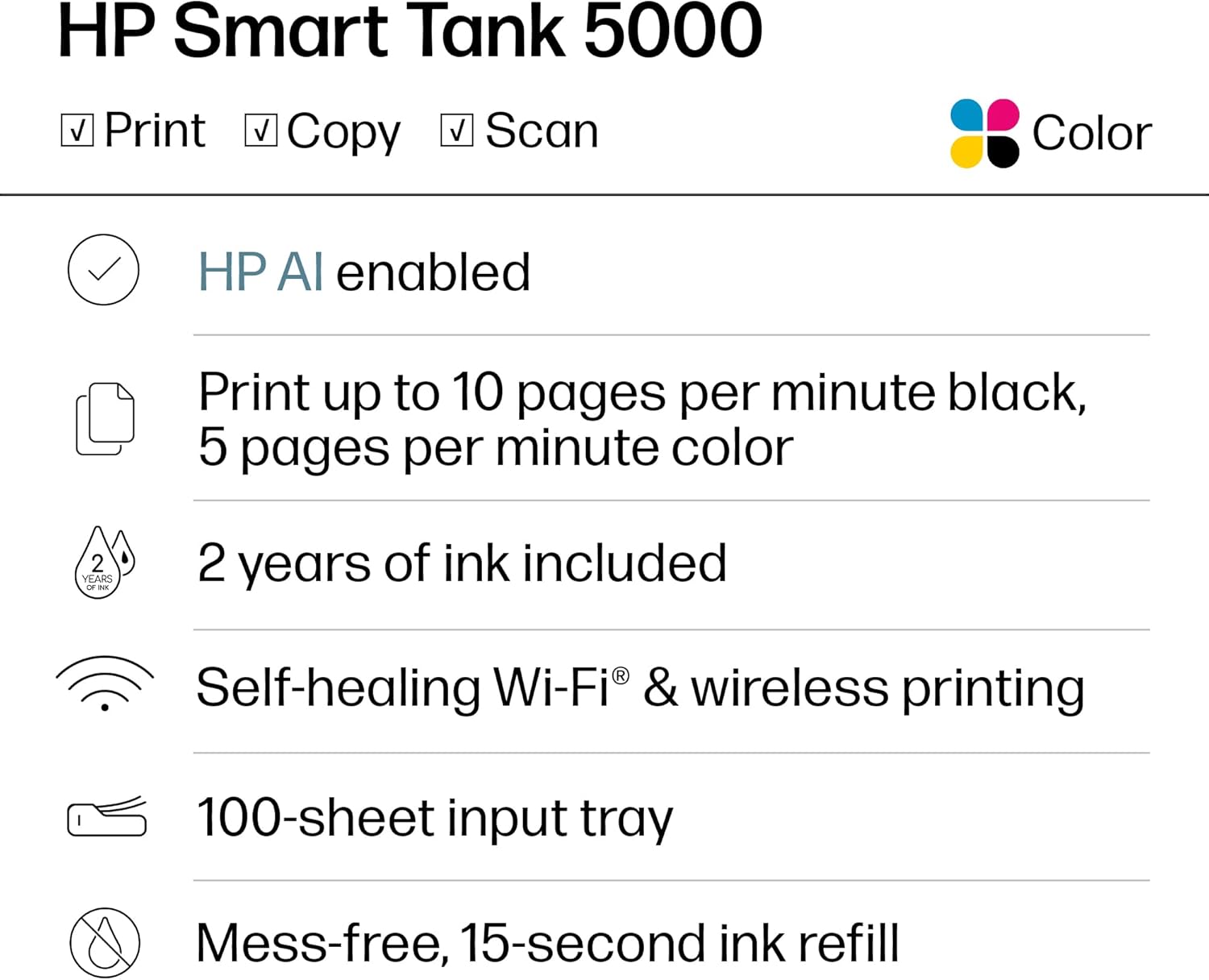
HP Smart Tank 5000 Wireless All-in-One Ink Tank Printer, Scanner, Copier with 2 Years of Ink Included, Best-for-Home, Cartridge-Free, Refillable, AI-Enabled, an EcoTank Alternative (5D1B6A)

3.90

지난 32시간 동안 판매됨 43

$ 169.99
$ 177.00
-4.12%

I recently started working exclusively from home, and needed my printer on a daily basis. I thought it would be alright paying $35 for an ink cartridge, as long as I just used black. Then the cartridges were lasting all of 6 days, and it was getting ridiculous.I didn't even know that these printers were an option. So in my research I wanted to stick with HP, because I already had all the software on my computer. I am also pretty frugal, so I went with the cheapest one that had good reviews, and hoped for the best.Looks like I chose wisely.After using this printer for a month, I have nothing but good things to say about it, and it has already paid for itself in ink alone.It sounds like a printer. It's not quite, but it's really not too loud. It is not a speed demon, but I don't need it to be the fastest. I am fine with how fast it will print. You can pay more for a faster printer if that is important, but I just let it do it's thing while I continue to work.The pages look great! Everything is crisp and clean. Even the ocassinal photos that I could not print before come out looking just like the picture.Set up was a breeze, especially since I already had the software installed. And setting up the wifi was as simple as connecting any other device. I have had zero issues with lost connection from the printer. On two occasions the printer showed offline, but it turned out to be the laptop that missed it when I turned the printer on after the computer, and it was fixed with a restart.If I were to remove a star it would be for the amount of paper that you can load. But it is still more than the last printer, so I will leave that star right where it is.I have been through two reams of paper so far, with no sign of low ink.This is the best printer I have ever had, and absolutely the cheapest to operate.

19 현재 누군가가 웹사이트를 탐색 중입니다.

수량:
- +

예상 배송 시간: 12~26일(국제), 3~6일(미국)

구매일로부터 45일 이내에 반품이 가능합니다. 관세 및 세금은 환불되지 않습니다.

  • ADDITIONAL_PRINTER_FUNCTIONS:

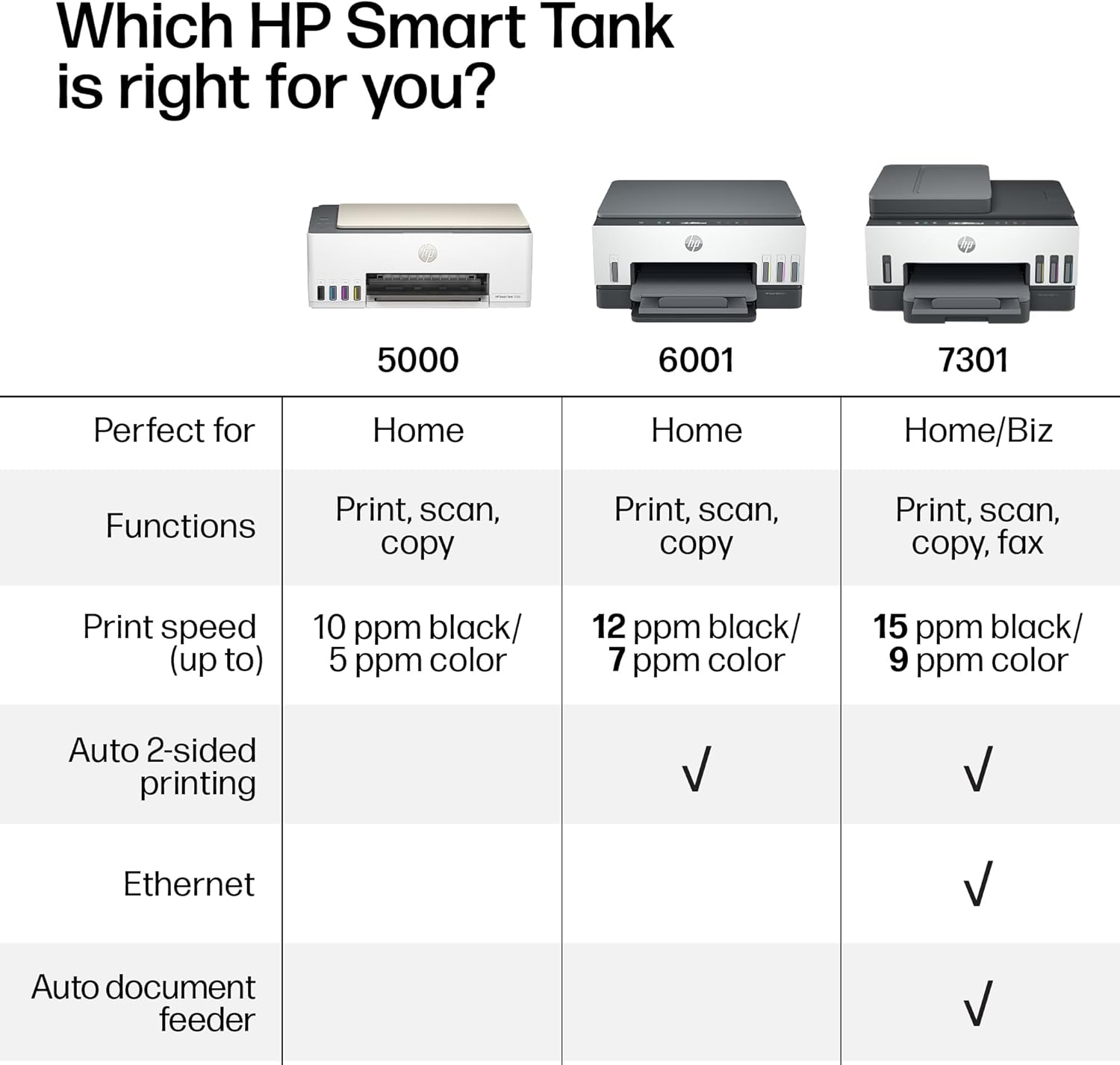
    Copy, Scan

  • ASIN:

    B0CC7TVR2F

  • BEST_SELLERS_RANK:

    #2,777 in Office Products (See Top 100 in Office Products) #6 in Ink Tank Printers

  • COLOR_DEPTH:

    24 bpp

  • COMPATIBLE_CARTRIDGE:

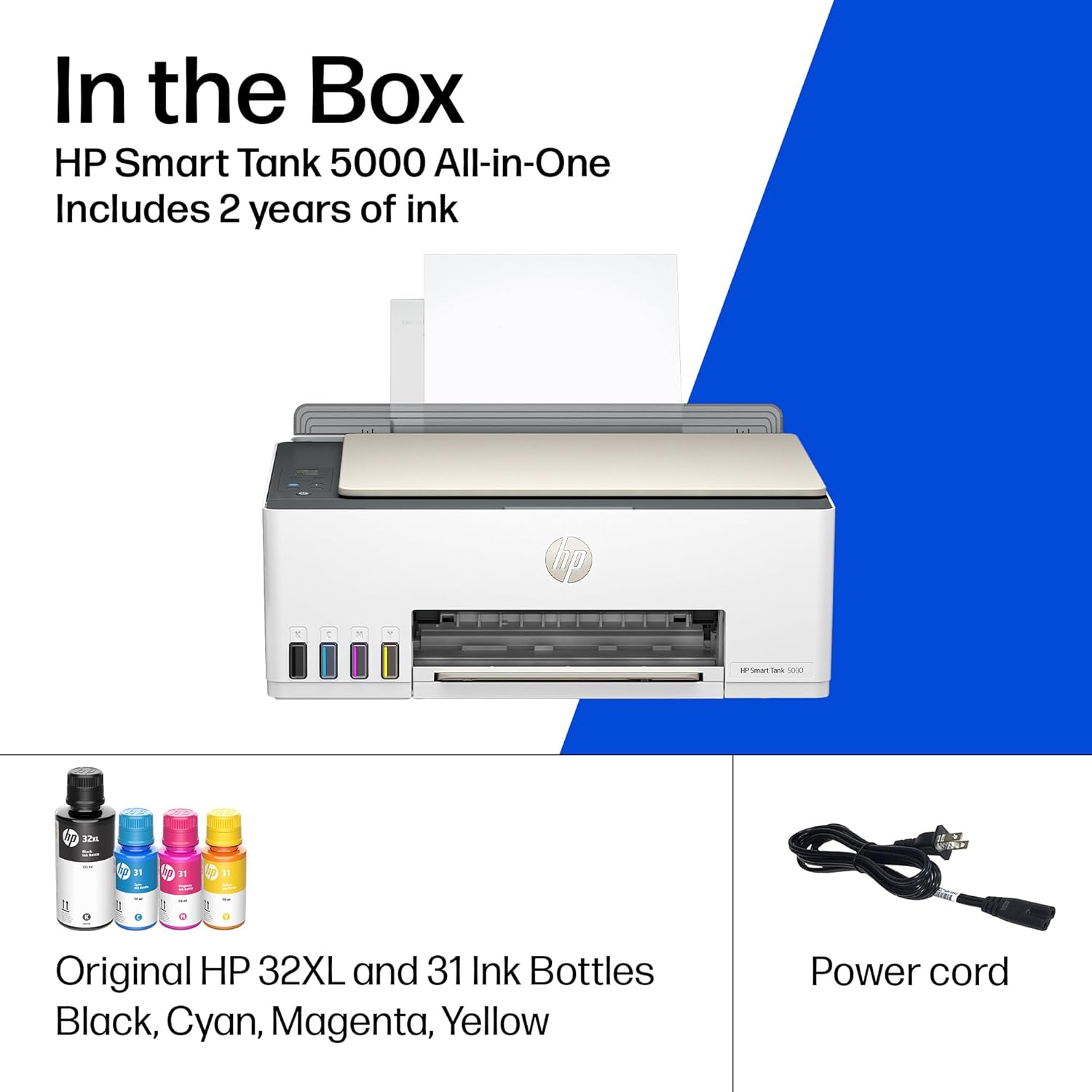
    HP 32XL 135-ml Black Original Ink Bottle 1VV24AN; HP 31 Cyan Original Ink Bottle 1VU26AN; HP 31 Magenta Original Ink Bottle 1VU27AN; HP 31 Yellow Original Ink Bottle 1VU28AN.

  • COMPATIBLE_DEVICES:

    Laptops, PC, Smartphones, Tablets

  • CONTROL_METHOD:

    App, Touch

  • CONTROLLER_TYPE:

    Amazon Alexa, Android, Hand Control, iOS

  • CUSTOMER_REVIEWS:

    3.9 3.9 out of 5 stars (3,080) 3.9 out of 5 stars

  • DATE_FIRST_AVAILABLE:

    September 18, 2023

  • DUAL_SIDED_PRINTING:

    No

  • DUPLEX:

    Manual

  • HARDWARE_INTERFACE:

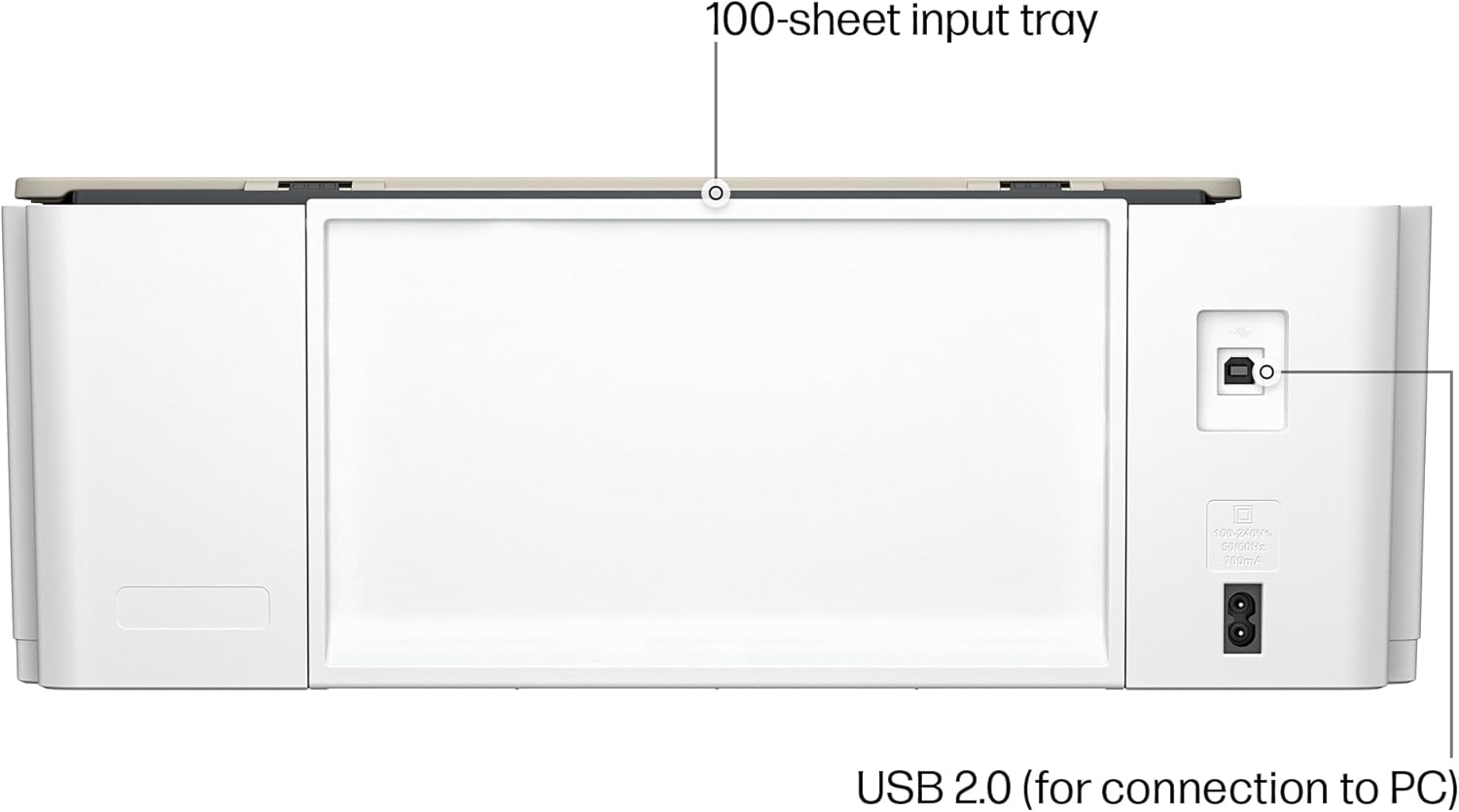
    USB 2.0

  • INCLUDED_COMPONENTS:

    HP 31 Cyan Original Ink Bottle (50ml); HP 31 Magenta Original Ink Bottle (50ml); HP 31 Yellow Original Ink Bottle (50ml);, HP Black Printhead; Regulatory flyer; Warranty flyer; Power Cord., HP Smart Tank 5000 All-in-OnePrinter; HP 32XL Black Original Ink Bottle (135ml);, HP Tri-color Printhead; Setup Guide, Reference Guide, Ink Caution flyer;

  • INITIAL_PAGE_PRINT_TIME:

    A4 Black 14 sec; A4 Color 21 sec Seconds

  • INK_COLOR:

    Black, Cyan, Magenta, Yellow

  • ITEM_MODEL_NUMBER:

    5000

  • ITEM_WEIGHT:

    11.09 pounds

  • MANUFACTURER:

    HP

  • MAX_COPY_RESOLUTION_BLACK_WHITE:

    6000 x 1200 dpi

  • MAX_COPY_RESOLUTION_COLOR:

    Up to 600 dpi

  • MAX_COPY_SPEED_BLACK_WHITE:

    10 ppm

  • MAX_INPUT_SHEET_CAPACITY:

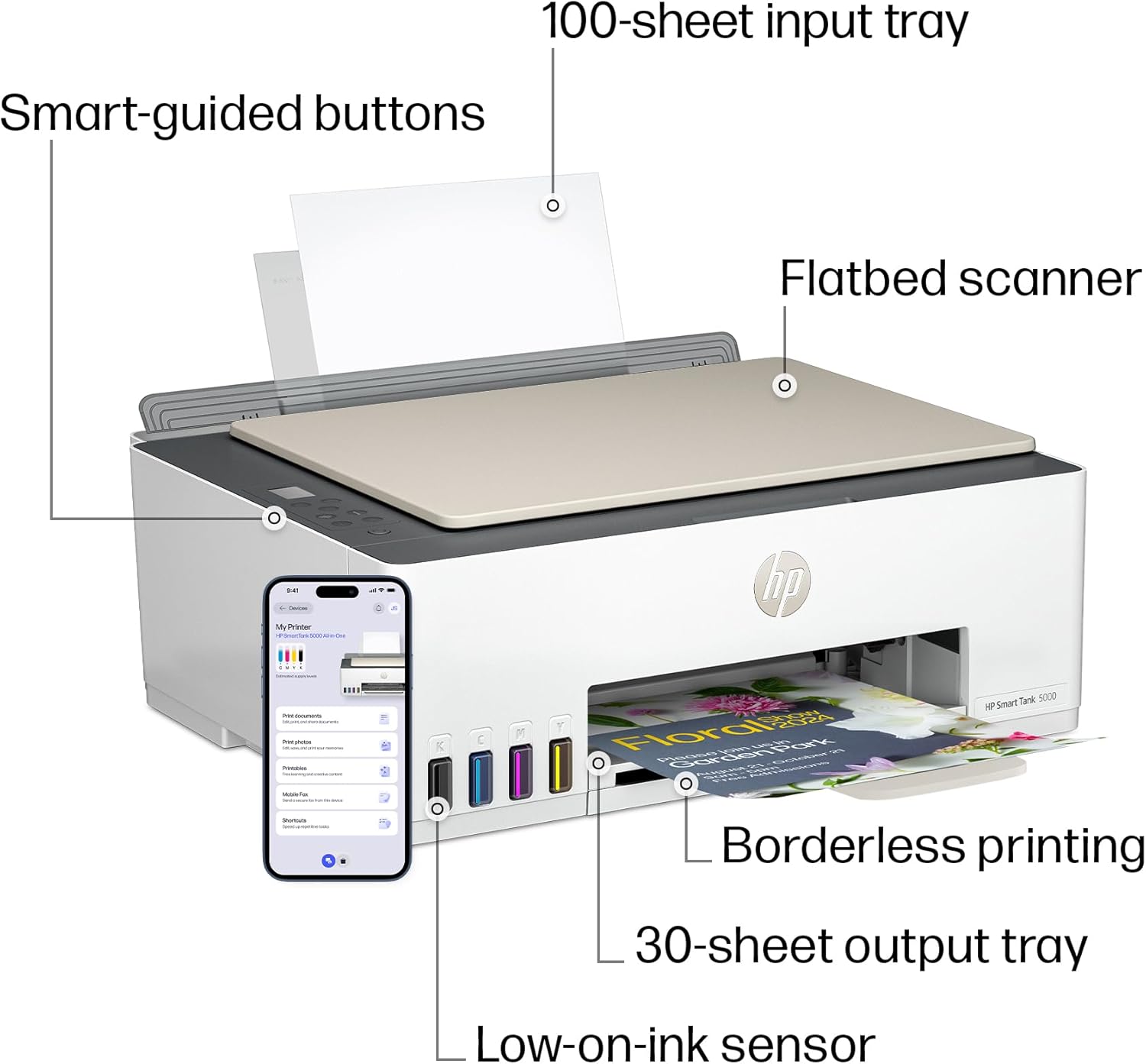
    100

  • MAXIMUM_BLACK_AND_WHITE_PRINT_RESOLUTION:

    1200 x 1200 dpi

  • MAXIMUM_COLOR_PRINT_RESOLUTION:

    Black (best): Up to 1200 x 1200 rendered dpi; Color (best): Up to 4800 x 1200 optimized dpi colo Dots Per Inch

  • MAXIMUM_COPIES_PER_RUN:

    Up to 99 copies

  • MAXIMUM_MEDIA_SIZE:

    8.5 x 14 inch

  • MEMORY_STORAGE_CAPACITY:

    64 MB

  • MODEL_SERIES:

    Smart Tank 5000

  • NUMBER_OF_TRAYS:

    1

  • NUMBER_OF_USB_2_PORTS:

    1

  • OUTPUT_SHEET_CAPACITY:

    30.0

  • PRINT_MEDIA:

    Envelopes, Glossy film, Glossy photo paper, Paper (plain)

  • PRINTER_INK_TYPE:

    ink bottles

  • PROCESSOR_COUNT:

    1

  • PRODUCT_DIMENSIONS:

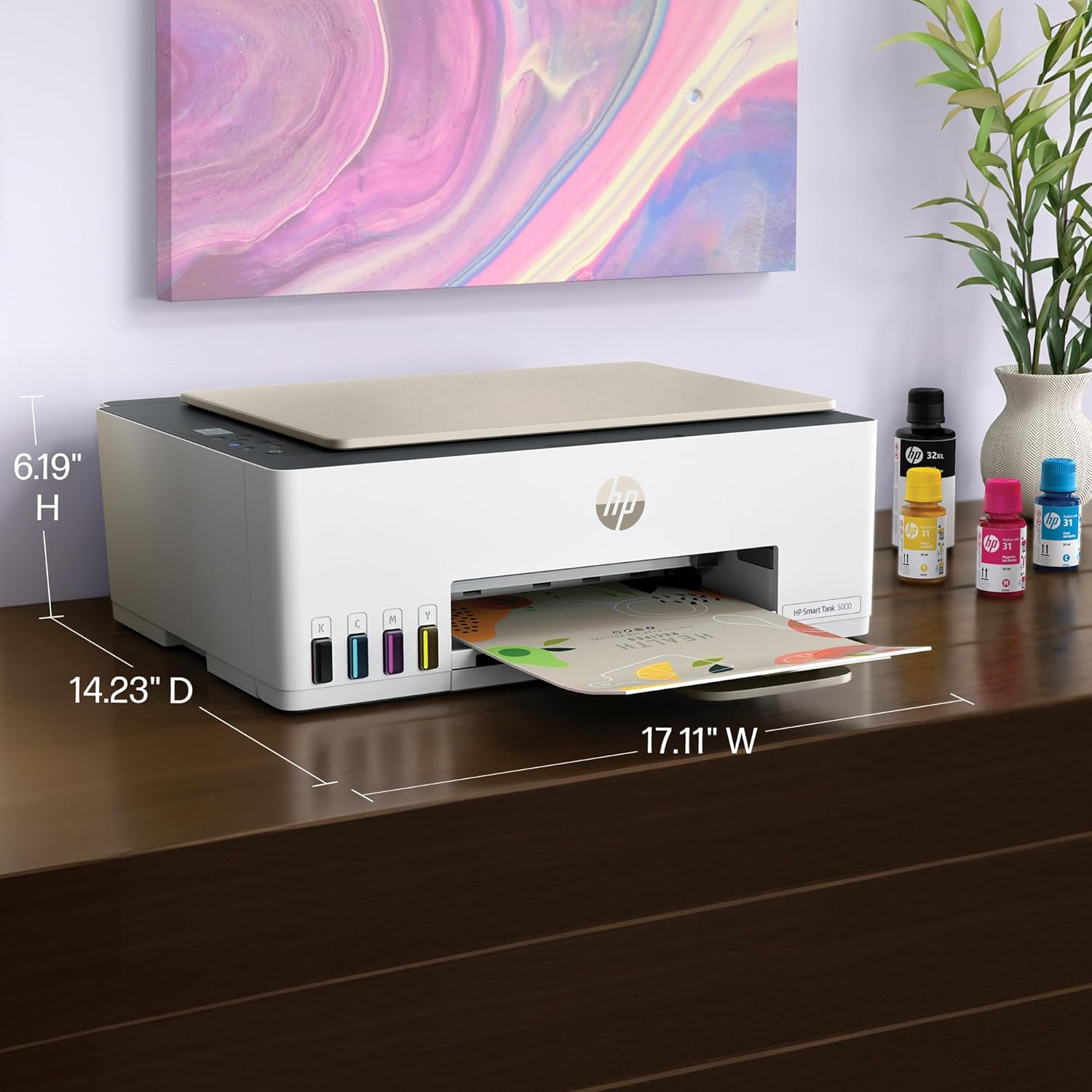
    17.11"D x 6.19"W x 14.23"H

  • SCANNER_TYPE:

    Flatbed

  • SERIES_NUMBER:

    5000

  • SHEET_SIZE:

    3 x 5 to 8.5 x 14 Inches

  • SPECIFIC_USES_FOR_PRODUCT:

    Home and home office

  • SUPPORTED_MEDIA_SIZES:

    4 x 6 inches, 5 x 7 inches, Legal (8.5 x 14 inches), Letter (8.5 x 11 inches)

  • TOTAL_USB_PORTS:

    1

  • UPC:

    197497529463

  • WARRANTY_TYPE:

    Limited

  • WATTAGE:

    3023 watts

안전한 결제를 보장하세요
제품 상세 정보
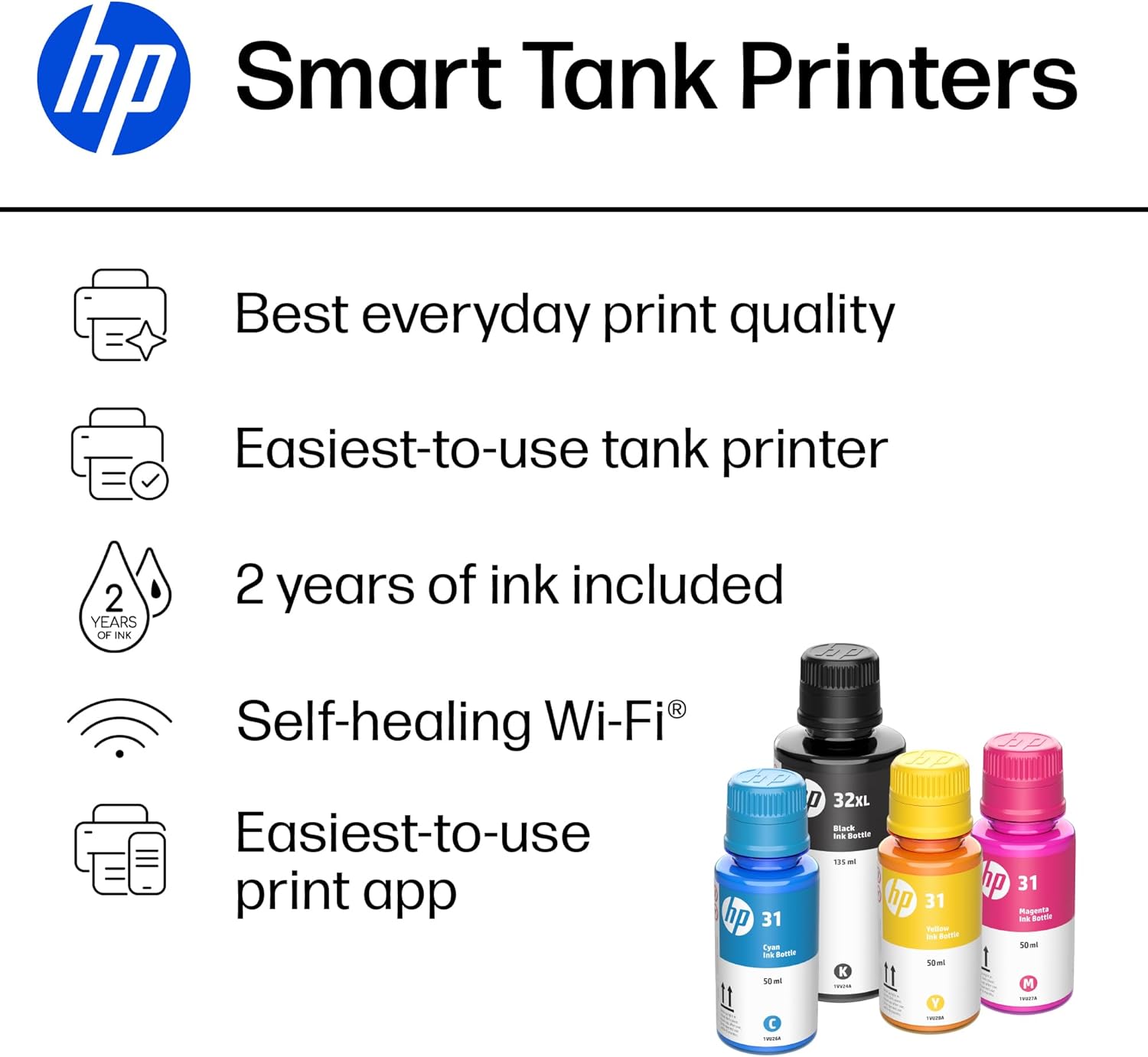
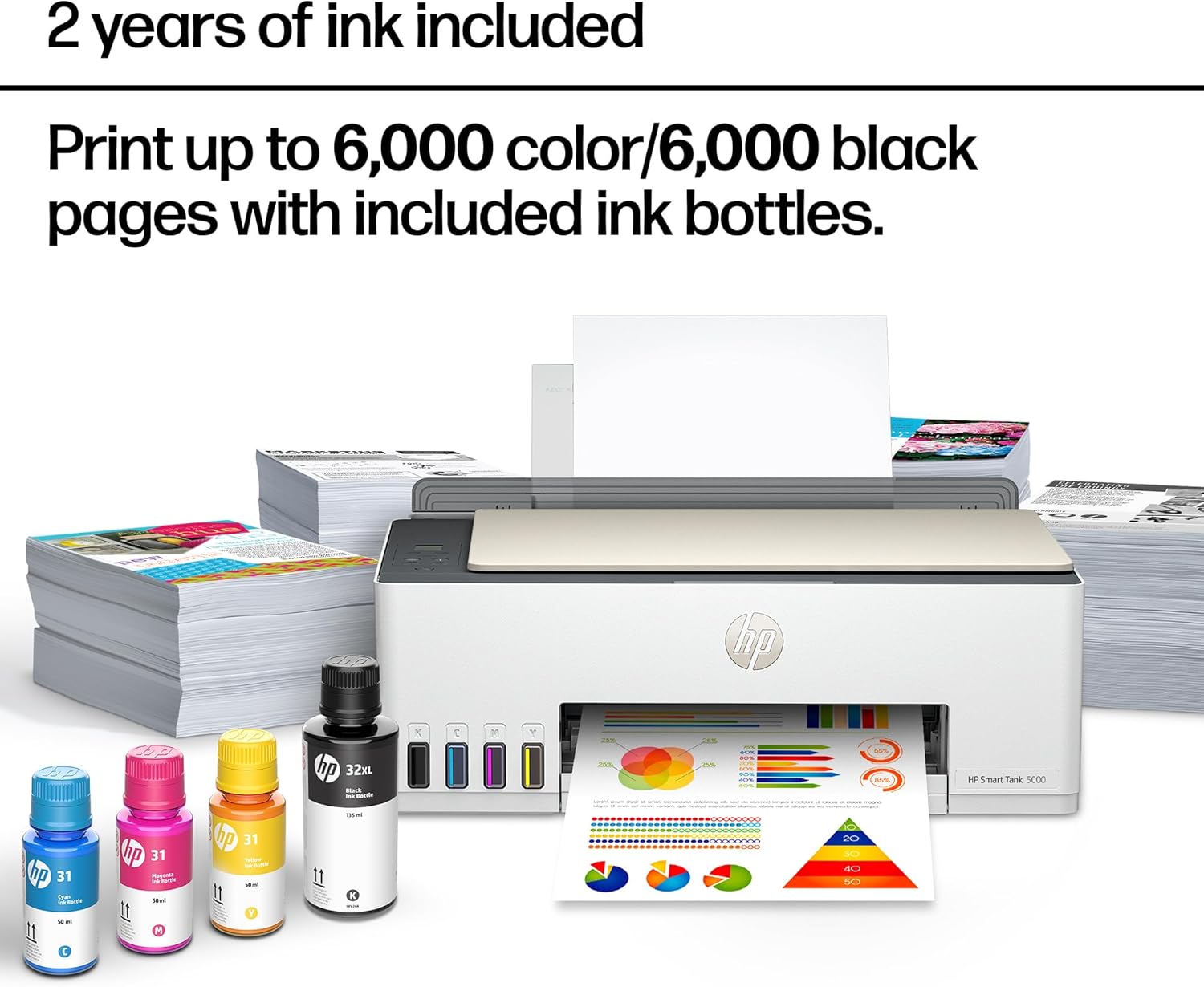
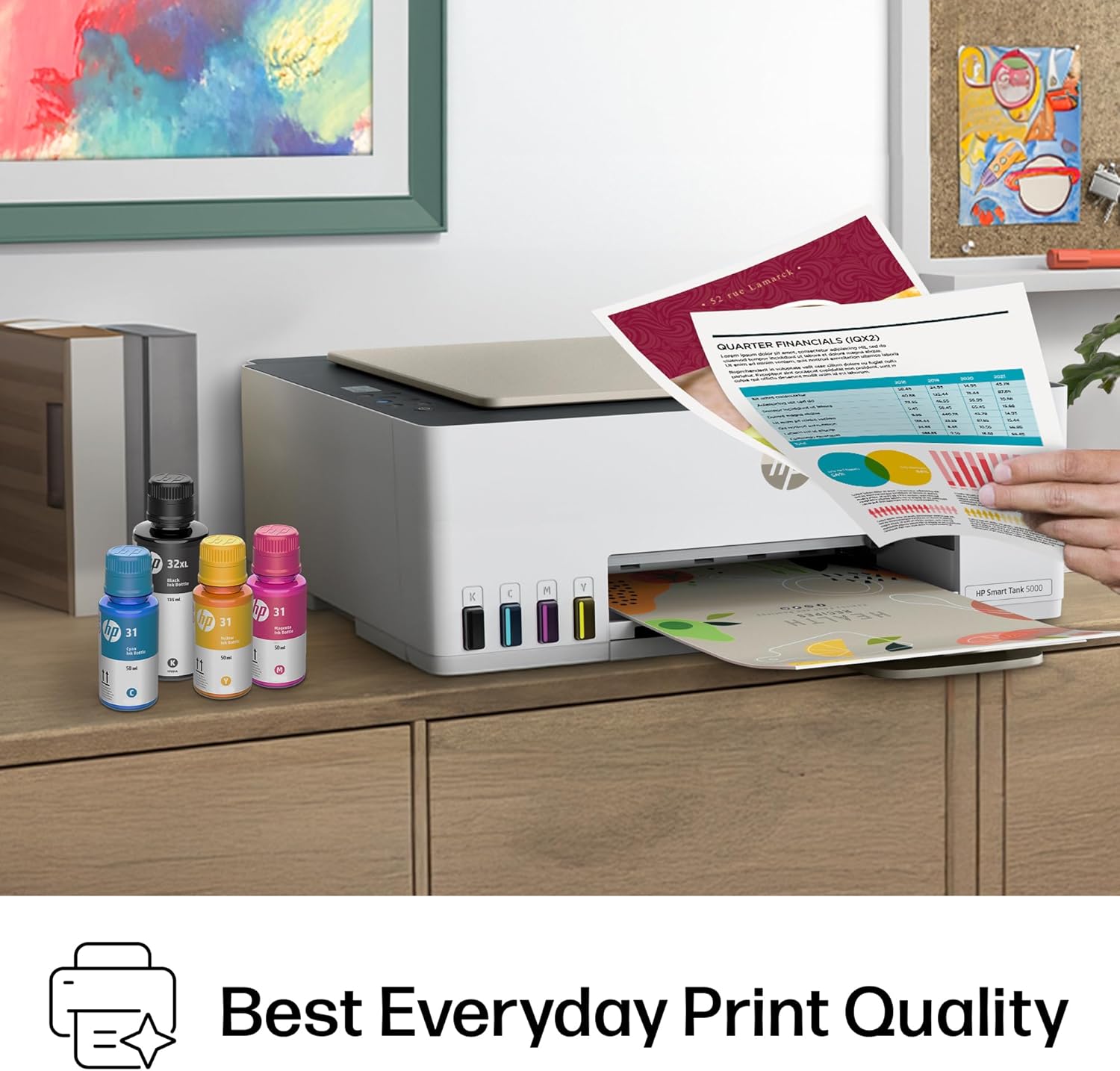
The HP Smart Tank 5000 Printer is a smart, connected and refillable tank printer that makes printing seamless for your home with its high capacity and wireless connectivity. Create everyday color documents at a low cost with 2 years of Original HP Ink included in the box. This cartridge-free Smart Tank printer is an inkjet perfect for high-volume printing. It's also AI-enabled to intuitively adapt to your workflow, with wireless and security features that keep your multifunction printer up to date and secure.
고객 리뷰
3.90

(100 점수)

5
19
4
4
3
6
2
11
1
60
댓글 취소
댓글을 남겨주세요

18 논평

Affordable good quality ink tank printer
2026-02-18    -Wayupnorth

We have owned a few printers over the last 30 or so years. Most have been HP and we have always liked them and had good luck with print quality and features. The one sticking point has always been cartridge cost and reliability. And they have never worked well refilling them.Our last printer was a Canon and we will never buy one again. I had been watching the ink tank printers but price was the stumbling block. With the 5000 series the ink tank printers they are finally affordable.This printer makes very nice crisp prints in both letters and pictures. It does scan, the tray is direct feed from the rear top of the printer making it nice if you make water slide decals or anything similar. Super easy to set up and install the software, print heads fill tanks etc. Once on your network it just powers down and waits for the next time you tell it to print.The printer appears to be a winner and now we just have to test it for long term reliability of print heads etc. But as it stands we are impressed and do recommend this if you are tired of the small amounts of ink in cartridges and the high cost.

Affordable good quality ink tank printer
2025-12-26    -Wayupnorth

We have owned a few printers over the last 30 or so years. Most have been HP and we have always liked them and had good luck with print quality and features. The one sticking point has always been cartridge cost and reliability. And they have never worked well refilling them.Our last printer was a Canon and we will never buy one again. I had been watching the ink tank printers but price was the stumbling block. With the 5000 series the ink tank printers they are finally affordable.This printer makes very nice crisp prints in both letters and pictures. It does scan, the tray is direct feed from the rear top of the printer making it nice if you make water slide decals or anything similar. Super easy to set up and install the software, print heads fill tanks etc. Once on your network it just powers down and waits for the next time you tell it to print.The printer appears to be a winner and now we just have to test it for long term reliability of print heads etc. But as it stands we are impressed and do recommend this if you are tired of the small amounts of ink in cartridges and the high cost.

5.0 out of 5 stars Great Printer
2025-12-27    -Glenn W. Brasher

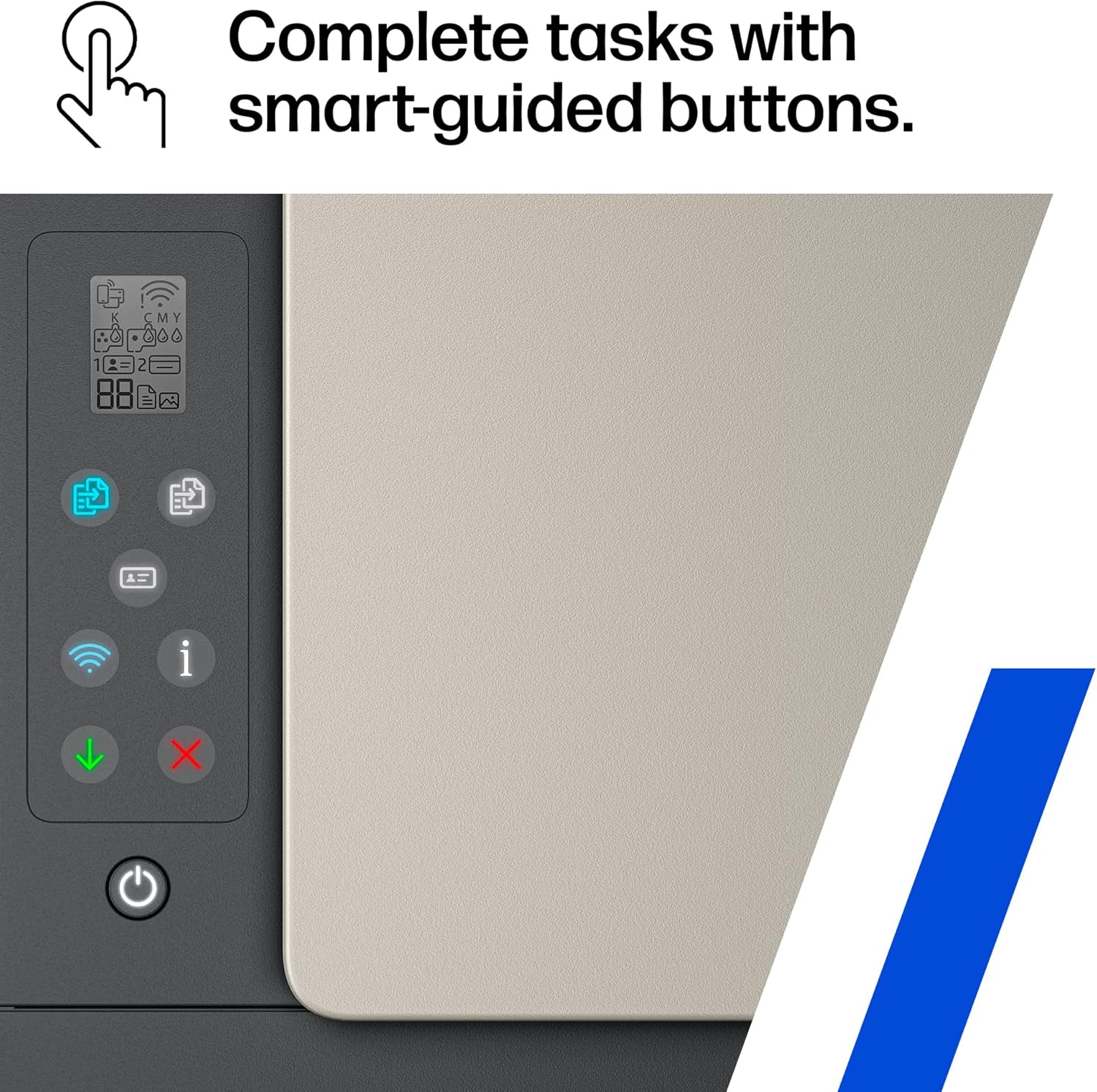
I have been using this printer for 2 or 3 months and found it to be an excellent replacement for my old one that died on me. It was fairly easy to set up. You do have to install the print heads but any problems I had was more about my eyesight than any complexity with snapping them into place. I have never tried printing wirelessly because it sits next to my computer and I just reused the USB and power cord from my old printer. Everything was setup and ready to go in less than an hour. It prints fast and clearly. It also makes good copies from the scanner. As a rule I only print out a few copies a day and they are mostly black and white. Ink capacity has not become an issue. Many people have problems with the installation instructions that come with equipment nowadays and these are pretty typical. A few small pictures with limited print instructions but I had no real problems figuring things out. It would be nice if the LED window was backlit for better viewing but not a big deal. I definitely recommend this printer.

5.0 out of 5 stars Great Printer
2026-01-02    -Glenn W. Brasher

I have been using this printer for 2 or 3 months and found it to be an excellent replacement for my old one that died on me. It was fairly easy to set up. You do have to install the print heads but any problems I had was more about my eyesight than any complexity with snapping them into place. I have never tried printing wirelessly because it sits next to my computer and I just reused the USB and power cord from my old printer. Everything was setup and ready to go in less than an hour. It prints fast and clearly. It also makes good copies from the scanner. As a rule I only print out a few copies a day and they are mostly black and white. Ink capacity has not become an issue. Many people have problems with the installation instructions that come with equipment nowadays and these are pretty typical. A few small pictures with limited print instructions but I had no real problems figuring things out. It would be nice if the LED window was backlit for better viewing but not a big deal. I definitely recommend this printer.

Worst Printer I Ever Owned
2025-12-24    -Trevor Powell

This printer does not hold a lot of paper. When I forget to add paper, it goes offline if you are still printing and it runs out. It takes forever to get the printer running again. If you put the paper in slightly crooked it jams and goes off line. It takes a long time to get it up and running again. It mysteriously pauses and AGAIN, it takes a long time to figure out what is wrong with it and get it running again. I have spent long hours trying to get this printer to work again. The back plastic that holds the paper in place falls down and your paper falls out. When you can get it working, it produces nice quality, but I have never seen a printer that is so temperamental and so cheaply made. AVOID AT ALL COSTS! This Printer is TERRIBLE!

5.0 out of 5 stars Excellent printer and scanner, easy to use
2026-02-18    -Yanier jorge Carrasco

I bought this HP printer and it has been a very good experience. The print quality is clear and crisp, both in documents and images. The scanner works perfectly, it is fast and very easy to use thanks to the top glass, ideal for copying or scanning important documents.The installation was simple and in a few minutes it was already working. It has a compact and modern design that does not take up much space, perfect for the home or a small office. In addition, it is quiet and reliable.In general, it is a very good quality product, it fulfills what it promises and has an excellent price-quality ratio. I recommend it without a doubt

Worst Printer I Ever Owned
2026-01-13    -Trevor Powell

This printer does not hold a lot of paper. When I forget to add paper, it goes offline if you are still printing and it runs out. It takes forever to get the printer running again. If you put the paper in slightly crooked it jams and goes off line. It takes a long time to get it up and running again. It mysteriously pauses and AGAIN, it takes a long time to figure out what is wrong with it and get it running again. I have spent long hours trying to get this printer to work again. The back plastic that holds the paper in place falls down and your paper falls out. When you can get it working, it produces nice quality, but I have never seen a printer that is so temperamental and so cheaply made. AVOID AT ALL COSTS! This Printer is TERRIBLE!

5.0 out of 5 stars Tanks A Lot!
2025-12-29    -Jim

I recently started working exclusively from home, and needed my printer on a daily basis. I thought it would be alright paying $35 for an ink cartridge, as long as I just used black. Then the cartridges were lasting all of 6 days, and it was getting ridiculous.I didn't even know that these printers were an option. So in my research I wanted to stick with HP, because I already had all the software on my computer. I am also pretty frugal, so I went with the cheapest one that had good reviews, and hoped for the best.Looks like I chose wisely.After using this printer for a month, I have nothing but good things to say about it, and it has already paid for itself in ink alone.It sounds like a printer. It's not quite, but it's really not too loud. It is not a speed demon, but I don't need it to be the fastest. I am fine with how fast it will print. You can pay more for a faster printer if that is important, but I just let it do it's thing while I continue to work.The pages look great! Everything is crisp and clean. Even the ocassinal photos that I could not print before come out looking just like the picture.Set up was a breeze, especially since I already had the software installed. And setting up the wifi was as simple as connecting any other device. I have had zero issues with lost connection from the printer. On two occasions the printer showed offline, but it turned out to be the laptop that missed it when I turned the printer on after the computer, and it was fixed with a restart.If I were to remove a star it would be for the amount of paper that you can load. But it is still more than the last printer, so I will leave that star right where it is.I have been through two reams of paper so far, with no sign of low ink.This is the best printer I have ever had, and absolutely the cheapest to operate.

efficient product
2026-02-09    -gavin cooper

Easy to install. good quality product

UPDATE:I just received the same exact printer from Best Buy this time and have updated my rating as well according to a functioning unit. Thankfully this one did not have firmware issues however it did have ink cartridge issues.....until by the grace of god I was able to fix it. I also had a ton of trouble trying to connect to Wifi until I was able to make the printer functional and remembered what I needed to hit on the printer to have the instructions printed for me on how to setup the wifi, because for whatever reason this isn't listed on the setup manual. So this was the easiest, at least for me, took literally less than 2 minutes.... before you get started make sure you download the HP Smart App.1. Make sure your phone is connected to your wifi2. Press and hold the Information button for 3 seconds until all buttons are lit, then hit and hold Wi-fi and Cancel (red X) button at the same time for 3 seconds. The Power button will blink for a few seconds and then the printer will be in Setup Mode. (Wifi button will continue to blink until its connected to Wifi)3. Once you're in setup mode, open the HP Smart App, click on add printer, mine was in the top right corner of a little printer icon. Click on Add New Printer, (was first/top choice on my phone) and then it will take you through the process. Very self explanatory.There's 2 other options that the printer printed but I'll save you the time. Yours can print it too, by holding down the Wifi and Information button down at the same time. It should print a 2 page instruction on how to connect your printer to the Wifi. If it doesn't start printing, try again. Hope that helps the ones that had a lot of trouble setting up Wifi as even I did, had I not known this trick from my previous HP printer I'd still not be connected to the internet.----------------------------------------------------------------------------This printer just got delivered to me maybe an hour ago. I plugged it in and immediately all lights started blinking including the information screen. The printer is fully unresponsive, anytime i push the power button it blinks then turns everything back on and lights yet again keep flashing. My old HP suddenly decided to have trouble with the ink cartridge after coming back from vacation, mind you no one has touched it, in fact the printer started having troubles after cancelling my Instant ink as I wasn't getting much use out of paying for it, pretty ironic....Given most of the reviews of this printer was positive and it came overnight I gave it a shot...I'm currently on chat with support having yet to find a solution to even get the printer to turn on normally. Haven't even been able to install the ink cartridges as it's not even moving into replace position. We are currently on solution #5 and the printer is still just blinking with all lights.Not sure if this is an Amazon issue or an HP issue, but I'm more than likely going to return this. I really wanted this printer to work but it looks like it's going back to where it came from.

댓글을 남겨주세요:

댓글 제목
댓글 내용
배송 및 반품
우리가 당신을 보호하겠습니다

대부분 지역에서는 배송비를 한 번만 지불하시면 됩니다 (주문 및 배송 페이지를 확인해 주세요).

구매 후 14일 이내 무료 반품 가능 (단, 수명이 다한 제품, 맞춤 제작 상품, 마스크, 향수 및 에어로졸과 같이 위험하거나 인화성 물질이 포함된 일부 제품은 제외).

수입 관세 정보

복잡한 절차는 저희가 처리해 드리겠습니다. 카나리아 제도를 제외한 모든 EU 국가, 영국, 미국, 캐나다, 호주, 뉴질랜드, 푸에르토리코, 스위스, 싱가포르, 한국, 쿠웨이트, 멕시코, 카타르, 인도, 노르웨이, 사우디아라비아, 대만, 태국, UAE, 일본, 브라질, 맨섬, 산마리노, 콜롬비아, 칠레, 아르헨티나, 이집트, 레바논, 홍콩 특별행정구, 바레인, 터키로 배송되는 상품 가격에는 모든 수입 관세가 포함되어 있습니다. 표시된 가격이 최종 결제 금액입니다.

예상 배송 시간

특급 배송: 7-10일

해당 창고에서 배송되었습니다.

더 자세한 정보가 필요하신가요?
반품 정책
반품 정책

저희는 제품 품질에 자신 있습니다. 만약 구매하신 제품에 완전히 만족하지 못하신다면, 수령일로부터 30일 이내에 간편하게 반품하실 수 있도록 정책을 마련해 두었습니다.

간편한 교환 또는 환불
  • 다른 사이즈, 색상 또는 스타일의 상품으로 교환하거나 전액 환불받을 수 있습니다.
  • 반품되는 모든 상품은 착용하지 않은 상태여야 하며, 원래 포장 상태 그대로 모든 태그가 손상되지 않은 상태여야 합니다.
간단한 절차
  • 온라인으로 반품을 신청하거나 고객 서비스 팀에 문의하여 도움을 받으실 수 있습니다.
  • 물품을 제대로 포장해 주시고, 원래의 포장 목록도 함께 넣어주세요.
  • 반품하실 상품을 보내주실 때에는 저희가 제공해 드린 선불 배송 라벨을 사용해 주시기 바랍니다.
  • 환불 요청 접수 즉시 처리해 드리겠습니다.

반품과 관련하여 궁금한 점이나 우려 사항이 있으시면 언제든지 저희 전문 고객 서비스 팀에 문의해 주세요. 고객 만족은 저희의 최우선 목표입니다.

범주
차이
제품
모든 제품 지우기